High-performance AI clusters are increasingly hitting a thermal wall that has nothing to do with the GPUs themselves. While the industry fixates on the raw compute of the NVIDIA Blackwell architecture, the real threat to your Blackwell GB200 Cluster ROI is the "thermal tax" levied by 400GbE/800GbE networking and dense Gen5 storage arrays. If you aren't accounting for the heat generated by the I/O fabric, your liquid-cooled GPUs will throttle anyway as the surrounding environment reaches critical saturation.
Heads up: AI Hardware Hub may earn a commission when you buy through links on this page. We only recommend gear we'd run ourselves.

§The hidden cost of the I/O thermal surge
In 2026, building a cluster is no longer just about power delivery to the socket; it's about the calories generated by moving data. A single Blackwell GB200 node requires massive throughput to keep its Tensor Cores fed. When you scale this to a cluster, the network interface cards (NICs) and NVMe Gen5 drives contribute up to 15-20% of the total rack heat load.
Standard air-cooling is effectively dead for these deployments. While the PNY Technology VCNRTXPRO6000BQ-PB NVIDIA RTX PRO 6000 Blackwell Max-Q uses a Max-Q design to manage workstation-level thermals, enterprise-grade GB200 chips in a rack environment don't have that luxury. If your networking switches and I/O cards are air-cooled, they will cause "hot spots" that trigger global clock speed reductions across the cluster to protect the hardware. This is the thermal tax, and it eats your ROI for breakfast.
§Why over-provisioning GPUs is a trap
Many CTOs are currently over-provisioning compute nodes to compensate for expected performance dips. This is a legacy mindset. Buying more A100 80GB Graphics Card - 80 GB HBM2e ECC units or even newer Blackwell silicon won't solve a congestion problem caused by thermal throttling at the switch level.
Instead of buying 10% more compute, savvy operators are investing that capital into Direct-to-Chip (DTC) liquid cooling for the entire I/O path. By cooling the NICs and the PCIe fabric, you maintain a consistent "Goldilocks" temperature that allows the Blackwell chips to run at peak boost clocks indefinitely.
Comparing thermal impact: Air vs. Liquid-Cooled I/O
| Feature | Traditional Air-Cooled Cluster | Liquid-Cooled I/O Cluster |
|---|---|---|
| Max Clock Stability | Fluctuates based on ambient | Stable 99.9% uptime |
| I/O Latency | Increases as NICs heat up | Consistent <1μs performance |
| Rack Density | Limited to 40kW | Support for 100kW+ |
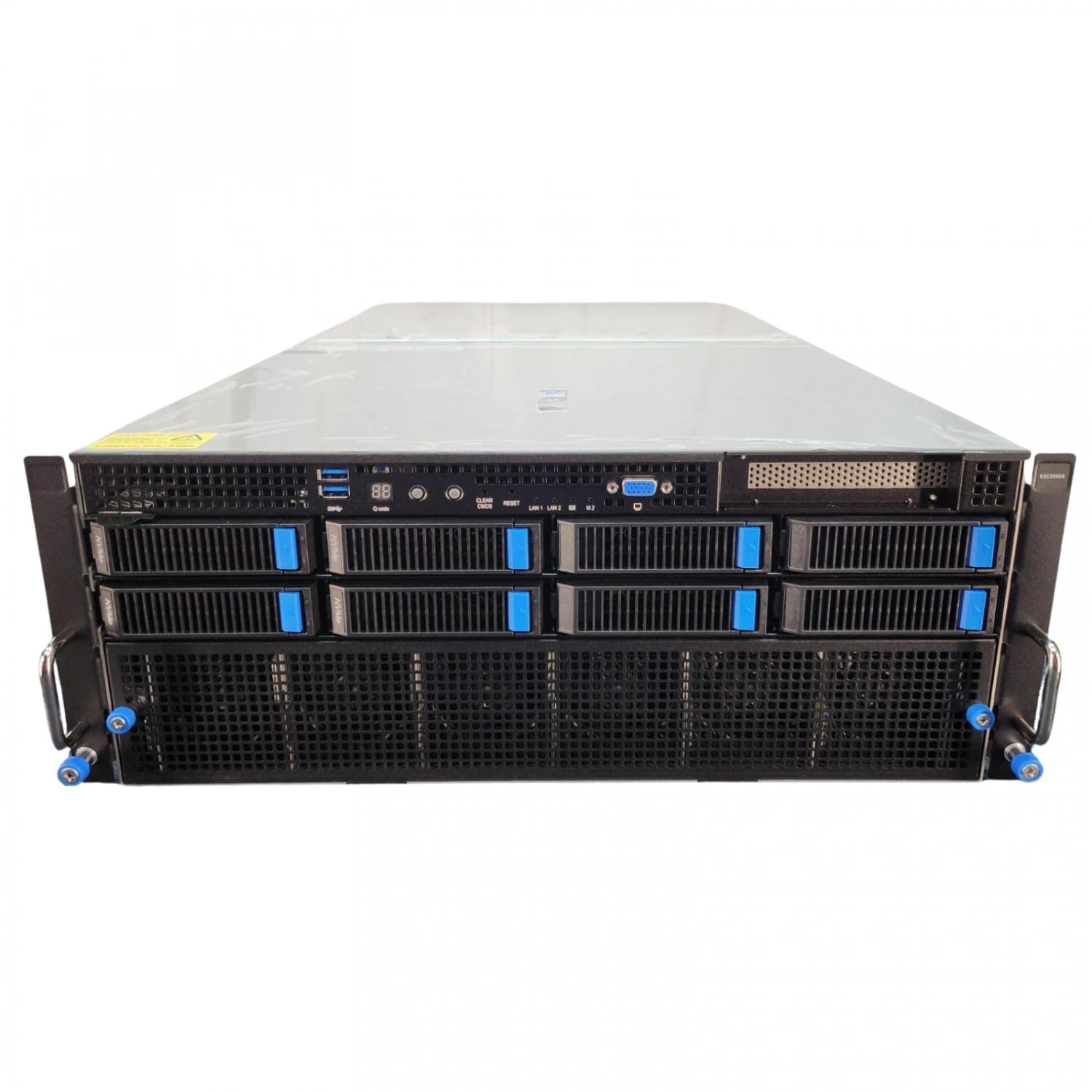
| Typical Hardware | Standard 4U Chassis | ASUS Dual AMD EPYC 4U GPU Server |
| Long-term ROI | Decays due to throttling | Optimized through 5-year lifecycle |
§The storage bottleneck: Gen5 heat
Dense Gen5 storage is the second silent killer of Blackwell GB200 Cluster ROI. To feed a cluster capable of training trillion-parameter models, you need NVMe arrays that can push terabytes per second. These drives run incredibly hot. In a workstation like the Adamant Custom 12-Core Liquid Cooled Workstation, you see the industry's response: integrated liquid cooling even for the CPU and GPU to leave enough "thermal headroom" for the storage and RAM.
In a data center, if your storage controllers start to bake, data ingestion slows down. Your expensive GB200 nodes sit idle, waiting for the next batch of tokens. You aren't just losing time; you're burning electricity on idle high-end silicon.
§Strategies for integrating liquid-cooled I/O
If you are currently planning your infrastructure on our AI Workstations or Enterprise AI Systems pages, keep these three factors in mind:
- Cooling the Fabric: Ensure your InfiniBand or Ethernet switches are part of the secondary cooling loop.
- Active Optical Cables (AOCs): Use AOCs instead of copper for long runs to reduce the heat generated by the transceivers at the port.
- Balanced Nodes: Systems like the BoxGPT AI Workstation show how balancing high-RAM capacity (256GB DDR5) with Blackwell GPUs prevents the I/O from becoming a bottleneck in the first place.
§Calculating the True TCO
To find your real Blackwell GB200 Cluster ROI, you must look at the Cost per Token per Watt. If you spend $5M on Blackwell nodes but only achieve 70% of their rated FLOPS because of thermal throttling in the networking rack, your TCO is actually 30% higher than the sticker price suggests.
By migrating to a fully liquid-cooled infrastructure—including the I/O—you can often reduce the total number of nodes required to meet a specific training deadline. This leads to lower software licensing costs, lower floor space requirements, and a significantly faster path to model deployment.
FAQ
How does networking heat affect GPU performance?
When networking components (NICs and switches) overheat, they introduce latency and packet loss. In a distributed training environment, the GPUs must wait for data synchronization across the fabric. This "wait time" reduces the effective utilization of the Blackwell chips, lowering your ROI.
Is liquid cooling necessary for small Blackwell clusters?
For a single workstation like the BoxGPT AI Workstation, high-quality air cooling or hybrid AIOs are sufficient. However, once you scale to a multi-node cluster with 400GbE interconnects, liquid cooling becomes a requirement to prevent the "thermal tax" from degrading performance.
Can I mix older Ampere or Hopper nodes with Blackwell?
While possible, mixing architectures like the A100 80GB Graphics Card with Blackwell nodes complicates the thermal and I/O profile. The slower interconnects of older cards can create bottlenecks that prevent the Blackwell chips from reaching full capacity, further hurting your cluster's overall efficiency.
§Bottom line
The era of just "buying more GPUs" is over. In 2026, the competitive advantage belongs to the ML engineers and CTOs who treat the data fabric with the same thermal respect as the compute. To maximize your Blackwell GB200 Cluster ROI, focus on the I/O. Liquid-cool your networking, optimize your storage thermals, and stop paying the thermal tax.
If you're looking for Benchmarks or ready to spec out a new build, check out our curated lists of AI GPUs and AI Workstations.
Heads up: AI Hardware Hub may earn a commission when you buy through links on this page. We only recommend gear we'd run ourselves.