
The shift to NVIDIA’s Blackwell architecture in 2026 has fundamentally rewritten the rules of data center economics, making traditional air-cooling practically obsolete for high-density training clusters. While raw GPU compute often dominates the conversation, the real bottleneck for enterprise ROI now lies in the thermal and financial interplay between high-density NVMe storage, 200GbE networking, and the liquid-cooling infrastructure required to keep them from throttling. To maximize Blackwell Rack Liquid Cooling TCO (Total Cost of Ownership), infrastructure leads must look beyond VRAM and solve for the massive I/O heat loads that can cripple a $500,000 rack before the GPUs even hit peak utilization.
Heads up: AI Hardware Hub may earn a commission when you buy through links on this page. We only recommend gear we'd run ourselves.
§The Blackwell thermal wall: Why air isn't enough
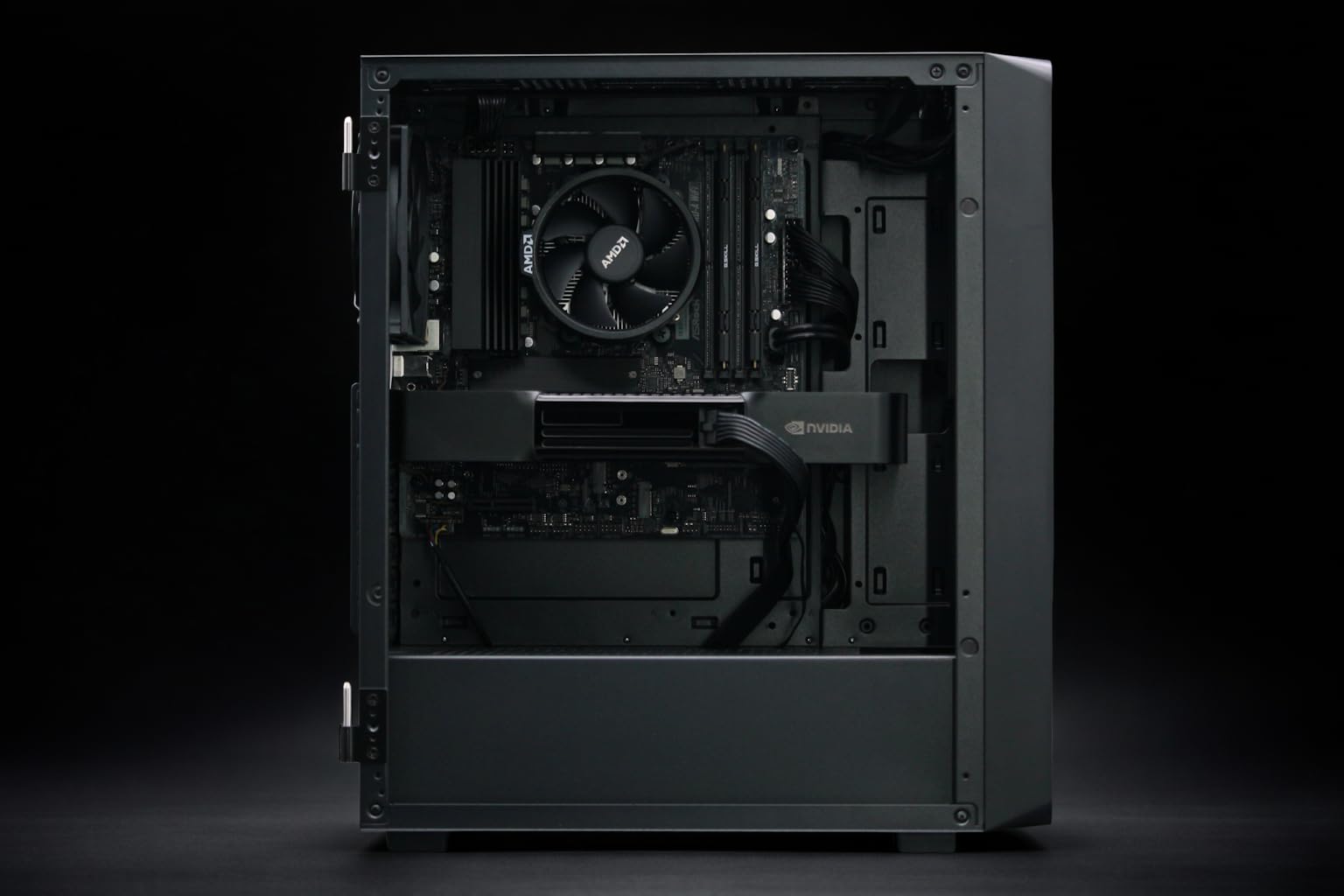
In 2026, the thermal density of a standard 42U rack has zoomed past 100kW in many enterprise AI deployments. When you integrate chips like the PNY Technology VCNRTXPRO6000BQ-PB NVIDIA RTX PRO 6000 Blackwell Max-Q into multi-node systems, the heat generated isn't just a GPU problem anymore.
The heat dissipation from a 96GB Blackwell card is significant, but when paired with the high-speed NVMe arrays required to feed these chips data at 200GbE speeds, the air in the hot-aisle reaches temperatures that cause I/O controllers to throttle. Direct-to-chip (DTC) liquid cooling is no longer a luxury; it’s a requirement for maintaining the 99.9% uptime demanded by modern ML pipelines.
§The I/O bottleneck: 200GbE and NVMe heat
To keep a Blackwell cluster saturated, you need massive data throughput. We aren't just talking about the 400GB/s internal NVLink speeds; we're talking about the external data ingest from storage.
- High-Density NVMe: Loading multi-terabyte datasets into VRAM requires Gen5 (and increasingly Gen6) NVMe drives. These drives can pull 20-25W each. In a dense 2U storage node, that’s 500W of heat just from the SSDs.
- 200GbE/400GbE Networking: Optical transceivers for 200GbE networking run incredibly hot. If these modules aren't adequately cooled, packet drops increase, causing the benchmarks of your multi-million dollar cluster to tank.
- The VRAM Expansion: Units like the PNY NVIDIA RTX 6000 ADA served us well with 48GB, but the jump to 96GB in the Blackwell era means larger batches and longer sustained thermal loads.
§Comparing Blackwell infrastructure economics
When calculating TCO, you have to weigh the upfront cost of liquid-cooling manifolds against the long-term energy savings and hardware longevity.
| Component | Architecture | VRAM/Features | Cooling Req. | Best Use Case |
|---|---|---|---|---|
| RTX PRO 6000 Blackwell | Blackwell | 96GB GDDR7 | Liquid/Max-Q Air | Enterprise Fine-tuning |
| RTX 6000 ADA | Ada Lovelace | 48GB GDDR6 | Air | Mid-range Inference |
| RTX 5090 (in Adamant Custom) | Blackwell (Consumer) | 32GB GDDR7 | Liquid | Prosumer/Local Dev |
| H200 NVL (ASUS Server) | Hopper/HBM3e | 141GB HBM3e | High-Airflow/Liquid | Large Scale Training |
§Managing the liquid cooling transition
For CTOs, the transition to liquid-cooled racks usually happens in stages. You don't necessarily need to rip and replace your entire data center. 2026 has seen the rise of "Rear Door Heat Exchangers" (RDHx), which allow you to run high-density Blackwell nodes in existing air-cooled facilities.
However, for the highest ROI, a full immersion or DTC setup is preferred. Consider the Adamant Custom Liquid Cooled Workstation. While it’s a workstation, it uses the same cooling principles—liquid channels over the RTX 5090 and the Ryzen 9900X3D—to ensure that high-clock speeds are sustained during 48-hour training runs. This same logic scales up to the ASUS ESC8000A-E12P, where managing 141GB HBM3e modules requires surgical thermal management to prevent memory errors.
§ROI and the "Silent Killer": Ancillary Throttling
The "Silent Killer" of AI profitability is the storage controller. When your 200GbE NIC or your NVMe controller hits 85°C, it doesn't shut down—it slows down. Your Blackwell GPUs, like those in the NOVATECH Apex WS9985X, will sit idle waiting for data. If your $24,000 workstation is only utilized at 60% because of storage heat, your TCO just doubled.
Check out our categories/ai-workstations for systems that specifically address I/O cooling through advanced airflow or integrated loops.
§Deployment strategies for 2026
- Hybrid Racks: Use air cooling for legacy categories/ai-gpus but dedicate liquid-chilled rows for Blackwell B200 and RTX 6000 Blackwell nodes.
- Over-provisioning Networking: If you can't cool your 200GbE transceivers perfectly, move to 400GbE optics throttled to 200GbE; they often have better thermal headroom.
- Local Dev Priority: Use workstations like the BoxGPT AI Workstation to prototype workloads before scaling to the categories/enterprise-ai-systems.
§FAQ
How much does liquid cooling reduce Blackwell TCO?
By eliminating thermal throttling and reducing the energy required for high-speed fans, liquid cooling can reduce the TCO by 15-22% over a three-year lifecycle. This is primarily seen in lower PUE (Power Usage Effectiveness) scores and extended hardware lifespan.
Is the RTX PRO 6000 Blackwell Max-Q better for high-density racks?
Yes. The Max-Q variant of the RTX PRO 6000 Blackwell is specifically tuned for lower power draw and heat output, making it ideal for dense server environments where total rack wattage is the limiting factor.
Can I run a Blackwell workstation in a standard office?
Only if it's specifically designed for it. Systems like the NOVATECH Apex WS9985X use advanced acoustics to manage the heat of the RTX 5090 and 64-core Threadripper, but they still require a climate-controlled environment to prevent ambient heat soak.
§Bottom line
In the Blackwell era, your storage and networking are no longer just "utilities"—they are thermal liabilities. Investing in Blackwell Rack Liquid Cooling TCO strategies means prioritizing the entire I/O path. Whether you are deploying an ASUS ESC8000A-E12P in the data center or a BoxGPT AI Workstation in the lab, cooling is the only way to ensure you're actually getting the performance you paid for.
Heads up: AI Hardware Hub may earn a commission when you buy through links on this page. We only recommend gear we'd run ourselves.