The arrival of the Blackwell architecture has fundamentally shifted the math of the modern data center. We are no longer just managing servers; we are managing massive thermal envelopes where the density of compute, storage, and networking creates a feedback loop of heat and power demand. For enterprise leads, achieving Blackwell Rack TCO efficiency requires a holistic view of the physical interplay between 200GbE fabric, high-density NVMe, and the move toward liquid-cooled infrastructures.
Heads up: AI Hardware Hub may earn a commission when you buy through links on this page. We only recommend gear we'd run ourselves.

§The Blackwell Bottleneck: Why Thermal Management is the New TCO
In 2026, the primary constraint on AI performance isn't just FLOPS; it’s the physical ability to shuttle data into the GPU and pull heat out of it. Blackwell GPUs, like the foundational silicon found in the PNY Technology VCNRTXPRO6000BQ-PB NVIDIA RTX PRO 6000 Blackwell Max-Q, offer unprecedented memory bandwidth and compute density. However, when you stack these into a rack-scale solution, the "air-cooled" era effectively ends.
Total Cost of Ownership (TCO) is now dictated by PUE (Power Usage Effectiveness). If your cooling solution consumes 40% of your total power, your Blackwell investment is being wasted. High-density NVMe storage and 200GbE networking add to this thermal load, requiring a integrated liquid-cooling strategy that targets the silicon directly.
§The Triad: 200GbE, NVMe, and Liquid Cooling
To understand Blackwell Rack TCO efficiency, one must look at how these three components interact:
- 200GbE Networking: Massive training sets require 200GbE (or increasingly 400GbE) fabrics to keep GPUs fed. These NICs run hot and require precise airflow or cold-plate integration.
- High-Density NVMe: As we move toward 30TB+ drives, the heat density of the storage tier rises. Local NVMe on nodes like the BoxGPT AI Workstation provides the necessary IOPS, but in a rack environment, this storage heat must be accounted for in the liquid loop.
- Blackwell GPUs: Transitioning from the A100 80GB Graphics Card to Blackwell-based systems increases power draw per rack unit by up to 3x.
Why Liquid Cooling?
Air cooling is a poor conductor. Liquid cooling (via Direct-to-Chip or Immersion) captures heat at the source, allowing for higher clock speeds and longer sustained workloads without thermal throttling. This efficiency translates directly into lower TCO by reducing the need for massive HVAC overhead in the data center.
§Comparing Compute TCO: Blackwell vs. Previous Gen
When evaluating rack-scale deployments, the efficiency of the GPU architecture is paramount. Here is how current flagship solutions compare in the enterprise landscape.
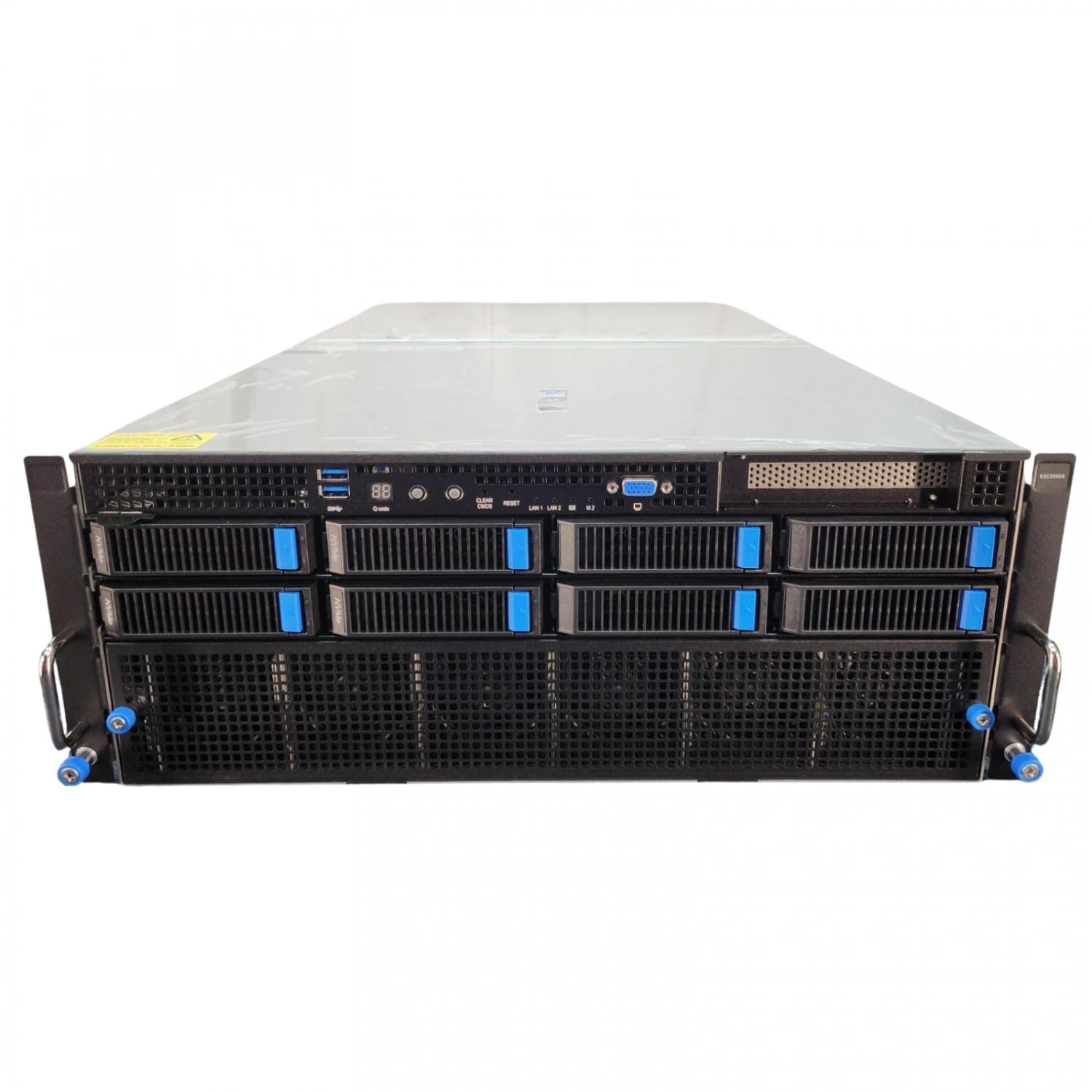
| Feature | NVIDIA A100 80GB | RTX PRO 6000 Blackwell Max-Q | ASUS ESC8000A-E12P (H200 NVL) |
|---|---|---|---|
| Architecture | Ampere | Blackwell | Hopper (Modified) |
| VRAM | 80GB HBM2e | 96GB GDDR6 | 141GB HBM3e (per GPU) |
| Best For | Legacy ML Workloads | High-Density Workstations | Large Scale Training |
| Cooling Profile | Air/Standard | Liquid Optimized | High-Flow Rack |
| TCO Impact | Moderate Power Draw | High Efficiency/Watt | Highest Raw Throughput |
§Storage and I/O: Keeping the Pipeline Full
It is a common mistake to over-invest in compute and under-invest in the data pipeline. High-density NVMe storage acts as the "buffer" for global datasets. In systems like the NOVATECH Apex WS9985X AI Workstation, we see the integration of massive NVMe storage alongside high-core-count CPUs to ensure the GPU is never idling.
- Minimizing Latency: 200GbE networking ensures that data moves between nodes with sub-microsecond latency.
- Data Locality: Local NVMe cache reduces the reliance on the SAN for every training epoch.
- Thermal Synergies: Modern liquid cooling manifolds can now cool the NICs and NVMe drives alongside the GPUs, creating a uniform thermal environment within the server chassis.
For local development that mirrors these rack environments, the Cloud Ninjas Iron Bull AI Workstation provides the necessary I/O overhead to simulate production workloads.
§Designing for Blackwell: A Checklist for CTOs
If you are currently speccing out a rack deployment, your focus should be on the following physical parameters:
- Power Density: Ensure your rack can support 50kW to 100kW per cabinet.
- CDU Integration: Cooling Distribution Units (CDUs) must be sized for peak load, not average load.
- Network Fabric: Standardize on 200GbE or higher to avoid saturating the bus when using multiple NVIDIA RTX PRO 6000 Blackwell units.
- Serviceability: Liquid-cooled systems can be harder to service; ensure your vendor provides leak-proof quick-disconnect fittings.
§The Role of High-Performance Workstations in the Rack Lifecycle
Before deploying a full-scale Blackwell rack, organizations must validate their models in a local environment. This is where high-performance workstations like the BoxGPT AI Workstation come in. By utilizing the same Blackwell architecture found in the data center, engineers can debug code and optimize memory usage on the desktop before pushing to the expensive, liquid-cooled production cluster.
Learn more about these local-to-cloud workflows on our /benchmarks page.
Frequently Asked Questions
Can I run Blackwell GPUs in a standard air-cooled rack?
While possible for individual cards like the RTX PRO 6000 Blackwell Max-Q in a workstation, full-density Blackwell rack deployments generally require liquid cooling to avoid aggressive thermal throttling and excessive fan power consumption.
Does 200GbE networking actually improve training speed?
Yes. For distributed training across multiple nodes, the interconnect speed is often the primary bottleneck. Moving from 100GbE to 200GbE can significantly reduce "all-reduce" times in large model training, improving overall TCO by completing jobs faster.
Is the A100 still relevant for enterprise AI in 2026?
The A100 80GB Graphics Card remains a solid choice for "small" model inference and legacy ML tasks. However, for generative AI and LLM training, the Blackwell architecture offers significantly better efficiency and performance-per-dollar.
§Bottom line
Maximizing Blackwell Rack TCO efficiency is no longer just about buying the fastest GPU. It is an engineering challenge that requires balancing the extreme I/O of 200GbE networking and high-density NVMe with the thermal realities of liquid cooling. By moving heat management closer to the silicon and ensuring your network doesn't starve your compute, you can achieve a performance-per-watt that was unthinkable just a few years ago.
Ready to upgrade your infrastructure? Check out our latest AI Workstations or dive into Enterprise GPUs to see the full range of Blackwell solutions.
Heads up: AI Hardware Hub may earn a commission when you buy through links on this page. We only recommend gear we'd run ourselves.