The era of cooling 400W GPUs with air and hoping for the best is officially over. As Blackwell architecture hits the data center floor in 2026, the primary bottleneck for CTOs isn't just power draw—it's the catastrophic thermal interplay between Gen5 storage throughput and high-speed networking within the rack. To maintain Blackwell rack TCO efficiency, infrastructure teams must pivot from cooling individual chips to managing the holistic thermal pressure of a system where IOPS-driven heat can throttle compute performance before the GPUs even reach peak load.
Heads up: AI Hardware Hub may earn a commission when you buy through links on this page. We only recommend gear we'd run ourselves.
§The Gen5 storage and networking heat trap
In previous generations, storage was rarely the thermal culprit. However, with the transition to PCIe Gen5 across the board, NVMe drives and 400G/800G NICs are generating significantly more localized heat. When you populate a rack with systems like the ASUS Dual AMD EPYC 9004 Series 4U GPU Server (ESC8000A-E12P), the air moving across the front-facing storage bays is already pre-heated by the time it reaches the mid-plane.
If your Gen5 storage is pushing 14GB/s per drive, the controller temperature can spike rapidly. This creates a "thermal wall" that forces the system to throttle IOPS to protect the flash NAND. For a Blackwell cluster, restricted IOPS means "starving" the GPU. You aren't just losing storage performance; you’re losing the ROI on a $13,000 PNY Technology VCNRTXPRO6000BQ-PB NVIDIA RTX PRO 6000 Blackwell Max-Q because it’s waiting on data that can’t be delivered due to heat.
§Designing for Blackwell rack TCO efficiency
Efficiency in 2026 isn't just about PUE (Power Usage Effectiveness); it’s about compute-per-watt-per-dollar. A rack that runs at 95 degrees Fahrenheit isn't efficient if the hardware is downclocking by 20%.
To maximize TCO, CTOs should focus on:
- Decoupled Airflow Paths: Ensuring that storage intake air is segregated from the high-pressure fans cooling the Blackwell cores.
- Liquid-to-Chip Integration: Transitioning to rear-door heat exchangers or direct-to-chip (DTC) cooling for high-TDP components like the PNY NVIDIA RTX 6000 ADA in legacy deployments, or native Blackwell liquid loops.
- Active Transceiver Cooling: High-speed networking transceivers (OSFP/QSFP-DD) are now major heat contributors. Ensure your top-of-rack switches aren't Creating a "hot pocket" at the highest point of the rack.
§Comparing Blackwell infrastructure density
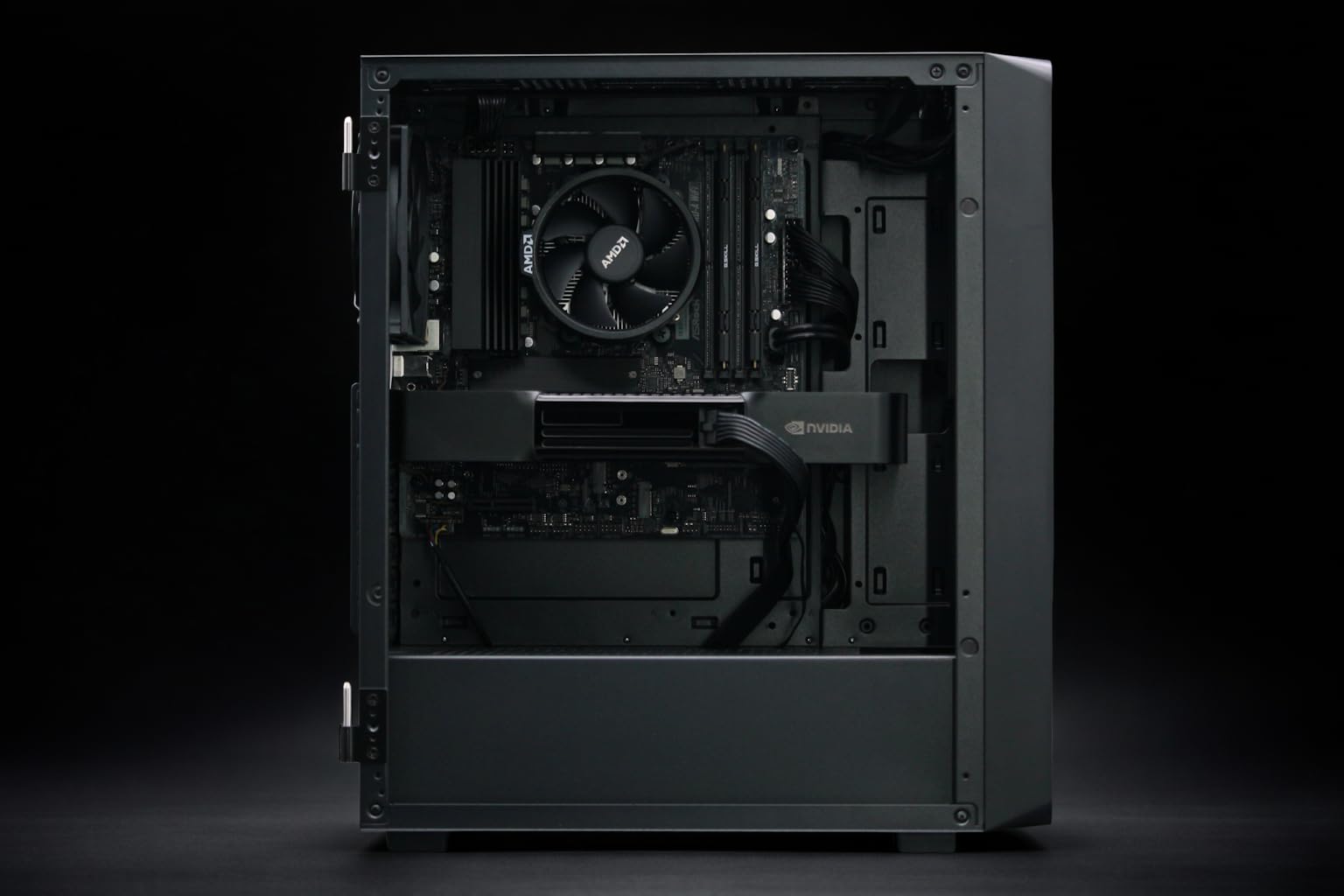
The physical layout of your hardware dictates your thermal strategy. Smaller teams might look toward AI workstations for development, while enterprises scale with multi-node racks.
| Feature | BoxGPT Blackwell Workstation | ASUS ESC8000A-E12P | NOVATECH Apex WS9985X |
|---|---|---|---|
| Primary GPU | RTX PRO 6000 Blackwell (96GB) | H200 NVL (141GB) | RTX 5090 (32GB) |
| Cooling Profile | High-Airflow Mid-Tower | 4U Data Center Rackmount | Ultra-Tower Air/Liquid Hybrid |
| Ideal Use Case | Local LLM Dev / Fine-tuning | Massive Scale Inference / Training | Multi-modal Content Creation |
| Thermal Risk | Ambient Room Temp | Rack-level Intake Pre-heating | Component Crowding |
§Strategic placement of Blackwell & H200 nodes
We often see teams mix architectures—placing PNY NVIDIA RTX 6000 ADA nodes alongside newer Blackwell systems. This is a mistake if not staged correctly. The older Ada architecture has different exhaust patterns compared to the high-density Blackwell cards.
When configuring a system like the NOVATECH Apex WS9985X, remember that the Threadripper PRO 9985WX pumps out significant heat even before the GPU spins up. In a rack environment, these "hot sleepers" can disrupt the laminar flow required for the 96GB PNY Technology VCNRTXPRO6000BQ-PB NVIDIA RTX PRO 6000 Blackwell Max-Q units nearby. Check our latest benchmarks to see how thermal throttling affects token generation speeds across these different form factors.
§Preventing IOPS-driven thermal throttling
The biggest threat to Blackwell rack TCO efficiency is "invisible throttling." This happens when your GPU monitoring software shows "Green" (optimal temps), but your training job slows down. The reason? The Gen5 NVMe drives are hitting 80°C and dropping from 14,000 MB/s to 3,000 MB/s.
- Monitor the SSDs, not just GPUs: Use NVMe-cli to track drive temperatures during high-check-pointing AI workloads.
- Staggered Workloads: Use job schedulers to ensure not every node in the rack is performing high-bandwidth disk I/O at the exact same millisecond.
- Upgrade the NIC cooling: If you're using 400G networking to feed a BoxGPT AI Workstation cluster, ensure the transceivers are rated for high-temp industrial environments.
§The Bottom Line
Blackwell represents a massive leap in VRAM and compute density, but it demands an infrastructure that respects the laws of thermodynamics. If you’re investing $16,000+ per node in hardware like the BoxGPT AI Workstation, don't let a $500 SSD or an uncooled network switch be the reason your ROI plummets. Focus on airflow segregation and holistic thermal monitoring to keep those 96GB RTX PRO 6000 Blackwell cards running at their peak.
FAQ
How does Gen5 storage affect Blackwell GPU performance?
Gen5 storage draws significantly more power than Gen4, creating localized heat near the PCIe lanes. If this heat isn't managed, the storage will throttle, starving the Blackwell GPU of data and causing "stall cycles" that reduce overall AI training efficiency.
Can I run Blackwell GPUs in standard 19-inch racks?
Yes, but you need to verify the kilowatt-per-rack (kW/Rack) rating. Modern Blackwell enterprise systems like the ASUS ESC8000A-E12P require high-density power delivery and often necessitate rear-door heat exchangers to prevent the data center's ambient temperature from rising too high.
Is liquid cooling mandatory for Blackwell-based workstations?
While not strictly mandatory for "Max-Q" variants like those found in the BoxGPT AI Workstation, it is highly recommended for sustained enterprise workloads to maintain Blackwell rack TCO efficiency and prevent noise pollution in office environments.
Heads up: AI Hardware Hub may earn a commission when you buy through links on this page. We only recommend gear we'd run ourselves.