If you're managing an AI data center in 2026, you’ve likely realized that the "VRAM arms race" has shifted into a "thermal and throughput race." As Blackwell deployment scales, the bottleneck isn't just floating-point operations; it’s the physical friction of moving petabytes of data into massive GPU clusters without melting your rack. Optimizing your Blackwell Rack TCO (Total Cost of Ownership) now requires a holistic look at the interplay between high-density NVMe storage, 200GbE networking fabric, and the mandatory transition to liquid cooling.
Heads up: AI Hardware Hub may earn a commission when you buy through links on this page. We only recommend gear we'd run ourselves.

§The Blackwell thermal reality
The jump from Ampere to Blackwell wasn't incremental; it was a phase shift in power density. While a single PNY VCNRTXA6000-PB NVIDIA 48GB GDDR6 Graphics Card served us well for years, the power requirements for a full Blackwell rack can now exceed 100kW.
When you pack 96GB of high-speed memory into a card like the PNY Technology VCNRTXPRO6000BQ-PB NVIDIA RTX PRO 6000 Blackwell Max-Q Workstation Graphics Card, the heat profile changes. Traditional air cooling is no longer a viable path for dense clusters. Liquid cooling isn't just an "enthusiast" choice anymore—it's a TCO requirement. By switching to direct-to-chip (DTC) or immersion cooling, you reduce the energy spent on fans by up to 20%, which directly lowers your Power Usage Effectiveness (PUE) and your monthly utility bill.
§Why 200GbE is the minimum for Blackwell
In 2026, standard 100GbE networking is the new "10/100." For Blackwell-based systems to remain productive, they need to be fed data at a rate that matches their compute throughput. If your network fabric is lagging, those expensive Blackwell chips sit idle, destroying your ROI.
- Zero-Copy Networking: High-speed interconnects allow GPUs to talk directly to storage, bypassing the CPU to reduce latency.
- RDMA over Converged Ethernet (RoCE): Essential for distributed training where multiple nodes synchronize gradients.
- Bandwidth Match: A 200GbE or 400GbE backbone ensures that the 96GB VRAM on cards like those found in the BoxGPT AI Workstation, RTX PRO 6000 Blackwell, 96GB VRAM, Ryzen 9900X, 256GB DDR5, 2TB NVMe stays saturated.
§Storage density: Feeding the beast
It’s easy to focus on the compute, but the storage tier is where many CTOs lose the TCO battle. High-density NVMe storage isn't just about capacity; it’s about reducing the physical footprint in the rack. Every 2U of space taken up by legacy spinning disks or slow SAS SSDs is 2U that could have been used for more Blackwell compute.
Systems like the Sentinel Non-RGB RTX PRO 6000, 24-Core Intel Ultra 9 285K, 128GB DDR5 RAM, 3x4TB NVMe SSDs show the trend: dense, local NVMe storage combined with heavy GPU power. For massive enterprise clusters, moving to Gen5 NVMe drives ensures that your data lake doesn't become a data swamp during the training phase.
§Comparative analysis: Blackwell vs. Previous Generation vs. HPC High-End
| Feature | Legacy Professional (A6000) | Blackwell Max-Q (PRO 6000) | High-End HPC (H200 NVL) |
|---|---|---|---|
| VRAM Per GPU | 48GB GDDR6 | 96GB GDDR7 | 141GB HBM3e |
| Cooling Requirement | Primarily Air | Hybrid / Liquid Recommended | Liquid Mandated |
| Ideal Interconnect | 100GbE | 200GbE / 400GbE | 800GbE / InfiniBand |
| Primary Use Case | Rendering / Light ML | LLM Fine-Tuning | Foundation Model Training |
| System Example | PNY VCNRTXA6000-PB | BoxGPT AI Workstation | ASUS Dual H200 NVL Server |
§The interplay of infrastructure and TCO
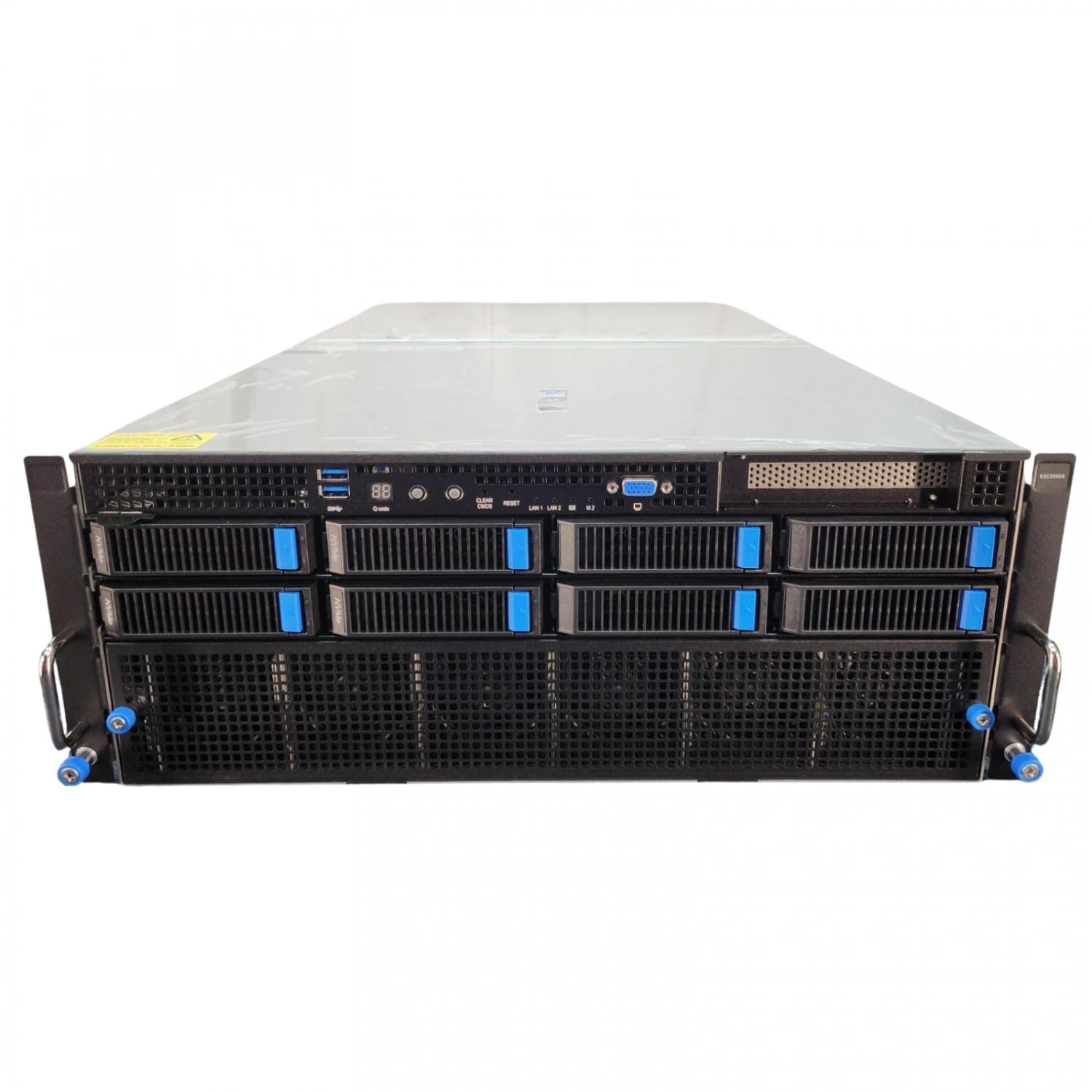
Optimizing Blackwell Rack TCO requires looking at the "Cost per Iteration." If you under-invest in networking, your ASUS Dual AMD EPYC 9004 Series 4U GPU Server (ESC8000A-E12P) with 2x NVIDIA H200 NVL 141GB GPUs might only run at 60% utilization. That is wasted capital.
Conversely, if you ignore liquid cooling, your data center’s cooling costs will skyrocket as you try to force air through tightly packed racks. The sweet spot for 2026 infrastructure leads is a balanced configuration:
- Node-level efficiency: Use Max-Q variants like the RTX PRO 6000 Blackwell to maximize performance-per-watt.
- Fabric density: Consolidate networking to 200GbE to reduce cable complexity and switch port costs.
- Local Caching: Use massive NVMe arrays (like the 12TB total in the Sentinel Non-RGB RTX PRO 6000) to cache active training sets, reducing the load on the central storage SAN.
Check out our full analysis on /categories/ai-gpus and /categories/ai-workstations to see more regional performance data, or head over to /benchmarks to see how these configurations hold up under Llama 4.0 training loads.
FAQ
Why is liquid cooling required for Blackwell racks but not Ampere?
Blackwell GPUs have significantly higher thermal design power (TDP) and heat density. While Ampere cards like the PNY VCNRTXA6000-PB could be cooled with high-CFM fans, the current generation's energy density makes air cooling physically impossible in a standard 42U rack without massive thermal throttling.
Can I run a Blackwell workstation on 10GbE networking?
Technically yes, but it’s a waste of the hardware. For local development on a workstation like the BoxGPT AI Workstation - RTX PRO 6000 Blackwell, you’ll find that transferring large datasets or model weights over 10GbE becomes a significant bottleneck, causing the GPUs to sit idle for hours during data ingestion.
How does NVMe density affect power consumption?
Higher density NVMe drives (e.g., 15TB+ or 30TB+ units) actually improve TCO by reducing the number of controllers and physical drives you need to power and cool. Fewer drives mean less turbulence in the airflow (if using air) and fewer points of failure in your storage fabric.
§The bottom line
Managing Blackwell Rack TCO optimization isn't about buying the cheapest components; it’s about balancing the "Big Three": High-density NVMe, 200GbE networking, and liquid cooling. If any one of these is out of sync, you aren't running an efficient AI data center—you're just running an expensive space heater. Start with a solid foundation like the ASUS Dual H200 NVL Server and build your fabric around it.
Heads up: AI Hardware Hub may earn a commission when you buy through links on this page. We only recommend gear we'd run ourselves.