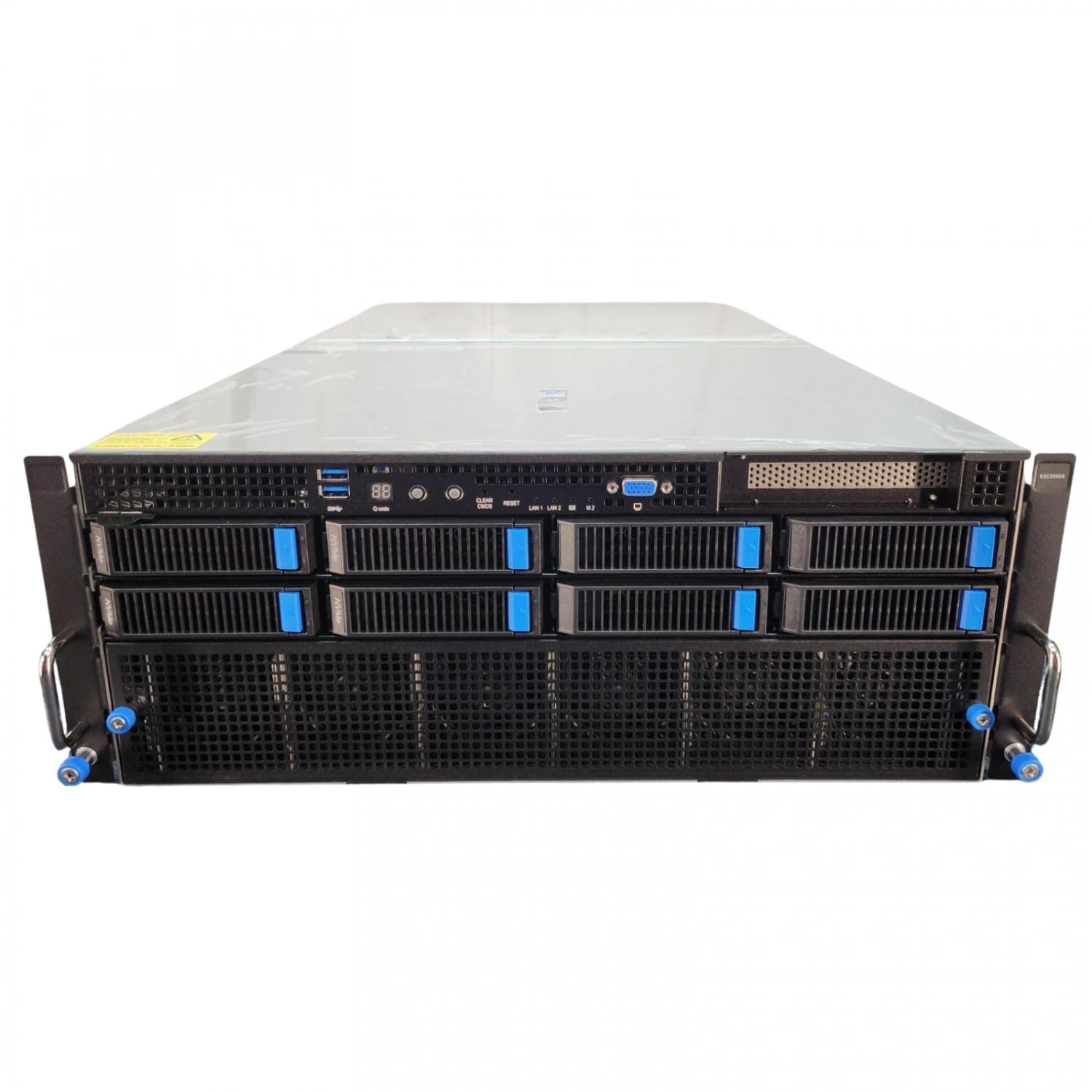
To win the AI race in 2026, enterprises are rushing to deploy NVIDIA’s Blackwell architecture at scale, often overlooking the massive thermal tax levied by the supporting infrastructure. While the Blackwell GPUs gather the headlines, the Total Cost of Ownership (TCO) is increasingly dictated by "I/O heat soak"—the thermal waste generated by 200GbE networking and Gen5 NVMe storage in high-density racks. Solving for Blackwell rack TCO optimization requires a shift from GPU-only cooling to an integrated liquid-cooled fabric that encompasses every component in the data path.
Heads up: AI Hardware Hub may earn a commission when you buy through links on this page. We only recommend gear we'd run ourselves.

§The hidden cost of I/O heat soak
In 2026, we’ve moved past the era where air cooling was a viable option for a full rack of AI compute. A single Blackwell rack can now exceed 120kW. However, the mistake many CTOs make is calculating their cooling budget based solely on the TDP of chips like those found in the PNY Technology VCNRTXPRO6000BQ-PB NVIDIA RTX PRO 6000 Blackwell Max-Q Workstation Graphics Card.
Real-world deployments show that as I/O speeds climb to 200GbE and 400GbE per port, the networking interface cards (NICs) and the surrounding optics generate significant "passive" heat. At 200GbE, the power consumption of a single NIC and its transceivers can exceed 30W. In a dense 4U server like the ASUS Dual AMD EPYC 9004 Series 4U GPU Server (ESC8000A-E12P), which might house eight to ten such cards, the thermal profile of the networking alone rivals that of a mid-tier CPU.
If this heat isn't managed via Direct-to-Chip (DTC) liquid cooling, the fans must spin at maximum RPM, consuming up to 15% of the total rack power. This "fan tax" is the primary enemy of Blackwell rack TCO optimization.
§Why 200GbE demands a liquid-cooled fabric
Standard 10GbE or even 100GbE networking could be managed with high-velocity air. But 200GbE is the baseline for Blackwell clusters to avoid starving the GPUs of data. When you are running large-scale training or high-throughput inference on a Sentinel Non-RGB RTX PRO 6000, the latency introduced by thermal throttling on a NIC can cause GPU "bubbles"—idle cycles where the silicon is burning power but not doing work.
To prevent this, infrastructure managers are moving toward:
- Cold Plate Integration: Extending liquid loops to cover NIC chipsets and optical engines.
- Manifold Optimization: Using separate loops for high-temp GPUs and lower-temp optical components to maximize heat reuse efficiency.
- CDU (Coolant Distribution Unit) Intelligence: Dynamically adjusting flow rates based on I/O traffic, not just GPU load.
§Storage density and the Gen5 NVMe thermal wall
Storage in 2026 isn't just about capacity; it's about feeding the beast. Gen5 NVMe SSDs provide the sequential read speeds necessary for checkpointing large models, but they run incredibly hot. In systems like the BoxGPT AI Workstation, RTX PRO 6000 Blackwell, we see 2TB to 4TB drives that can reach 80°C under heavy sustained writes.
In a rack environment, dozens of these drives packed closely together create a "storage heat wall." If the storage throttles, the entire training job slows down. This forces a choice: either reduce the density (bad for TCO) or move to liquid-cooled NVMe backplanes.
Cooling Strategy Comparison
| Component | Standard Air Cooling | Liquid-to-Chip (DTC) | Immersion Cooling |
|---|---|---|---|
| GPU Efficiency | Moderate (Throttling likely) | Exceptional (Precise) | Maximum |
| Networking (200GbE) | High failure rate/Latency | Low Latency/Stable | Excellent |
| Maintenance Complexity | Low | Moderate | High |
| Relative TCO (3-Year) | Higher (due to Power/Fans) | Lowest (Optimal Density) | High Initial Capex |
§Leveraging local workstations for dev-to-production parity
A critical part of Blackwell rack TCO optimization is offloading development. It is fiscally irresponsible to use a multi-million dollar liquid-cooled cluster for code debugging. Using high-end workstations like the Adamant Custom 12-Core Liquid Cooled Workstation allows engineers to develop at the edge.
Because the Adamant Custom 12-Core Liquid Cooled Workstation uses modern liquid cooling technology and the latest GPUs, the performance delta between the dev box and the production rack is minimized. This ensures that when a model is pushed to an ASUS Dual AMD EPYC 9004 Series 4U GPU Server (ESC8000A-E12P), it behaves as expected, reducing expensive downtime in the primary cluster.
§Strategic recommendations for CTOs
If you are designing your 2026 infrastructure roadmap, stop looking at GPUs in a vacuum. The PNY NVIDIA RTX 6000 ADA was a milestone for its generation, but the Blackwell era requires a more holistic view of the server chassis.
- Mandate Liquid Cooling for NICs: Don't buy 200GbE-ready nodes that rely on chassis fans for networking cooling.
- Audit the NVMe Backplane: Ensure your storage fabric has dedicated heat sinks or liquid contact points.
- Use Workstation Proxies: Standardize your team on the BoxGPT AI Workstation, RTX PRO 6000 Blackwell to preserve cluster resources for training.
- Check /benchmarks Regularly: Thermal throttling manifests as non-linear performance drops. Regular benchmarking of liquid vs. air-cooled nodes is the only way to prove ROI on the plumbing.
Visit our AI Workstations category to see the latest liquid-cooled options for your dev team.
FAQ
How much does liquid cooling actually save on TCO?
Across a three-year lifecycle, a fully liquid-cooled Blackwell rack can reduce energy consumption by up to 30% by eliminating high-load fans and allowing for higher ambient data center temperatures (Warm Water Cooling). This reduction in Power Usage Effectiveness (PUE) more than covers the higher upfront Capex of the cooling infrastructure.
Does 200GbE really generate enough heat to require liquid cooling?
In isolation, no. But in a high-density AI server like the ASUS Dual AMD EPYC 9004 Series 4U GPU Server (ESC8000A-E12P), the cumulative heat from multiple NICs, Gen5 SSDs, and the CPUs creates a thermal environment where air simply can't move fast enough to prevent micro-throttling on the networking chipsets.
Can I mix air-cooled and liquid-cooled systems in the same rack?
It is possible but highly inefficient. Hybrid racks require complex airflow management (hot/cold aisle containment) that is often disrupted by the presence of liquid manifolds. For Blackwell rack TCO optimization, a "clean break" to full liquid cooling is the most sustainable path forward.
§Bottom line
In 2026, the bottleneck for AI performance has shifted from the silicon to the facility's ability to extract heat from the I/O path. Focus your infrastructure strategy on liquid-cooled networking and storage backplanes. By mitigating "I/O heat soak," you ensure your Blackwell deployment operates at its theoretical maximum, providing the fastest possible return on your hardware investment.
Heads up: AI Hardware Hub may earn a commission when you buy through links on this page. We only recommend gear we'd run ourselves. Check out our latest AI GPU guides for more insights.