As we move deeper into 2026, the transition to NVIDIA’s Blackwell architecture has shifted from an "early adopter" luxury to a baseline requirement for competitive model training. However, infrastructure architects are discovering a painful truth: cooling just the GPUs is a recipe for systemic failure. To truly capture Blackwell rack TCO synergy, organizations must extend liquid-cooling loops beyond the accelerators to include 200GbE networking switches and high-density Gen5 NVMe storage arrays.
Heads up: AI Hardware Hub may earn a commission when you buy through links on this page. We only recommend gear we'd run ourselves.

§The thermal bottleneck of legacy air-cooling
The Blackwell generation has pushed power envelopes to their absolute physical limits. While a single PNY Technology VCNRTXPRO6000BQ-PB NVIDIA RTX PRO 6000 Blackwell Max-Q is a marvel of efficiency for its 96GB VRAM capacity, a full rack of these units creates a micro-climate that traditional CRAC (Computer Room Air Conditioning) units can't handle.
When you pack 32 or 64 of these GPUs into a dense rack, the heat soak doesn't just affect the silicon; it radiates into the networking fabric and the storage backplane. If your 200GbE switches start thermal throttling, your "world-class" training cluster suddenly performs like a 2022-era legacy build. Moving to a holistic liquid-loop architecture isn't just about protecting the GPU; it's about maintaining the signal integrity of the entire data path.
§Why 200GbE networking and Gen5 NVMe demand liquid
In 2026, the data bottleneck has moved. We are no longer limited by raw compute cycles, but by how fast we can feed the Blackwell tensors. Gen5 NVMe storage and 200GbE (and increasingly 400GbE) networking chips generate significant heat in their own right.
- Networking Throttling: Large-scale training runs rely on InfiniBand or ultra-low-latency Ethernet. When these switches overheat, packet loss increases, forcing re-transmissions that stall the entire GPU cluster.
- Storage Degradation: Gen5 NVMe drives are notorious for high operating temperatures. In a Blackwell rack, the ambient air is often already too hot to provide effective cooling, leading to drive longevity issues and "stutter" during checkpointing.
- Rack Density: Holistic liquid cooling allows for 100kW+ rack ratings, which is impossible with air. This reduces the physical footprint of your data center, directly improving your TCO.
§Total Cost of Ownership (TCO) comparison
When evaluating the shift from air-cooled or hybrid-cooled racks to fully immersion or cold-plate liquid cooling, the numbers favor the bold. Below is a look at how Blackwell-era systems compare across thermal management styles.
| Component / Metric | Air-Cooled Legacy | Hybrid (GPU-only Liquid) | Full Loop (Network + Storage) |
|---|---|---|---|
| Max GPU Density | 8 per Rack | 16-32 per Rack | 64+ per Rack |
| Networking Latency | Variable (Thermal Jitter) | Moderate | Stable / Ultra-Low |
| Storage Lifecycle | 3 Years (Heat Stress) | 4 Years | 5+ Years |
| PUE (Efficiency) | 1.6 - 1.8 | 1.3 - 1.4 | 1.1 - 1.05 |
| Example Hardware | PNY NVIDIA RTX 6000 ADA | BoxGPT AI Workstation | Custom Blackwell Blade |
§Scaling from workstation to enterprise
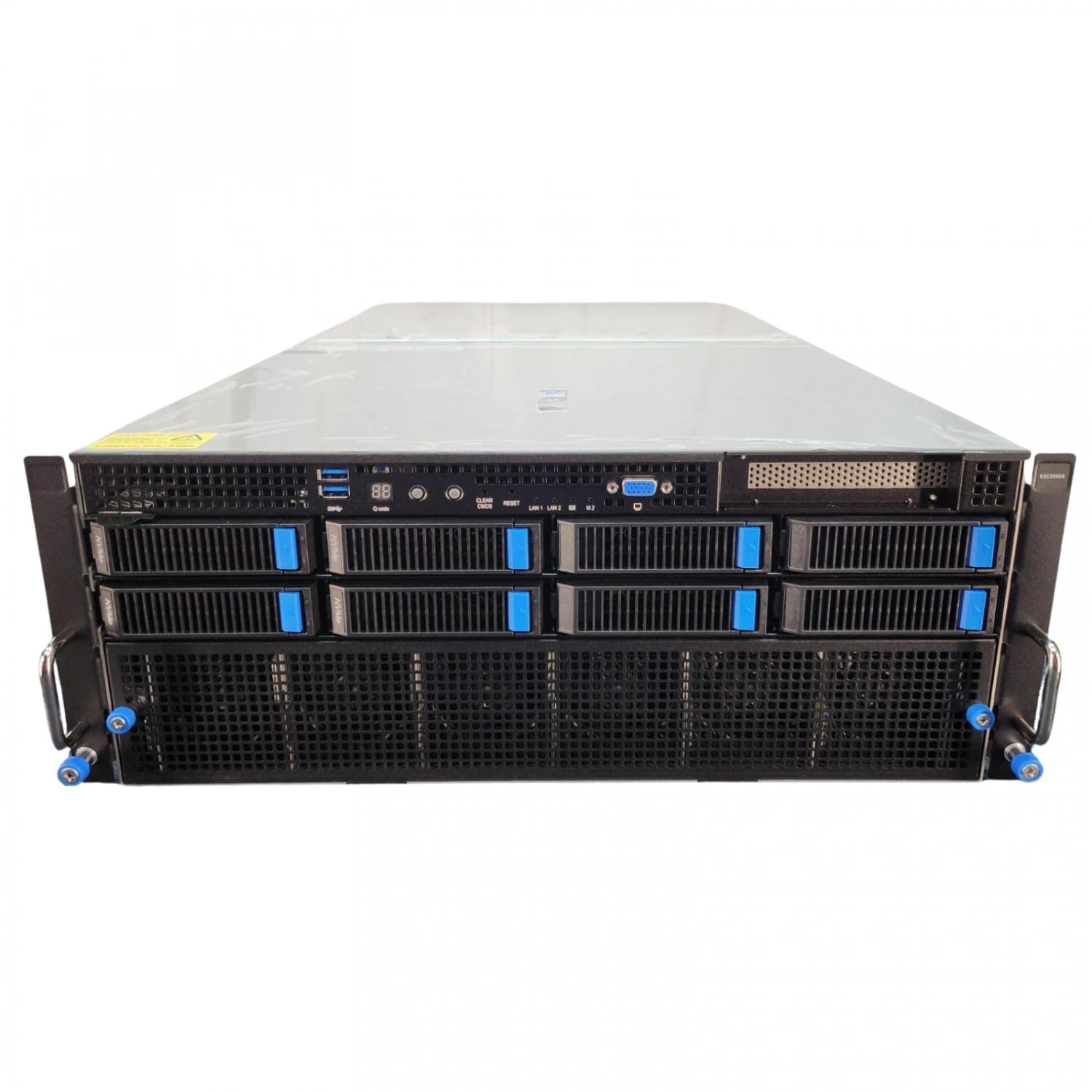
Not every team needs a 100kW rack on day one. Many AI creators start with enterprise-grade workstations to prototype models before moving to the ASUS Dual AMD EPYC 9004 Series 4U GPU Server.
For instance, the Sentinel Non-RGB RTX PRO 6000 AI Workstation offers a glimpse into this high-density future. By utilizing the 96GB GDDR7 capacity of the Blackwell-based RTX PRO 6000, developers can simulate large-scale environments locally. However, even at the workstation level, the transition to liquid cooling is becoming evident to maintain the 5.7 GHz boost clocks of the Intel Ultra 9 285K alongside these massive GPUs.
For teams requiring even more intensive local compute, the BoxGPT AI Workstation with dual Blackwell GPUs represents the tipping point where standard office airflow is no longer sufficient. Once you bridge to enterprise AI systems, the conversation must shift toward facility-water or closed-loop liquid-to-air heat exchangers.
§Preventing systemic power-down events
A "systemic power-down" is the nightmare of every CTO. This occurs when a non-GPU component—often a top-of-rack switch or a storage controller—hits a thermal trip point and shuts down, causing the entire training job to fail. On a Blackwell cluster, a single hour of downtime can cost thousands of dollars in wasted electricity and engineering wages.
By integrating the networking and storage into the liquid loop, you eliminate these "weakest link" scenarios. The reliability gains alone often pay for the capital expenditure of the liquid cooling infrastructure within the first 18 months of operation. You can find detailed performance metrics on how specific components handle these stresses in our /benchmarks section.
§Strategic recommendations for 2026
If you are planning an infrastructure refresh this year:
- Prioritize Blackwell Max-Q for efficiency: The PNY RTX PRO 6000 Blackwell Max-Q allows for better performance-per-watt, making it easier to manage thermals at scale.
- Audit your networking: Ensure your 200GbE/400GbE optics and switches are rated for the higher ambient temperatures of AI racks, or move them to the liquid loop.
- Invest in high-VRAM workstations: Before pushing to the cloud, use systems like the NOVATECH Apex WS9985X to profile your model's thermal footprint.
FAQ
Does liquid cooling cover the entire rack or just individual servers?
In 2026, most enterprise deployments use a "Rear Door Heat Exchanger" (RDHx) or direct-to-chip (DTC) cold plates. For Blackwell architectures, DTC is preferred for the GPUs, while RDHx can manage the heat from the networking and storage components.
Is the PNY RTX PRO 6000 Blackwell Max-Q compatible with existing liquid loops?
Yes, most enterprise liquid-cooling vendors provide cold plates specifically for the RTX PRO 6000 Blackwell series. Its 96GB VRAM makes it a primary candidate for high-density liquid-cooled blades.
How does liquid cooling affect the TCO of Blackwell systems?
While the upfront cost is 15-25% higher, the reduction in cooling power (lower PUE) and the ability to run hardware at higher clock speeds without throttling typically result in a 20% lower TCO over a 3-year lifecycle.
§Verdict
The era of air-cooled AI is over. To achieve maximum Blackwell rack TCO synergy, you cannot treat networking and storage as secondary concerns. If your cooling strategy doesn't extend to every high-speed component in the rack, you aren't building a supercomputer—you're building an expensive space heater. Start your transition today by exploring our AI GPUs and AI Workstations to find the right entry point for your scale.
Heads up: AI Hardware Hub may earn a commission when you buy through links on this page. We only recommend gear we'd run ourselves.