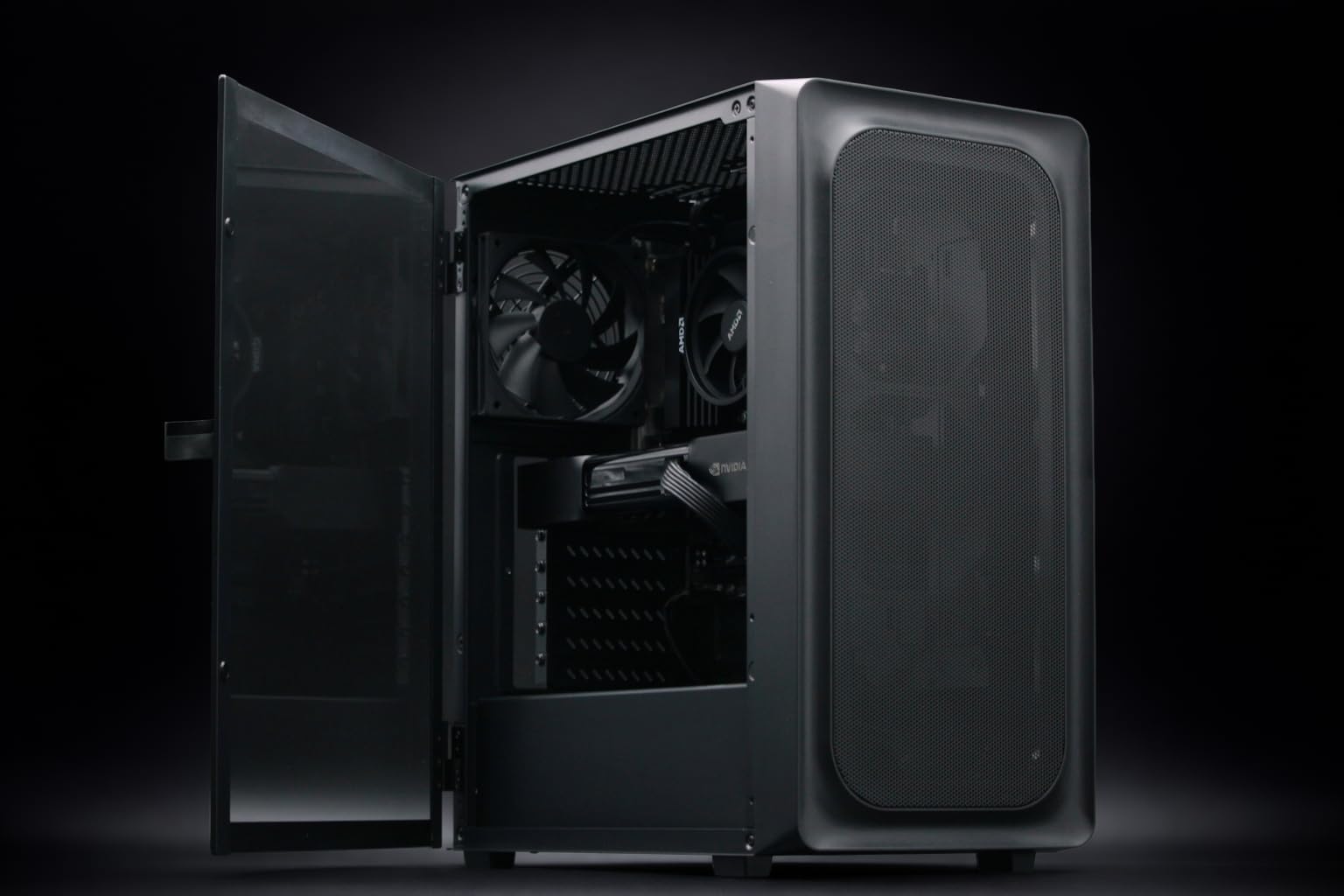
Choosing a flagship machine for AI development often comes down to a fundamental trade-off: do you need massive VRAM for LLM inference, or raw compute speed and system memory for complex 3D pipelines? If you are looking for the best flagship AI workstation to sit on your desk, the choice between the BoxGPT AI Workstation and the Adamant Custom 16-Core AI Workstation will define your workflow efficiency for the next three years.
TL;DR
- The LLM Champion: Choose the BoxGPT AI Workstation if you need to run Llama 3 70B or large vision models locally without quantizing them into oblivion. Its 96GB VRAM pool is peerless in this bracket.
- The 3D & Creative Powerhouse: Choose the Adamant Custom 16-Core AI Workstation if your work spans Unreal Engine 5.4, heavy video editing, and mid-sized AI fine-tuning. The 192GB of system RAM and 9950X3D CPU make it a multitasking beast.
- Top Pick: The BoxGPT wins for pure AI engineering; the Adamant Custom wins for high-end digital content creation.
§VRAM is king: Why the 96GB Blackwell pool matters
In modern AI development, VRAM (Video RAM) is the most precious resource. The BoxGPT AI Workstation is built around a massive 96GB pool of VRAM. For engineers working with local LLMs, this is a "game-changer" (though we hate the cliché, the math supports it).
A model like Llama 3 70B in FP16 requires roughly 140GB, but with 4-bit quantization, it fits comfortably in under 40GB. Having 96GB means you can run multiple models simultaneously or handle massive context lengths in ComfyUI or Ollama without hitting the slow "spillover" into system RAM. The RTX PRO 6000 Blackwell architecture is designed for precision and stability under 24/7 compute loads, making it the superior choice for long fine-tuning sessions.
§The Adamant Custom: A beast for 3D and multitasking
While the BoxGPT focuses on the GPU, the Adamant Custom 16-Core AI Workstation is a more balanced brute. It utilizes the AMD Ryzen 9 9950X3D, a 16-core chip with 3D V-Cache technology. This CPU is a monster for compilation times in Unreal Engine and complex geometry calculations in Blender.
The standout feature of the Adamant build is the 192GB of DDR5 RAM. If you are editing 8K RAW video in DaVinci Resolve or running dozens of browser tabs, Docker containers, and a dev environment alongside your AI tools, the Adamant provides a much higher ceiling. While the RTX 5090’s 32GB of VRAM is significantly lower than the BoxGPT’s 96GB, it offers higher raw clock speeds for rendering individual frames.
§Comparing the specs: BoxGPT vs. Adamant Custom
This table breaks down where your money is going in these $11,000+ builds.
| Feature | BoxGPT AI Workstation | Adamant Custom AI Workstation |
|---|---|---|
| GPU | RTX PRO 6000 Blackwell | RTX 5090 |
| VRAM | 96GB | 32GB |
| CPU | AMD Ryzen 9 9900X (12-Core) | AMD Ryzen 9 9950X3D (16-Core) |
| System RAM | 64GB DDR5 | 192GB DDR5 |
| Storage | 2TB NVMe | 8TB NVMe |
| Primary Use | Large Language Models (LLMs) | 3D, Video, & Hybrid AI Dev |
| Price (Estimated) | $13,499 | $11,599 |
§CPU Performance: 9900X vs. 9950X3D
The Choice between the 9900X in the BoxGPT and the 9950X3D in the Adamant highlights their different philosophies. The 9900X is a reliable, high-bandwidth processor that won't bottleneck your GPUs. It's built to keep the data flowing to the VRAM.
However, the 9950X3D in the Adamant Custom 16-Core AI Workstation is currently the pinnacle of consumer/workstation hybrid CPUs. The extra cache helps significantly in simulation-heavy workflows and logic-heavy AI applications. If your work involves a lot of "non-AI" tasks like video encoding or CAD, the Adamant’s CPU and massive storage (8TB vs 2TB) provide a better value proposition for a generalist.
§Which flagship AI workstation is for you?
Identifying your primary bottleneck is the key to this purchase.
- The AI Engineer: If you spend 90% of your time in Python, Jupyter Notebooks, and training small-to-medium datasets, the BoxGPT AI Workstation is the clear winner. You cannot simply "buy" more VRAM later without swapping the whole card. Starting with 96GB puts you in a tier where you can work with state-of-the-art models like Flux.1 or SD3 Ultra at full resolution without sweat.
- The Multi-Hyphenate Creator: If you are an artist who also dabs in AI, the Adamant Custom 16-Core AI Workstation is the better buy. The 192GB of RAM is essential for large 3D scenes, and the 8TB of storage means you won't be managing external drives every week.
§FAQ
Is 32GB VRAM enough for local AI in 2024?
For most tasks, yes. 32GB allows you to run SDXL, Flux.1 (Dev), and medium-sized LLMs comfortably. However, if you are doing enterprise-level research or want to run 70B+ parameter models at high precision, you will find 32GB limiting compared to the 96GB offered by the BoxGPT.
Does the Ryzen 9950X3D help with AI training?
The CPU handles data preprocessing and augmentation before it hits the GPU. While the GPU does the "heavy lifting," a faster CPU like the one in the Adamant Custom can reduce total training time if your dataset requires significant on-the-fly transformations.
Why is the BoxGPT more expensive with less system RAM?
The cost is almost entirely in the NVIDIA RTX PRO 6000 Blackwell GPU architecture. Professional-grade GPUs with huge VRAM pools carry a significant premium due to their enterprise drivers, ECC memory support, and specialized hardware for AI tensor operations that consumer cards (like the 5090) lack.
§Bottom line
The BoxGPT AI Workstation is a specialized surgical tool for LLM development and heavy AI research. The Adamant Custom 16-Core AI Workstation is a broader, more powerful all-rounder for 3D pros and video editors who need AI as part of a larger creative stack.