Running state-of-the-art models like DeepSeek-V3 or the early leaked Llama-4 weights locally isn't just a matter of "having enough VRAM" anymore. In 2026, the performance delta between consumer GDDR7 and enterprise HBM3e has widened, forcing a choice: do you buy a single monolithic enterprise system or a distributed cluster of consumer cards? This guide breaks down the math of quantization and memory bandwidth to determine your ideal local DeepSeek-V3 hardware requirements.
Heads up: AI Hardware Hub may earn a commission when you buy through links on this page. We only recommend gear we'd run ourselves.
§The memory wall: Why architecture matters for DeepSeek-V3
DeepSeek-V3 is a behemoth. Even with its efficient Mixture-of-Experts (MoE) architecture, the total parameter count requires significant VRAM to avoid the dreaded "offloading to system RAM" performance cliff. When you're looking at local DeepSeek-V3 hardware requirements, you’re essentially balancing three factors: total capacity, memory bandwidth, and the precision (quantization) of the weights.
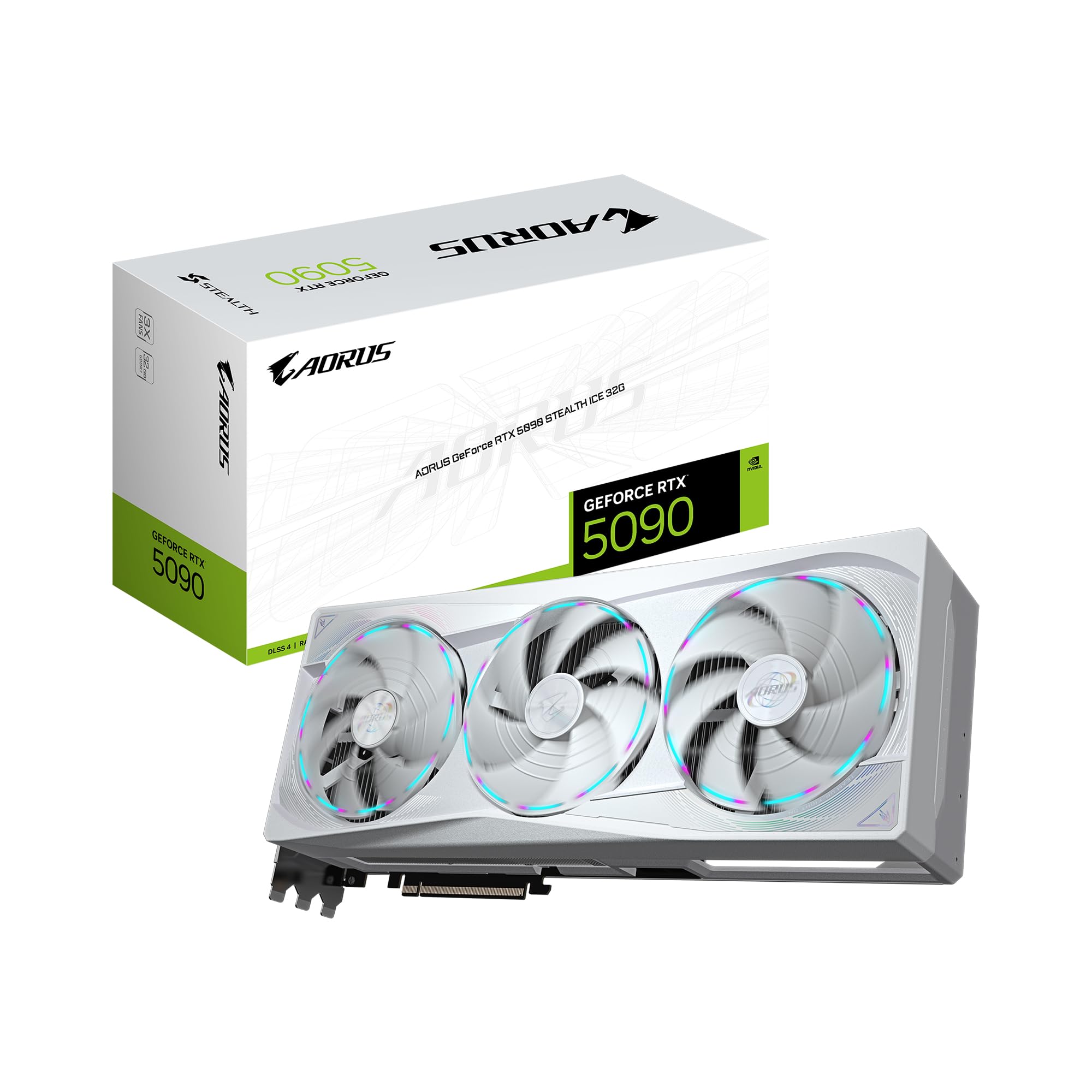
High Bandwidth Memory (HBM3e) found in systems like the ASUS ESC8000A-E12P 2x H200 NVL Server offers nearly 5 TB/s of bandwidth. Compare that to the GDDR7 found in the GIGABYTE AORUS GeForce RTX 5090 Stealth ICE 32G, which, while fast at nearly 1.8 TB/s, is still order-of-magnitude slower in many-to-many tensor operations.
If you are running 6-bit quantization (EXL2 or GGUF), the bandwidth requirements skyrocket because the dequantization overhead is high and the active weights per token generation are larger.
§Quantization math: 4-bit vs 6-bit for Llama-4 and DeepSeek
For most ML engineers, the choice between 4-bit and 6-bit is where the money is won or lost.
- 4-bit (AWQ/GPTQ): The "Goldilocks" zone for consumer hardware. You lose about 1-2% in perplexity but can fit a 671B parameter model (like DeepSeek-V3) into roughly 380GB-420GB of VRAM.
- 6-bit: Superior reasoning for coding and complex logic. However, the VRAM footprint jumps to ~550GB+.
To reach these numbers on consumer hardware, you need a cluster. Putting four GIGABYTE AORUS GeForce RTX 5090 Stealth ICE 32G cards in a single chassis provides 128GB of VRAM. That’s enough for a 4-bit Llama-4-70B with a massive context window, but it won't touch a full DeepSeek-V3 without significant compromises.
§The "Consumer Cluster" vs. "Enterprise Workstation"
If you’re a developer who needs "just-in-time" inference for coding agents, the BoxGPT AI Workstation with RTX PRO 6000 Blackwell is currently the smartest move. It utilizes two PRO-tier Blackwell cards for 192GB of total VRAM, which handles heavily quantized DeepSeek-V3 models comfortably while maintaining professional driver stability.
On the other hand, hobbyists often look toward the ASUS SFF-Ready Prime NVIDIA GeForce RTX 5070 Ti 16GB. While a single 16GB card is useless for DeepSeek-V3, a cluster of eight of these in a server chassis from our benchmarks page can provide 128GB of VRAM for under $9,000. However, the bottleneck becomes the PCIe lanes and the relatively narrow 192-bit bus of the 5070 Ti.
§Comparison: VRAM and Bandwidth across 2026 Tiers
| Hardware | VRAM | Architecture | Best Use Case |
|---|---|---|---|
| ASUS H200 NVL Server | 282GB (Dual) | Hopper/HBM3e | 6-bit DeepSeek-V3 / Fine-tuning |
| PNY RTX PRO 6000 Blackwell | 96GB | Blackwell | Reliable 4-bit LLM Inference |
| GIGABYTE RTX 5090 Stealth ICE | 32GB | Blackwell/GDDR7 | Multi-GPU Gaming / AI Hybrid |
| A100 80GB (Legacy Tier) | 80GB | Ampere/HBM2e | Budget-conscious High-VRAM |
§Hardware strategies for ML engineers
- The "Reliability First" Path: Use the Cloud Ninjas Iron Bull AI Workstation. With its Threadripper 9960X and 256GB ECC RAM, it handles the CPU-offloading for KV-cache tasks that choke standard desktops. It’s an ideal backbone for a 5090-based stack.
- The "Max Capacity" Path: Buy two PNY RTX PRO 6000 Blackwell 96GB units. 192GB on a single workstation avoids the networking latency of multi-node setups and allows you to run Llama-4 400B (quantized) with high tokens-per-second (TPS).
- The "Value Cluster": Mixing an older A100 80GB Graphics Card with newer cards is possible via some software layers (like vLLM), but it’s a headache. Stick to unified architectures like the BoxGPT AI Workstation RTX PRO 5000 Blackwell if you want out-of-the-box performance for 4-bit 70B models.
§Calculating your Tokens-Per-Second (TPS)
Bandwidth is king here. A 4-bit model requires fewer bytes per weight, but if your memory bus can't move them to the CUDA cores fast enough, the card idles.
- HBM3e (Enterprise): You can expect >50 TPS on 70B models.
- GDDR7 (Consumer RTX 5090): Expect 25-35 TPS on 70B models.
- GDDR6 (Legacy/Mid-range): Expect <15 TPS on anything larger than 30B.
For DeepSeek-V3 specifically, stay away from the ASUS SFF-Ready Prime RTX 5070 Ti unless you are building a massive 8+ GPU array. The 16GB VRAM per card means your model must be split across so many PCIe lanes that the inter-GPU communication becomes the primary bottleneck, potentially dropping you below human reading speed.
FAQs
How much VRAM does DeepSeek-V3 need?
For a 4-bit quantized version of DeepSeek-V3 (671B), you need at least 380GB of VRAM. For the unquantized BF16 version, you would need over 1.3TB, which is only feasible in multi-node AI workstations or enterprise clusters.
Is GDDR7 fast enough for LLM inference?
Yes, GDDR7 in the RTX 50-series provides a significant boost over GDDR6X, making 4-bit and 6-bit quantization much more responsive. However, it still lacks the massive throughput of HBM3e found in the H200 NVL system, which is necessary for serving multiple users simultaneously.
Can I run Llama-4 on a single RTX 5090?
A single GIGABYTE RTX 5090 32GB can run Llama-4-70B at 2-bit or 3-bit quantization, but the loss in logic performance is noticeable. For a high-quality 4-bit or 6-bit experience, you’ll need at least two 32GB cards or a professional 96GB PNY Blackwell card.
§Verdict: Which system should you choose?
The "Developer-to-Device" choice depends on your daily workflow. If you are an ML engineer training small LoRAs or running daily interference on coding models, the BoxGPT AI Workstation with dual RTX PRO 6000 GPUs is the gold standard for 2026. It balances the massive 192GB VRAM pool with a professional warranty.
If you are a tinkerer on a budget, building a 4x GIGABYTE AORUS RTX 5090 cluster provides monstrous raw compute, though you will spend more time managing heat and power delivery than you would with a pre-built enterprise server.
For the ultimate in local AI, the ASUS H200 NVL Server remains the only way to run DeepSeek-V3 at 6-bit with production-grade speed.
Heads up: AI Hardware Hub may earn a commission when you buy through links on this page. We only recommend gear we'd run ourselves.