
Building for the next frontier of generative models requires more than just raw compute; it demands a radical rethink of data movement and thermal overhead. If your distributed AI training hardware infrastructure isn't designed around high-density VRAM and 100GbE fabric, you aren't training—you're waiting on I/O. For CTOs and Lab Managers in 2026, the challenge lies in balancing the massive memory footprint of Blackwell-class silicon with the networking backbone required to keep those chips fed.
Heads up: AI Hardware Hub may earn a commission when you buy through links on this page. We only recommend gear we'd run ourselves.
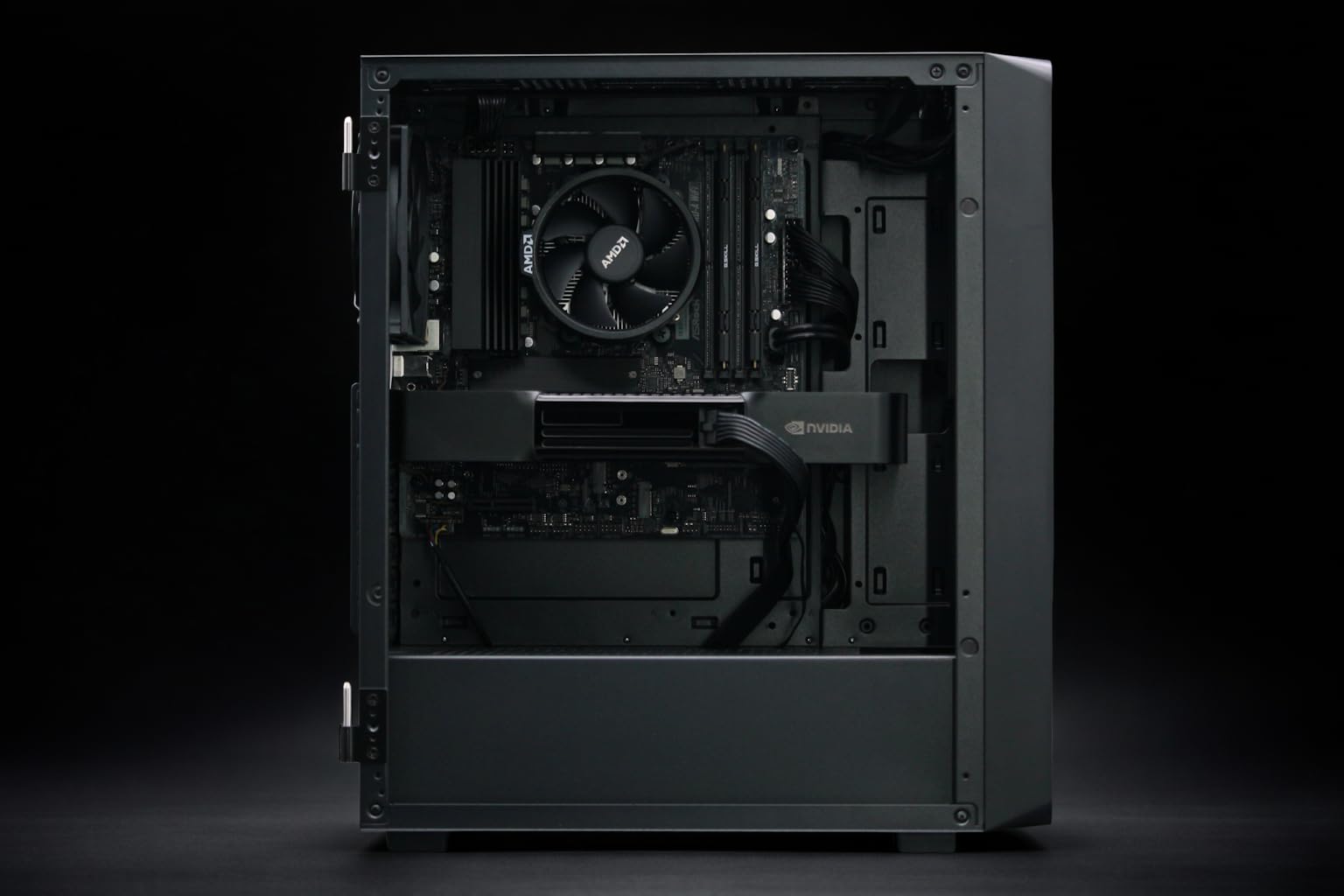
§The vRAM wall: Why 48GB is the new minimum
We’ve moved past the era where 24GB cards could handle enterprise fine-tuning. As model parameters swell and context windows expand into the millions of tokens, the "vRAM wall" has become the primary bottleneck for distributed training. When you are scaling across multiple nodes, the overhead of swapping weights between GPU memory and system RAM can tank your TFLOPS utilization.
For high-density scaling, the PNY Technology VCNRTXPRO6000BQ-PB NVIDIA RTX PRO 6000 Blackwell Max-Q Workstation Graphics Card has become the gold standard. With 96GB of VRAM, it allows researchers to keep massive datasets resident on-chip. Compare this to the previous generation PNY NVIDIA RTX 6000 ADA, which, while still a workhorse with 48GB, requires much more aggressive sharding and gradient accumulation to handle the same workloads.
If your lab is still running legacy A100 80GB Graphics Card - 80 GB HBM2e ECC units, the transition to Blackwell architectures offers a significant leap in energy efficiency per teraflop, provided your rack cooling can handle the concentrated heat density.
§100GbE NAS connectivity: Feeding the beast
Distributed AI training hardware infrastructure is only as fast as its slowest link. In 2026, 10GbE is a relic. If you’re pulling petabytes of training data from a central NAS to a cluster of ai-workstations, you need a minimum of 100GbE RDMA (Remote Direct Memory Access) to ensure the GPUs aren't sitting idle.
- RDMA over Converged Ethernet (RoCE): Essential for bypassing the CPU during data transfers.
- NVMe-over-Fabrics (NVMe-oF): Decreases latency when accessing high-speed flash storage arrays.
- Parallel File Systems: Utilizing Lustre or Weka ensures that multiple ai-gpus can read the same dataset concurrently without locking.
§Comparing high-density training nodes
When selecting a "head node" or a developer-localized workstation for distributed workflows, the choice often comes down to internal bandwidth and thermal headroom.
| Feature | BoxGPT AI Workstation | Cloud Ninjas Iron Bull | NOVATECH Apex WS9985X |
|---|---|---|---|
| Primary GPU | RTX PRO 6000 Blackwell (96GB) | RTX 5090 (32GB) | RTX 5090 (32GB) |
| Max VRAM per Node | 192GB (Dual Config) | 32GB | 32GB |
| CPU Cores | 12-Core Ryzen 9900X | 24-Core Threadripper 9960X | 64-Core Threadripper PRO 9985WX |
| ECC RAM | No | Yes (256GB Reg DDR5) | Optional (256GB DDR5) |
| Best Use Case | LLM Local Development | VFX & Post-Production | Heavy CPU-bound Prep + AI |
For pure AI training infrastructure, the BoxGPT AI Workstation wins on VRAM density, making it a superior small-scale distributed node compared to gaming-spec workstations.
§Thermal management for Blackwell clusters
We can’t talk about ROI without talking about cooling. Deployment of the PNY Technology VCNRTXPRO6000BQ-PB NVIDIA RTX PRO 6000 Blackwell Max-Q Workstation Graphics Card in a multi-GPU environment generates significant ambient heat.
Lab managers should prioritize air-to-liquid heat exchangers if they are exceeding 30kW per rack. For localized workstations like the NOVATECH Apex WS9985X, ensure the chassis supports a high-static pressure fan curve. Thermal throttling on a single node in a distributed cluster doesn't just slow down that node—it forces the entire cluster to wait during synchronization steps (All-Reduce operations), effectively destroying your job efficiency.
§ROI and future-proofing: The 2026 outlook
Maximizing ROI in distributed AI training hardware infrastructure requires a shift from buying "fastest-in-class" to "best-balanced." A workstation like the Cloud Ninjas Iron Bull offers incredible value for multi-modal teams doing both VFX and AI, but for pure-play ML labs, the VRAM density of the PNY NVIDIA RTX 6000 ADA or the Blackwell series is non-negotiable.
Check our latest benchmarks to see how these configurations handle the newest Llama 4 and Mistral 3 architectures.
FAQ
How does 100GbE affect AI training times?
100GbE connectivity significantly reduces the "Weight Synchronization" phase of distributed training. In large-scale clusters, training speed is often limited by how fast nodes can share gradient updates. Moving from 10GbE to 100GbE can result in a 3x to 5x increase in total cluster throughput for data-parallel tasks.
Is ECC RAM necessary for AI training?
Yes, for enterprise-grade distributed AI training hardware infrastructure, ECC (Error Correction Code) RAM is vital. A single bit-flip during a multi-day training run can lead to model divergence or "NaN" losses. Systems like the Cloud Ninjas Iron Bull come standard with 256GB of ECC DDR5 to mitigate this risk.
Can I mix Blackwell and Ada GPUs in the same cluster?
While it is technically possible via software abstractions, it is not recommended for distributed training. Different architectures have different latencies and compute speeds; a cluster will generally operate at the speed of the slowest card, meaning your expensive PNY Technology VCNRTXPRO6000BQ-PB NVIDIA RTX PRO 6000 Blackwell Max-Q Workstation Graphics Card units would be throttled by older PNY NVIDIA RTX 6000 ADA cards.
§Bottom line
The backbone of any successful AI lab in 2026 is its ability to ingest data and synchronize weights without friction. Investing in high-VRAM targets like the BoxGPT AI Workstation while ensuring your networking fabric can handle 100GbE throughput is the only way to stay competitive. Focus on the memory and the pipe; the TFLOPS will follow.
Heads up: AI Hardware Hub may earn a commission when you buy through links on this page. We only recommend gear we'd run ourselves.