As we move deeper into 2026, the local ML landscape is splitting into two distinct camps: those running "fast-enough" consumer chips and those investing in enterprise silicon to survive the reasoning model era. The core of this divide isn't just about shader counts or TFLOPS; it’s a fundamental architectural clash between the hyper-fast GDDR7 memory found in consumer cards and the massive, wide-bus HBM3e/HBM2e stacks powering the enterprise. If you’re seeing your "time-to-first-token" (TTFT) stall during complex reasoning tasks, your memory bandwidth is likely the bottleneck.
Heads up: AI Hardware Hub may earn a commission when you buy through links on this page. We only recommend gear we'd run ourselves.

§The bandwidth wall: Why VRAM speed matters for SOTA
In the earlier era of generative AI, we focused heavily on VRAM capacity. If the model fit, the model ran. But the 2026 generation of "Reasoning Models" (like the O1 and O3 successors) operate differently. They don't just predict the next token; they perform iterative internal "chains of thought" before streaming an answer. This makes the memory subsystem the most critical component of the AI GPU.
Consumer cards like the MSI Gaming RTX 5090 32G Lightning Z Graphics Card utilize the latest GDDR7 memory. While GDDR7 is a massive leap over its predecessors, achieving speeds up to 1.5 TB/s or more, it still uses a relatively narrow 512-bit bus. Compare this to enterprise-grade HBM3e (High Bandwidth Memory), which uses vertical stacks of DRAM and ultra-wide memory interfaces.
When you’re running a 70B parameter model at high quantization, the consumer cards do great. But when you start loading 400B+ MoE (Mixture of Experts) models, the constant swapping and attention mechanism calculations will choke a GDDR7 bus. This results in "inference lag"—that frustrating 3-5 second pause before the first word appears on your screen.
§GDDR7 vs HBM3e: The local inference breakdown
Choosing between these architectures is a choice between raw speed for single-user tasks and massive throughput for heavy development work.
- GDDR7 (Consumer): Found in the MSI Gaming RTX 5090 32G Lightning Z Graphics Card. Optimized for high clock speeds. Excellent for training LoRAs or running stable diffusion at lightning speed.
- HBM2e/HBM3e (Enterprise): Found in cards like the A100 80GB Graphics Card - 80 GB HBM2e ECC. Optimized for massive data movement. Essential for multi-user local APIs and large-context window reasoning.
- The Middle Ground: The PNY NVIDIA RTX 6000 ADA uses high-density GDDR6, which is slower than GDDR7 but offers the 48GB capacity needed for larger models without the $30k+ price tag of H200 systems.
| Feature | Consumer Blackwell (GDDR7) | Workstation Blackwell (GDDR6/96GB) | Enterprise Hopper/Blackwell (HBM3e) |
|---|---|---|---|
| Typical Product | MSI RTX 5090 | RTX PRO 6000 Blackwell | ASUS H200 NVL Server |
| VRAM Capacity | 32GB | 96GB | 141GB - 1100GB+ |
| Memory Bus Width | 512-bit | 384-bit (High Density) | 4096-bit+ |
| Max Bandwidth | ~1.5 - 1.8 TB/s | ~1.0 TB/s | 4.8 TB/s+ |
| Primary Use Case | Individual Dev / Gaming | Local RAG / Reasoning Models | LLM Pre-training / Massive Scale |
§When to abandon consumer hardware
So, when should you stop buying multiple consumer cards and move to a dedicated AI workstation?
- The 32GB Ceiling: If your daily workflow involves models that require high-precision (FP16 or BF16) and exceed 32GB, the MSI Gaming RTX 5090 32G Lightning Z Graphics Card will force you into aggressive quantization (4-bit or lower). This degrades model intelligence significantly.
- PCIe Lane Starvation: Consumer motherboards rarely support more than two GPUs at full bandwidth. If you're trying to pool four 5090s, you're likely bottlenecking the system at the CPU-to-GPU link.
- The Need for 96GB VRAM: Models like Llama-4 (400B) or DeepSeek-V3 variants require massive pools of memory. A single PNY Technology VCNRTXPRO6000BQ-PB NVIDIA RTX PRO 6000 Blackwell Max-Q Workstation Graphics Card provides 96GB on a single PCB, eliminating the latency penalties of moving data across an NVLink or PCIe bridge.
§Integrated vs. Component Builds: The Workstation Advantage
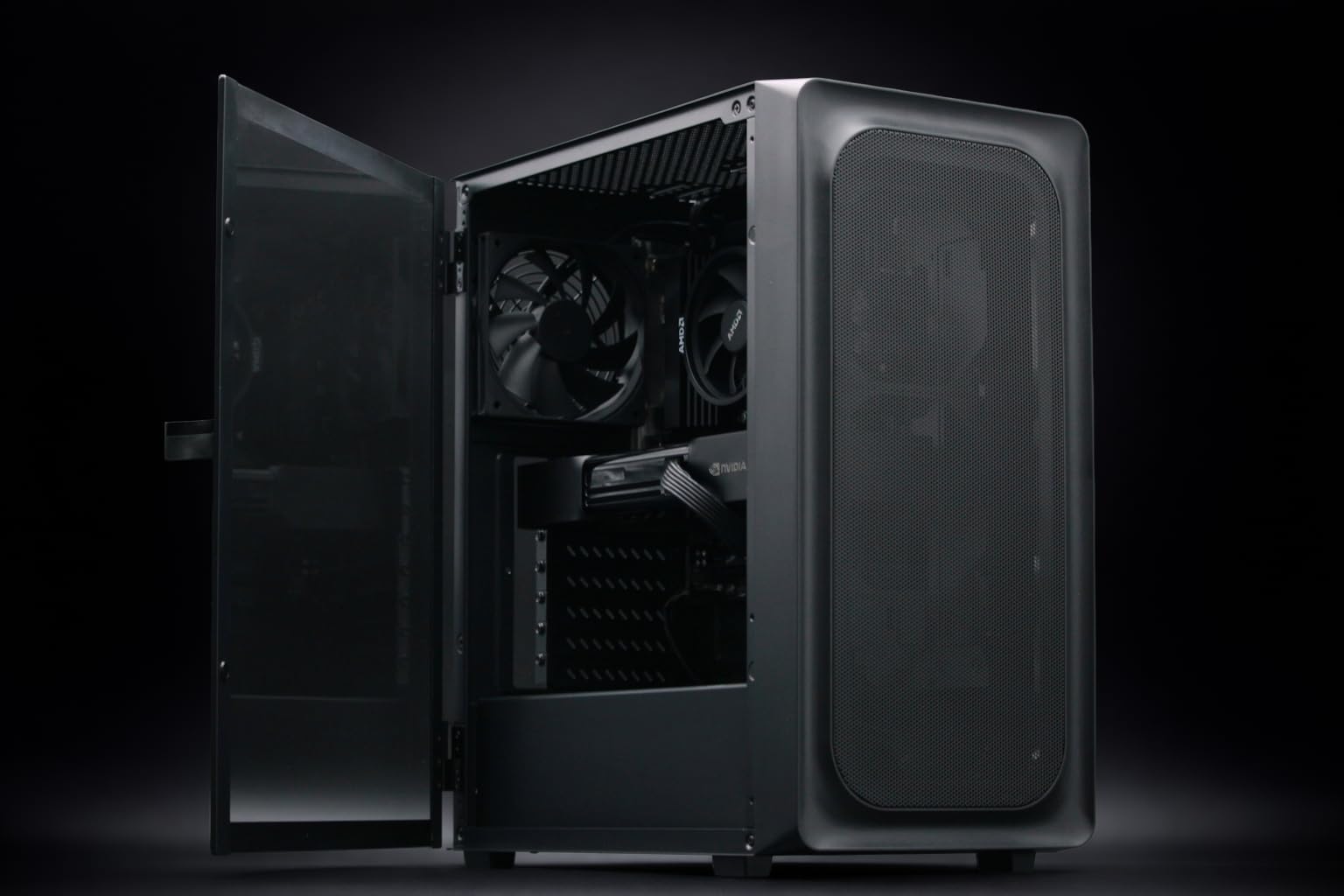
Building your own rig is fun until you deal with the cooling requirements of high-wattage Blackwell chips. Many ML engineers are shifting toward pre-configured units like the BoxGPT AI Workstation - RTX PRO 6000 Blackwell, Ryzen 9900X, 128GB RAM, 2TB NVMe.
These systems are tuned for the "thermal soak" of long-running inference jobs. Unlike a gaming case that expects bursts of activity, an enterprise workstation like the one featuring the RTX PRO 5000 Blackwell 48GB is designed to run at 100% utilization for weeks while you fine-tune a model.
§The Enterprise Leap: HBM3e for the absolute elite
If you are at the bleeding edge—building your own foundation models or serving a 50-person engineering team—you have to look past workstations and toward racks. The ASUS Dual AMD EPYC 9004 Series 4U GPU Server (ESC8000A-E12P) with 2x NVIDIA H200 NVL 141GB GPUs is where the "memory architecture gap" becomes a chasm.
The H200 NVL utilizes HBM3e. This isn't just about speed; it's about the ability to keep the entire model "hot" in memory with enough bandwidth to serve hundreds of concurrent tokens. While a PNY NVIDIA RTX 6000 ADA is a beast or local dev, the H200 is a production engine. Check our latest benchmarks to see how these HBM-based systems outperform consumer GDDR stacks by 4-5x in high-concurrency environments.
Why HBM architectures win for local inference:
- Power Efficiency: HBM moves more data per watt than GDDR7, crucial for 24/7 server operations.
- Physical Footprint: HBM is stacked directly on the GPU die, allowing for more compact card designs with massive memory pools.
- Lower Latency: The wider bus reduces the cycles needed to fetch large weights during the "Chain of Thought" reasoning process.
§FAQ
Does GDDR7 make the RTX 5090 better for AI than the RTX 6000 Ada?
The MSI Gaming RTX 5090 32G Lightning Z Graphics Card has faster memory (GDDR7), but the PNY NVIDIA RTX 6000 ADA still wins for AI because of its 48GB capacity. AI tasks are almost always VRAM-capacity limited before they are bandwidth limited. If you can't fit the model, speed doesn't matter.
Can I run a 400B parameter model on a local workstation?
Yes, but you need at least 192GB of VRAM to run it at a reasonable quantization. This usually requires a dual-GPU setup like the BoxGPT AI Workstation with dual RTX PRO 6000 Blackwell GPUs, which provides a combined 192GB of VRAM.
Is the A100 still relevant in 2026?
The A100 80GB Graphics Card - 80 GB HBM2e ECC remains highly relevant for researchers who need HBM2e's high bandwidth and ECC (Error Correction Code) memory on a tighter budget. While the newer Blackwell chips are faster, the 80GB pool on the A100 is still great for high-throughput inference.
§The Bottom Line
If your work revolves around hobbyist experimentation, small-scale LoRA training, or 7B-32B parameter models, the MSI Gaming RTX 5090 32G Lightning Z Graphics Card is a phenomenal value. GDDR7 is a legitimate speed king for that tier.
However, the second you feel the "Reasoning Lag" of a 70B+ model, it’s time to move to the workstation-grade Blackwell chips. Investing in a BoxGPT AI Workstation with the 96GB RTX PRO 6000 isn't just about more memory—it's about the stability and thermal overhead required to develop the next generation of autonomous agents. Stop fighting with consumer driver limits and give your local models the bandwidth they deserve.
Heads up: AI Hardware Hub may earn a commission when you buy through links on this page. We only recommend gear we'd run ourselves.