Llama-4 70B has arrived, and with it, a familiar headache for ML engineers: how to shove 70 billion parameters into a memory buffer without taking out a second mortgage. While the performance leaps in Llama-4's reasoning capabilities are staggering, the hardware requirements for local inference have split into two distinct paths: high-bandwidth consumer GDDR7 and enterprise-grade HBM3e.
The "VRAM Paradox" is simple on paper but complex in practice. Do you sacrifice precision and run a 4-bit quantized version on consumer hardware, or do you pay the enterprise premium for HBM3e to maintain FP16 weights? For most local developers in 2026, the answer lies in the massive bandwidth gains provided by the newest Blackwell-based consumer cards.
Heads up: AI Hardware Hub may earn a commission when you buy through links on this page. We only recommend gear we'd run ourselves.
§The GDDR7 revolution: Why 4-bit is "good enough"
In the early days of LLMs, quantization was seen as a desperate move to save space. In 2026, it's the standard. Thanks to the msi Gaming RTX 5090 32G Gaming Trio OC Graphics Card, we finally have the VRAM capacity and speed to run Llama-4 70B at 4-bit (QUIP/GGUF) on a single consumer GPU.
GDDR7 offers a significant bandwidth jump over its predecessor, utilizing PAM3 signaling to hit speeds that previously required multi-GPU setups. When you're running a 70B model, your primary bottleneck isn't compute—it's how fast you can cycle those 35-40GB of weights through the memory bus. A single 32GB 5090 can’t hold the entire FP16 model, but for 4-bit or 5-bit inference, it’s the king of cost-efficiency.

§Comparing the capacity vs. bandwidth landscape
If you're building a AI Workstation, you have to choose between raw capacity and raw speed. Enterprise systems using HBM3e (High Bandwidth Memory) offer terabytes per second of bandwidth, but the cost per gigabyte is nearly five times higher than consumer GDDR7.
| GPU / System | Memory Type | Capacity | Ideal Llama-4 70B Precision |
|---|---|---|---|
| MSI RTX 5090 Gaming Trio OC | GDDR7 | 32GB | 3.5-bit or 4-bit |
| ASUS TUF RTX 5080 | GDDR7 | 16GB | 2-bit (Partial Offload) |
| PNY RTX PRO 6000 Blackwell | GDDR7 | 96GB | FP16 / BF16 Native |
| ASUS ESC8000A (2x H200 NVL) | HBM3e | 282GB | FP16 (Multi-User) |
§The multi-GPU consumer strategy
For many ML engineers, the sweet spot isn't one giant GPU, but two Gigabyte GeForce RTX 5080 Gaming OC 16G Graphics Card units. While a single ASUS TUF Gaming GeForce RTX 5080 16GB GDDR7 OC Edition doesn't have the VRAM to house Llama-4 70B, two of them in NVLink-less parallel (via PCIe 5.0) give you 32GB of high-speed GDDR7.
This approach is popular for local development because it's modular. You can start with one RTX 5080 for testing Llama-4 8B and 20B models, then add a second when you need to tackle the 70B beast.
§Professional grade: When HBM3e becomes mandatory
While we champion consumer hardware for development, production benchmarks tell a different story. If your use case involves serving Llama-4 70B to dozens of concurrent users, GDDR7 will choke on the KV cache. This is where HBM3e systems like the ASUS Dual AMD EPYC 9004 Series 4U GPU Server come in.
The H200 NVL cards in that system don't just provide more VRAM; they provides the memory bus width required to handle massive context windows. If you’re running Llama-4’s new 128k context window at FP16, you aren't just fitting weights—you're fitting a massive active memory state that consumer cards simply can't handle.
§Pre-built workstations: The turnkey solution
If you aren't interested in the "VRAM Tetris" of DIY builds, several vendors have optimized systems specifically for Llama-4 sub-quantization.
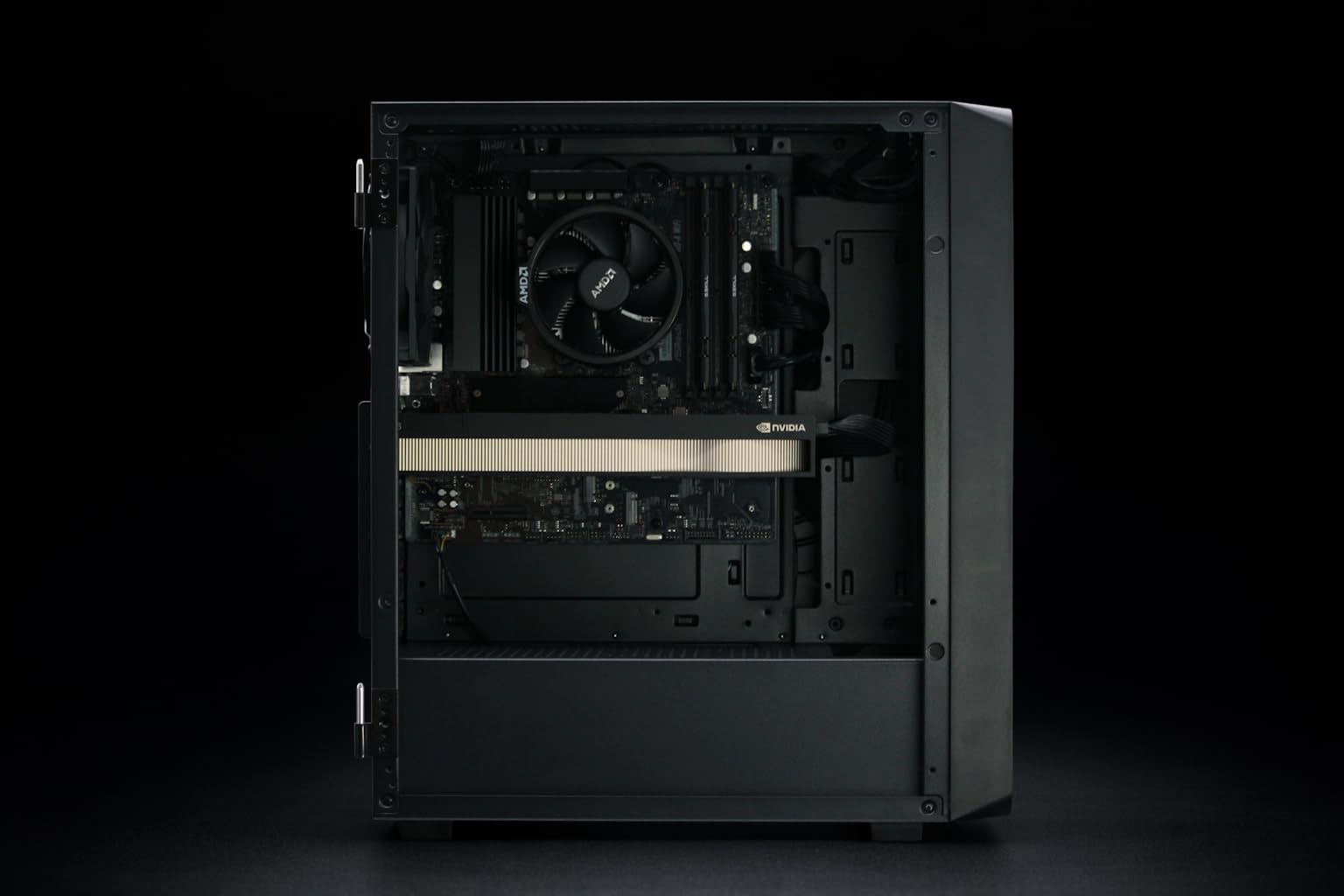
- For Professionals: The BoxGPT AI Workstation with RTX PRO 5000 Blackwell offers 48GB of VRAM, which is the perfect "comfort zone" for 70B models at 5-bit or 6-bit precision.
- For Power Users: The BoxGPT AI Workstation with RTX PRO 6000 Blackwell provides 96GB of total VRAM, allowing it to run Llama-4 70B at full FP16 with plenty of room left over for RAG pipelines.
- The Hybrid: The NOVATECH Apex WS9965X balances a high-core count Threadripper with a GDDR7 consumer card for those who need to bake datasets and run inference on the same machine.
Check out our full breakdown of AI Workstations or see how these cards stack up in our latest AI GPU rankings.
§The verdict: Capacity over speed?
The paradox remains: GDDR7 is faster per dollar, but HBM3e is larger per socket. For the local ML engineer in 2026, the strategy is clear. If your budget is under $10,000, buy the RTX 5090 32GB and embrace 4-bit quantization. The loss in perplexity is negligible compared to the massive savings in hardware costs.
However, if you're working on fine-tuning or long-context medical/legal applications, don't skimp. Grab a PNY NVIDIA RTX 6000 ADA or the newer Blackwell Pro 6000. You can't quantize your way out of a physical VRAM deficit when your context window starts pushing 100k tokens.
FAQ
Can I run Llama-4 70B on a single RTX 5080?
Not at a usable precision. The RTX 5080 16GB hanya has 16GB of VRAM. Even at a 2-bit quantization, which significantly degrades model intelligence, you would barely fit the weights. You would need to offload most layers to system RAM, which is significantly slower than GDDR7.
Is GDDR7 fast enough for real-time Llama-4 inference?
Yes. On a MSI RTX 5090 32GB, 4-bit Llama-4 70B inference typically hits 40-50 tokens per second, which is faster than most people can read.
Why is HBM3e so much more expensive than GDDR7?
HBM3e uses a "stacked" architecture where the memory chips are placed directly on the GPU die package using a silicon interposer. This allows for a much wider memory bus (e.g., 4096-bit vs. 384-bit or 512-bit) but is much more difficult and costly to manufacture than the discrete GDDR7 chips used on cards like the ASUS TUF RTX 5080.
Heads up: AI Hardware Hub may earn a commission when you buy through links on this page. We only recommend gear we'd run ourselves.