
The release of Llama-4 has fundamentally shifted the requirements for local inference, forcing developers to choose between the raw speed of consumer GDDR7 and the massive memory overhead required for high-parameter density. To run Llama-4 locally without crippling bottlenecking, your hardware strategy must pivot on whether you prioritize ultra-low latency for interactive agents or the massive VRAM pools needed for long-context RAG and lossless quantization. This guide breaks down the inflection points where consumer cards fall off and professional workstations become mandatory for the next generation of open-weight models.
Heads up: AI Hardware Hub may earn a commission when you buy through links on this page. We only recommend gear we'd run ourselves.
§The GDDR7 Advantage: Speed is Queen for Small Llama-4 Variants
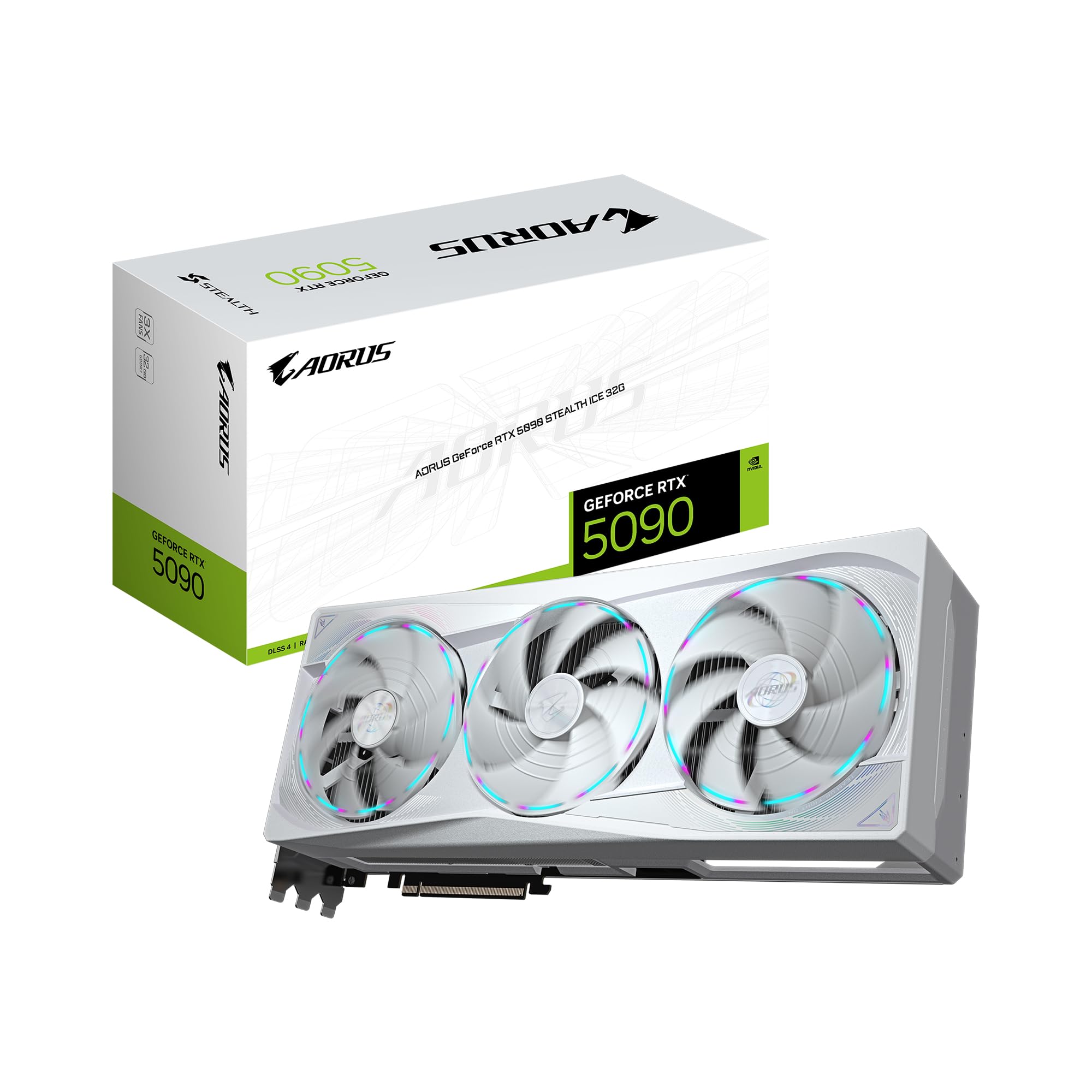
For the 8B and 20B Llama-4 variants, the primary bottleneck isn't the amount of memory, but the speed at which that memory can talk to the GPU cores. This is where the transition to Blackwell architecture and GDDR7 memory becomes a game-changer. The GIGABYTE AORUS GeForce RTX 5090 Stealth ICE 32G Graphics Card and the ASUS ROG Astral NVIDIA GeForce RTX 5090 32GB GDDR7 OC Edition Gaming Graphics Card offer bandwidth levels that make 2024-era hardware look like it's running on a dial-up connection.
If you are developing real-time voice agents or coding assistants where tokens-per-second (t/s) translate directly to productivity, 32GB of high-speed memory is the "sweet spot." Even the ZOTAC GeForce RTX 5090 Solid OC Graphics Card, 32GB GDDR7 provides enough overhead to run a highly quantized 70B model, though you’ll likely see performance degrade as the context window fills up.
§VRAM Inflection Points: Crossing the 32GB Threshold
The problem with Llama-4 local hardware compatibility arises when you move beyond "chat" and into "reasoning." Larger models or long-context tasks (like analyzing a 100,000-line codebase) will instantly overflow a 32GB buffer. Once you hit that wall, your system starts swapping to system RAM—the performance death spiral.
To stay on-device, you need professional-grade silicon. The PNY Technology VCNRTXPRO6000BQ-PB NVIDIA RTX PRO 6000 Blackwell Max-Q Workstation Graphics Card jumps from the consumer ceiling of 32GB to a staggering 96GB of VRAM. This isn't just about fitting the model; it's about the KV cache—the "short-term memory" the GPU uses to keep track of a long conversation.
When to Upgrade from Consumer to Professional
- Use Case A: You run Llama-4 8B/20B for quick API prototyping. Stick with RTX 5090 variants.
- Use Case B: You need to fine-tune Llama-4 using LoRA or QLoRA on proprietary datasets. 1x RTX PRO 6000 Blackwell 96GB is required.
- Use Case C: You are running the full, unquantized Llama-4 70B or 400B+ models for research. Multi-GPU workstations or Enterprise Servers are the only path.
§Workstation vs. Component Builds: The Stability Tax
Many ML engineers prefer to build their own rigs, but Llama-4's power draw and thermal profile make pre-configured workstations increasingly attractive. A machine like the Sentinel Non-RGB RTX PRO 6000 integrates the Intel Ultra 9 285K with 128GB of DDR5, ensuring that the CPU doesn't bottle-neck the data pipeline to the 96GB GPU.
For those venturing into dual-GPU territory, the BoxGPT AI Workstation, RTX PRO 6000 Blackwell is an absolute beast. It features 192GB of total VRAM (via two 6000-series cards), which is sufficient to run the largest Llama-4 weights at moderate quantization levels locally. You can check our latest benchmarks to see how these stacking configurations handle token throughput compared to single-card setups.
§Speed vs. Capacity Comparison
| Hardware Tier | Primary GPU | VRAM | Best Llama-4 Use Case | Latency Profile |
|---|---|---|---|---|
| Consumer High-End | RTX 5090 32GB | 32GB | 8B/20B (FP16), 70B (Int4) | Ultra-Low |
| Pro Workstation | RTX PRO 6000 96GB | 96GB | 70B (FP16), Fine-tuning | Low to Med |
| Elite Workstation | 2x RTX PRO 6000 | 192GB | 400B+ (Quantized), High-Batch RAG | Stable Med |
| Enterprise Server | 2x NVIDIA H200 NVL | 282GB | Full-scale 400B Inference & Training | High Bandwidth |
§The "Silent" Inflection Point: CPU and RAM Pairing
While we obsess over GPUs, Llama-4 local hardware compatibility also depends on your "host" system. If you're running a massive 96GB GPU on a motherboard with a weak CPU, you'll experience significant lag during the "pre-fill" phase (when the model is first reading your prompt).
The NOVATECH Apex WS9985X AI Workstation solves this by using the AMD Ryzen Threadripper PRO 9985WX. With 64 cores, it can handle the data ingestion and orchestration for Llama-4 much better than a standard consumer chip. If you're building a Llama-4 local workstation, don't skimp on the PCIe lanes; you want the full bandwidth of PCIe 5.0 to feed those Blackwell cores.
§Moving to Enterprise: When Llama-4 Outgrows the Desk
There is a limit to what you can do at a mahogany desk. When your Llama-4 deployments move from "experiment" to "infrastructure," you need HBM3e (High Bandwidth Memory). The ASUS Dual AMD EPYC 9004 Server with 2x NVIDIA H200 NVL 141GB GPUs moves the conversation away from GDDR7 entirely. HBM3e provides the massive wide-bus memory needed for multi-user inference. If your company is running a local instance of Llama-4 for an entire department, this isn't overkill—it's the baseline.
Essential Llama-4 Local Hardware Checklist
- Minimum VRAM: 24GB (For heavily quantized 8B-20B models).
- Recommended VRAM: 32GB+ (For stable 20B and light 70B usage).
- Memory Type: GDDR7 preferred for tokens-per-second, HBM3e for volume.
- Storage: At least 4TB of NVMe SSD (Llama-4 weights are massive; don't use HDDs).
- Power: 1200W+ Gold rated PSU for any Blackwell card.
§Bottom line: The Verdict
For most developers, the RTX 5090 32GB is the best entry point for Llama-4. Its GDDR7 bandwidth ensures that the model feels "snappy" and responsive. However, if your work involves large-batch processing or you refuse to compromise on quantization accuracy, the 96GB pool on the RTX PRO 6000 Blackwell is an essential, albeit expensive, upgrade.
If you're still undecided, browse our full AI GPUs category to compare clock speeds or head over to the AI Workstations section to see the latest turn-key solutions from BoxGPT and Sentinel.
FAQ
Can I run Llama-4 70B on a single 32GB RTX 5090?
Yes, but you will need to use 4-bit or 5-bit quantization (GGUF or EXL2 formats). While the GDDR7 speed of cards like the ZOTAC GeForce RTX 5090 Solid OC will make inference fast, the limited VRAM will restrict your context window to roughly 8k-16k tokens before performance drops.
Why is GDDR7 important for Llama-4?
Llama-4 models are optimized for modern attention mechanisms that are memory-bandwidth intensive. GDDR7 provides a significant boost in gigabytes-per-second (GB/s) over GDDR6X, allowing the GPU to move model weights from memory to the compute cores faster, resulting in more tokens per second.
Is it better to have two 32GB cards or one 96GB card?
For Llama-4, a single RTX PRO 6000 Blackwell 96GB is almost always better than two 32GB cards. Single-card inference avoids the "inter-GPU" latency penalty incurred when splitting a model across two PCIe slots, and 96GB allows you to run much larger versions of the model (70B at FP16) that two 32GB cards simply cannot fit.
Heads up: AI Hardware Hub may earn a commission when you buy through links on this page. We only recommend gear we'd run ourselves.