Running Llama-4 and DeepSeek-V3 on local hardware is no longer a pipe dream, but doing it efficiently requires a brutal understanding of the VRAM-to-bandwidth tradeoff. While the 50-series consumer cards bring high-speed GDDR7 to the masses, enterprise-grade systems remains the only way to avoid the crippling latencies of multi-GPU splitting for larger model weights. To get these models running, you need to decide: are you optimizing for token-per-second (TPS) speed or massive context windows?
Heads up: AI Hardware Hub may earn a commission when you buy through links on this page. We only recommend gear we'd run ourselves.
§The GDDR7 delta: why memory speed matters for Llama-4
The shift to GDDR7 in the latest RTX 50-series is the single biggest upgrade for local LLM inference in years. Large Language Models (LLMs) like Llama-4 are almost always memory-bandwidth bound. This means your GPU's compute cores often sit idle while waiting for data to travel from the VRAM.
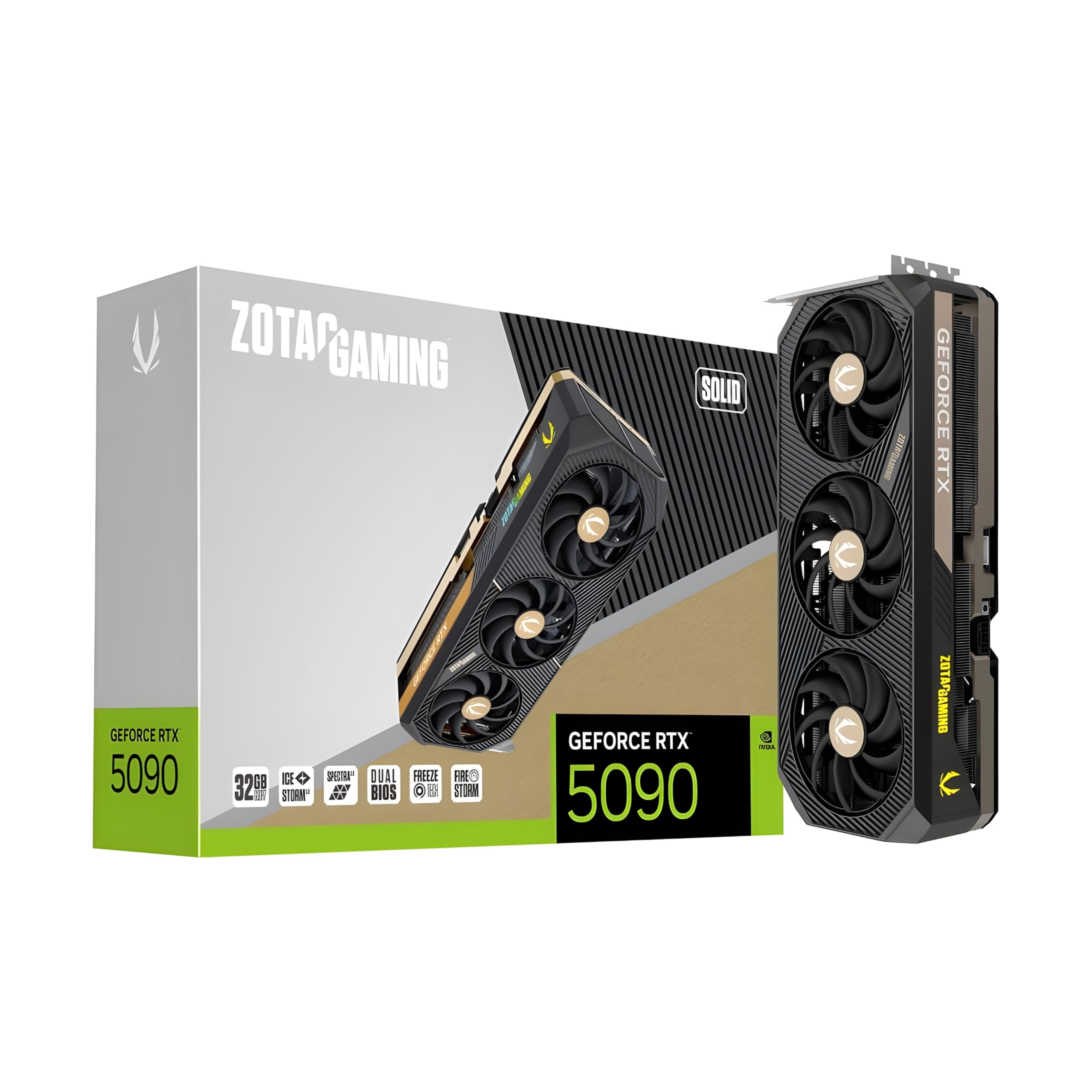
The ZOTAC Gaming GeForce RTX 5090 Solid 32GB GDDR7 Reflex 2 RTX AI DLSS4 utilizes this new memory standard to deliver significantly higher throughput than the previous generation. For Llama-4 local hardware compatibility, that 32GB frame buffer is the new "sweet spot" for 4-bit and 5-bit quantized versions of the mid-tier parameter counts. If you’re looking to hit 50+ tokens per second on a local coding assistant, GDDR7 is your best friend.
§Quantization vs. VRAM: The Llama-4 / DeepSeek reality
DeepSeek-V3 is a behemoth. Even in its distilled forms, running it without aggressive quantization is a challenge for consumer hardware. To run these models locally, you have two choices:
- Aggressive 4-bit (QUIP/GGUF) Quantization: Allows you to fit a ~70B parameter model into the 32GB VRAM of a ZOTAC Gaming GeForce RTX 5090 Solid 32GB GDDR7 Reflex 2 RTX AI DLSS4.
- Dual-GPU Scaling: Using two cards like the ASUS SFF-Ready Prime NVIDIA GeForce RTX 5070 Ti 16GB GDDR7 Graphics Card can give you 32GB total, but you'll lose performance to PCIe overhead unless you're using NVLink-equivalent interconnects.
- Enterprise Iron: Stepping up to the PNY Technology VCNRTXPRO6000BQ-PB NVIDIA RTX PRO 6000 Blackwell Max-Q Workstation Graphics Card gives you 96GB of VRAM, allowing for much higher precision (8-bit or even FP16) and significantly longer context windows without OOM (Out of Memory) errors.
§Comparing consumer GDDR7 vs. Enterprise HBM3e and Blackwell
When we look at benchmarks, the distinction between "fast" and "large" becomes clear. Consumer cards like the RTX 5090 are optimized for speed over small-to-medium datasets. Enterprise systems focus on "Memory Capacity at Scale."
| GPU Model | VRAM Capacity | Memory Type | Primary Use Case |
|---|---|---|---|
| RTX 5070 Ti | 16GB | GDDR7 | 7B-14B models, high-speed inference |
| RTX 5090 | 32GB | GDDR7 | 30B-70B models (4-bit), local dev |
| RTX PRO 5000 Blackwell | 48GB | GDDR6/7 | Professional LLM development, large context |
| RTX PRO 6000 Blackwell | 96GB | GDDR6 (Blackwell) | DeepSeek-V3 full inference, massive batch sizes |
| NVIDIA H200 NVL | 141GB | HBM3e | Training, Fine-tuning, Enterprise API hosting |
§Workstation builds: the "No-Compromise" approach
For ML engineers who need to run Llama-4 at full quality, a single consumer card isn't enough. This is where pre-configured AI workstations come in. The BoxGPT AI Workstation, RTX PRO 6000 Blackwell, 96GB VRAM, Ryzen 9900X, 256GB DDR5, 2TB NVMe is a prime example of high-density VRAM.
With 96GB of VRAM on a single Blackwell card, you can hold the entirety of a Llama-4 70B model in memory with room to spare for a 128k context window. If you try to do this on consumer hardware, you'll likely have to split the model across four RTX 5070 Ti cards, which introduces massive latency penalties as data hops across the motherboard.

§When to scale to enterprise iron
There is a limit to what you can do on a single workstation. When your team needs to fine-tune DeepSeek-V3 or host a multi-user instance of Llama-4, you need to look at the ASUS Dual AMD EPYC 9004 Series 4U GPU Server (ESC8000A-E12P) with 2x NVIDIA H200 NVL 141GB GPUs.
These systems move away from GDDR7 and into HBM3e territory. The H200 NVL provides 141GB of memory per GPU with bandwidth that dwarfs consumer hardware. This isn't just about fitting the model; it's about the speed of training gradients and the ability to process thousands of tokens simultaneously without the system choking.
§Local optimization tips for Llama-4
If you're sticking with a consumer-level NOVATECH Apex WS9985X AI Workstation & Gaming PC with its 32GB RTX 5090, here’s how to optimize:
- Use KV Cache Compression: Llama-4's context window can be RAM-intensive. Use tools like GGUF’s flash-attention features to keep the KV cache small.
- Offload selectively: If you have an older PNY VCNRTXA6000-PB NVIDIA 48GB GDDR6 Graphics Card lying around, use it for the secondary layers of the model. It's slower than your GDDR7 card, but it's better than offloading to system RAM.
- Monitor Power Draw: These 50-series cards are hungry. Ensure your PSU can handle the transient spikes when the LLM is at peak inference.
- Prioritize Linux: While WSL2 has improved, native Ubuntu still offers ~5-10% better memory management for large VRAM allocations in PyTorch.
§The Verdict: Which hardware for which model?
If you are an individual developer working with Llama-4 8B or 30B models, the ZOTAC Gaming GeForce RTX 5090 Solid 32GB GDDR7 Reflex 2 RTX AI DLSS4 is the undisputed king of local hardware. The GDDR7 speed boost makes the experience feel instantaneous.
However, if your work involves DeepSeek-V3 or Llama-4 70B+ at professional scales, don't waste time with consumer hardware. The BoxGPT AI Workstation, RTX PRO 5000 Blackwell, 48GB VRAM, Ryzen 9700X, 64GB DDR5, 2TB NVMe is the entry point for 48GB+ VRAM stability. For anything larger, the 96GB of a PNY Technology VCNRTXPRO6000BQ-PB NVIDIA RTX PRO 6000 Blackwell Max-Q Workstation Graphics Card is the only way to work without constant OOM frustration.
Heads up: AI Hardware Hub may earn a commission when you buy through links on this page. We only recommend gear we'd run ourselves.
FAQ
Can I run DeepSeek-V3 on a single 32GB RTX 5090?
Only with heavy quantization. You’ll need a 4-bit (QUIP/GGUF) version and you'll likely be limited to a smaller context window. For full-scale DeepSeek-V3, we recommend an enterprise workstation with at least 96GB of VRAM.
Is GDDR7 significantly faster than GDDR6 for AI?
Yes. Bandwidth is the primary bottleneck for LLM inference (tokens per second). GDDR7 provides a massive jump in memory clock speeds and data transfer rates, allowing the GPU to keep its Tensor cores fed more effectively than previous generations.
Why choose a workstation card over multiple consumer cards?
Stability and PCIe lane efficiency. Consumer cards are 3-4 slots wide, making 4-way SLI-style setups nearly impossible on standard motherboards. A workstation card like the RTX PRO 5000 Blackwell offers high VRAM density in a smaller form factor, avoiding the massive latency spikes associated with multi-GPU model splitting across the motherboard.