The release of Llama-4 and the latest DeepSeek variants has fundamentally shifted the baseline for local inference: memory bandwidth is now as critical as raw capacity. As 2026 heralds the era of ultra-dense models, the choice between consumer GDDR7 and enterprise HBM3e dictates whether your local setup screams or stutters. To avoid the "quantization cliff"—where model accuracy dives just to fit into VRAM—you need a hardware strategy that balances throughput against the massive parameter counts of the world's most capable open-source models.
Heads up: AI Hardware Hub may earn a commission when you buy through links on this page. We only recommend gear we'd run ourselves.
§The GDDR7 vs. HBM3e bottleneck: Why Llama-4 local hardware requirements matter
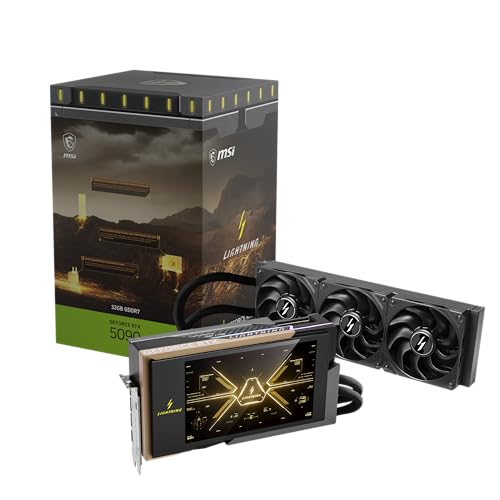
In the current 2026 hardware landscape, we are seeing a massive divergence in how local LLMs handle memory operations. Consumer cards like the MSI Gaming RTX 5090 32G Lightning Z have shifted to GDDR7, which provides a significant bump in speed over the previous generation. However, even with GDDR7, consumer cards are often "bandwidth bound" compared to enterprise silicone.
Llama-4 and DeepSeek-V3 models utilize MoE (Mixture of Experts) architectures that require jumping between different "expert" weights in memory instantly. While GDDR7 can handle this for smaller quants, HBM3e (High Bandwidth Memory) found in enterprise systems like the ASUS Dual AMD EPYC 9004 Series 4U GPU Server (ESC8000A-E12P) is designed specifically to eliminate the latency that occurs when moving data across the bus. If your workflow involves high-concurrency requests or complex long-context reasoning, the difference between 1.5 TB/s and 4.8 TB/s of bandwidth isn't just a number—it's the difference between 2 tokens per second and 50.
§Avoiding the quantization cliff: Why 32GB is the new 16GB
For a long time, 16GB cards like the GIGABYTE GeForce RTX 5080 Gaming OC 16G were the gold standard for "prosumer" AI. In 2026, that's no longer the case. We’ve reached the quantization cliff. A 4-bit (GGUF or EXL2) quant of a mid-sized Llama-4 model might fit on a 16GB card, but at the cost of losing the model’s nuanced reasoning capabilities.
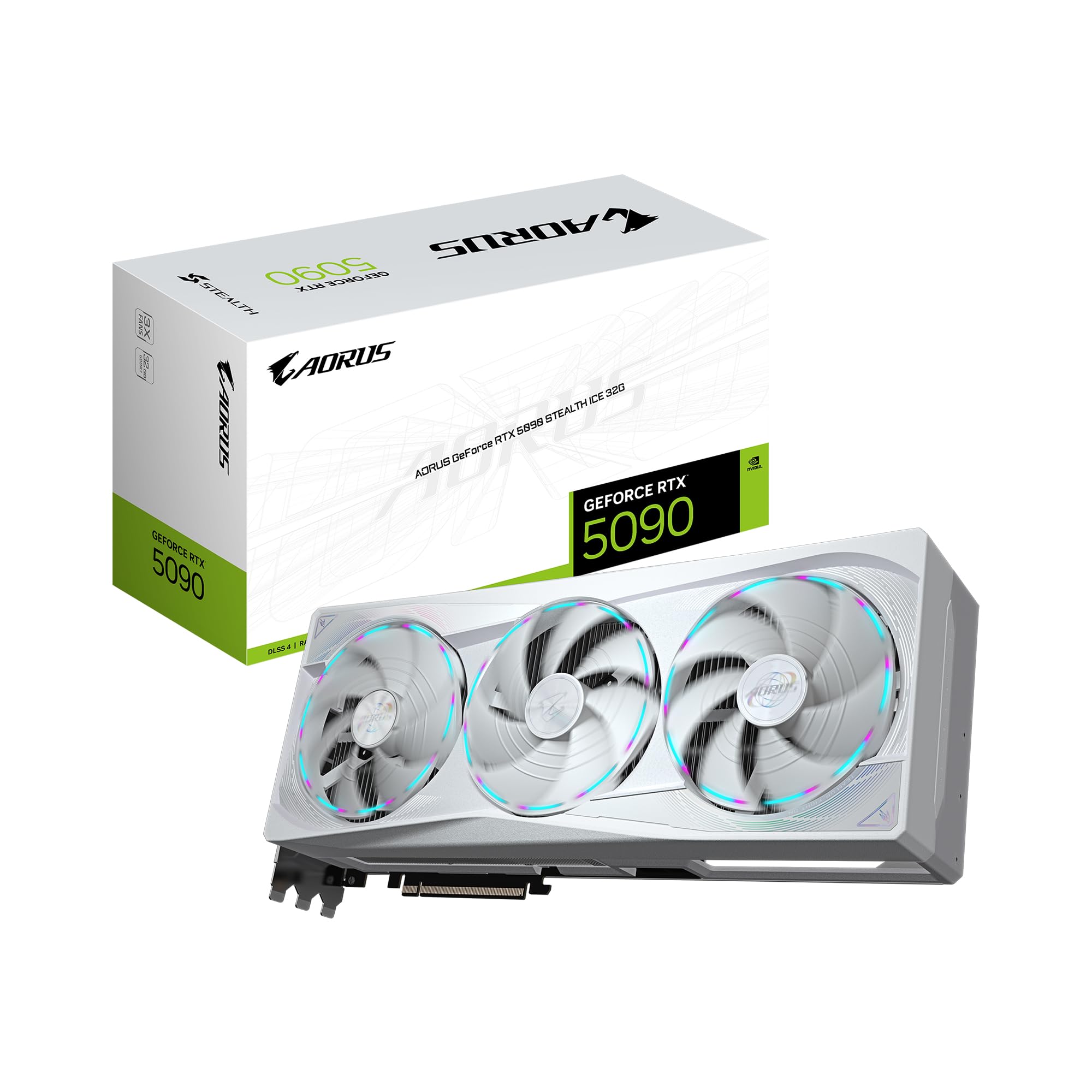
To run these models at 8-bit or FP16 for development work, you need more "headroom." This is where the 32GB VRAM on the GIGABYTE AORUS GeForce RTX 5090 Stealth ICE 32G becomes mandatory rather than optional. Using a multi-GPU setup allows you to parallelize the model, but remember that NVLink is dead—you are relying on PCIe 5.0 speeds to bridge these cards.
Key hardware considerations for local LLM inference
- VRAM Throughput: GDDR7 is fast, but HBM3e is required for "instant" multi-user responses.
- Context Window Scaling: Larger context windows (128k+) consume VRAM exponentially. A 16GB MSI Gaming GeForce RTX 5080 16G SUPRIM SOC will run out of memory just during the KV cache allocation.
- Thermal Management: Consumer 50-series cards pull massive wattage. Ensure your workstation chassis has active airflow.
- Pre-configured stacks: Systems like the BoxGPT AI Workstation, RTX PRO 5000 Blackwell are increasingly popular because they come with optimized CUDA kernels for Blackwell out of the box.
§Comparison: Consumer vs. Professional Blackwell Workstations
| Feature | GIGABYTE RTX 5090 Gaming | BoxGPT PRO 6000 Workstation | ASUS H200 NVL Server |
|---|---|---|---|
| VRAM Total | 32GB | 96GB | 282GB (Dual GPU) |
| Memory Type | GDDR7 | GDDR7 (ECC) | HBM3e |
| Ideal Model | Llama-4 70B (4-bit) | DeepSeek-V3 (8-bit) | Full Llama-4 405B+ |
| Target User | Individual Creator | ML Engineer / Small Lab | Enterprise R&D |
| Architecture | Blackwell | Blackwell | Blackwell (Enterprise) |
§The "Multi-GPU" trap: Why scaling RTX 5080s isn't always efficient
It’s tempting to buy four MSI Gaming GeForce RTX 5080 16G SUPRIM SOC cards and call it a day. After all, 64GB of VRAM sounds better than 32GB on a single card, right? Not necessarily.
When you split a model across four cards, the bottleneck becomes the motherboard's PCIe lanes. If you aren't using a Threadripper-class chip like the one in the NOVATECH Apex WS9965X AI Workstation, you’ll likely drop to x4 or x8 speeds per card. This lag kills inference speed for real-time applications. For serious local development, the BoxGPT AI Workstation with RTX PRO 6000 is significantly more efficient than a "Frankenstein" multi-consumer rig because its 96GB of VRAM allows you to keep larger weights on a single bus.

§Enterprise power for local Llama-4 deployments
If you are moving beyond prototyping and into production-grade local deployments, you cannot ignore the ASUS Dual H200 NVL Server. The H200 NVL represents the pinnacle of 2026 performance, providing 141GB of HBM3e memory per card. When benchmarked against consumer clusters, the HBM3e systems consistently provide 5x to 10x the throughput for benchmarks involving high-concurrency requests.
This isn't just about speed; it's about stability. Enterprise cards like the PNY NVIDIA RTX PRO 6000 Blackwell Max-Q utilize ECC memory, ensuring that long-running inference jobs don't crash due to bit-flips—a common issue when pushing consumer GDDR7 to its limits.
FAQ
What are the minimum Llama-4 local hardware requirements for 70B models?
For a 70B parameter model at 4-bit quantization, 48GB of VRAM is the safe minimum. We recommend the BoxGPT AI Workstation with RTX PRO 5000 to handle both the model and the necessary context window KV cache.
Is GDDR7 fast enough for DeepSeek-V3 inference?
Yes, GDDR7 on cards like the GIGABYTE AORUS GeForce RTX 5090 Stealth ICE 32G is excellent for single-user inference. However, for multi-user APIs or high-token-per-second requirements, HBM3e is still the preferred standard.
Can I run Llama-4 on an RTX 5080?
You can run the smaller "distilled" versions or highly quantized versions of the mid-tier models. However, the 16GB limit of the GIGABYTE GeForce RTX 5080 16G will severely restrict your context length, making it better suited for fine-tuning small models rather than heavy inference.
§Verdict: Which Blackwell is for you?
For the individual engineer, the MSI Gaming RTX 5090 32G Lightning Z is the undisputed king of the consumer space. It offers the best price-to-performance ratio for local experimentation.
However, if you are a professional developer building local-first AI agents or RAG pipelines, the 96GB VRAM on the BoxGPT AI Workstation, RTX PRO 6000 Blackwell is the smarter investment. It completely eliminates the quantization cliff, allowing you to run full-precision models that actually solve problems instead of just hallucinating at high speed.
For those who need to simulate datacenter conditions locally, the ASUS ESC8000A-E12P remains the gold standard for 2026.
Heads up: AI Hardware Hub may earn a commission when you buy through links on this page. We only recommend gear we'd run ourselves.