
As we move deeper into 2026, the gap between "running" an AI model and actually "training" or "fine-tuning" it has become a chasm defined by memory architecture. With the release of Llama-4 and DeepSeek-V3, the industry has hit a wall: consumer GDDR7 memory is fantastic for high-speed inference, but it lacks the massive capacity and bandwidth required for the next generation of Parameter-Efficient Fine-Tuning (PEFT).
If you are building a local dev environment this year, your choice isn't just about speed; it’s about whether your hardware will hit a VRAM ceiling before your training loss even begins to curve.
Heads up: AI Hardware Hub may earn a commission when you buy through links on this page. We only recommend gear we'd run ourselves.
§GDDR7 vs. HBM3e: The bandwidth-capacity trade-off
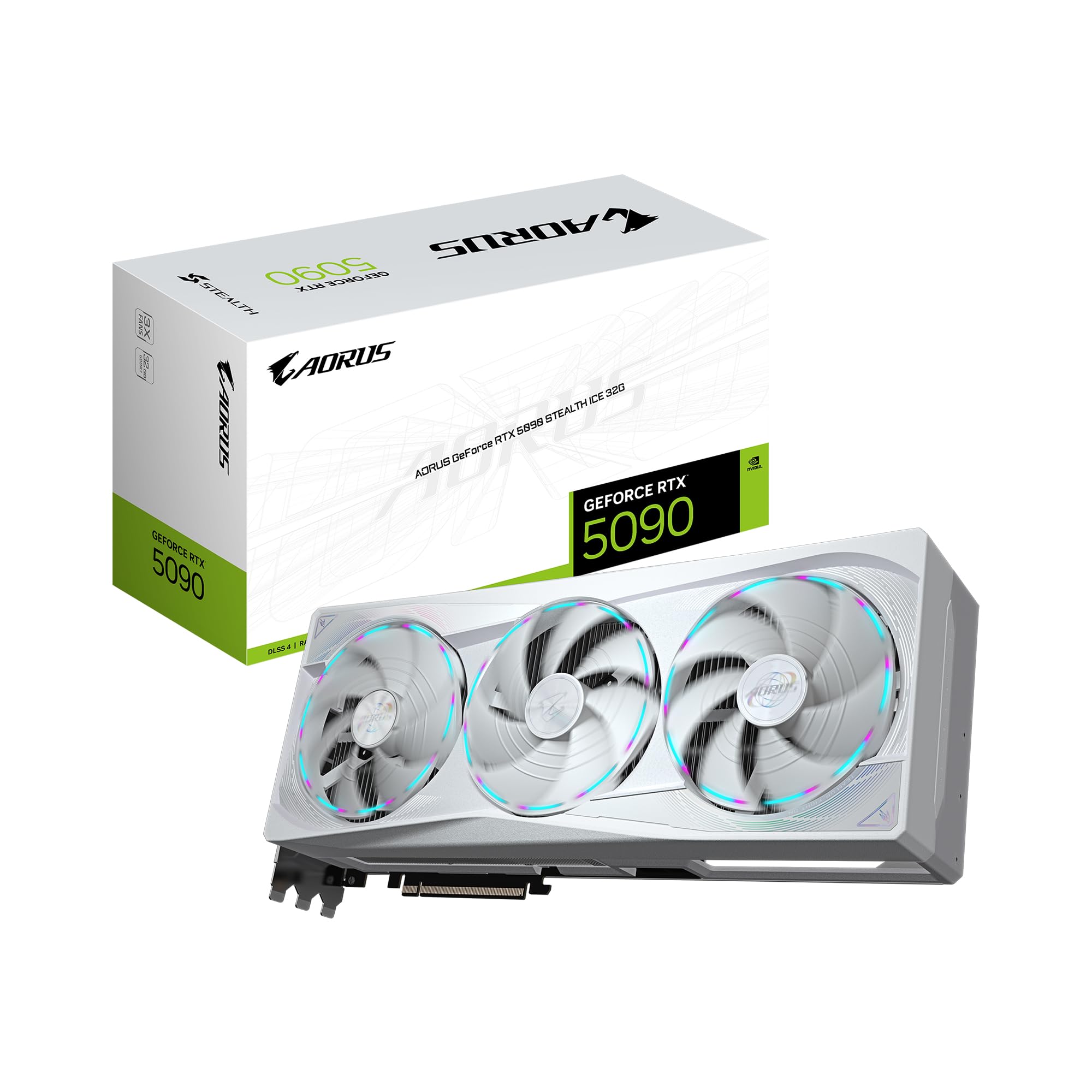
In late 2025 and moving into 2026, the GIGABYTE AORUS GeForce RTX 5090 Stealth ICE 32G set the standard for high-end consumer AI. It utilizes GDDR7 memory, which provides a massive jump in clock speeds over the previous generation. For inference, this is a dream. You can run Llama-4 quantized variants at lightning speeds, often seeing token-per-second rates that outperform the cloud.
However, GDDR7 is fundamentally limited by its density. At 32GB, the RTX 5090 is perfect for local assistants, but it struggles with the sheer memory "footprint" of professional workloads. Enterprise-grade memory like HBM3e (High Bandwidth Memory), found in systems like the ASUS Dual AMD EPYC 9004 Series 4U GPU Server, uses vertically stacked DRAM. This allows for massive VRAM pools—up to 141GB per chip—and bandwidth that GDDR7 simply cannot touch.
When evaluating Llama-4 local hardware requirements, you have to ask: Are you just consuming the model, or are you shaping it?
§Solving the Llama-4 local hardware requirements
Llama-4 has pushed parameters further than ever, making 4-bit and 6-bit quantization mandatory for local users. If you're running a NOVATECH Apex WS9985X AI Workstation, you’re getting a 64-core Threadripper paired with that 32GB 5090. This is an incredible machine for developer productivity, but Llama-4's largest weights will still require aggressive quantization to fit.
For those who need to perform PEFT (like LoRA or QLoRA) on DeepSeek-V3 or Llama-4, the "out of memory" (OOM) error becomes a constant companion on 32GB cards. This is where the PNY Technology VCNRTXPRO6000BQ-PB NVIDIA RTX PRO 6000 Blackwell Max-Q changes the game. With 96GB of VRAM, it bridges the gap between consumer accessibility and data-center power.
Why 32GB isn't enough for PEFT
Fine-tuning isn't just about the model size; it's about the gradients and optimizer states.
- Model Weights: Even a 70B model in 4-bit takes ~35GB+ of VRAM.
- Gradients: These take up additional space during the backward pass.
- Optimizer States: AdamW optimizers can triple the memory requirement of the parameters being trained.
- KV Cache: Long context windows (128k+) consume massive amounts of VRAM during the training process.
§Comparing the top AI GPUs for 2026
| GPU Model | Architecture | VRAM | Memory Type | Best Use Case |
|---|---|---|---|---|
| GeForce RTX 5090 | Blackwell | 32GB | GDDR7 | 4-bit Inference / Small Fine-tuning |
| RTX PRO 5000 Blackwell | Blackwell | 48GB | GDDR6 | Professional Design / 70B Inference |
| RTX 6000 Ada | Ada Lovelace | 48GB | GDDR6 | Stable Enterprise Workhorse |
| RTX PRO 6000 Blackwell | Blackwell | 96GB | GDDR7/Stacked | Serious LLM Training & Heavy PEFT |
| NVIDIA H200 NVL | Hopper | 141GB | HBM3e | Full Model Fine-tuning / Scaled Inference |
§The throughput bottleneck: Throughput vs. Latency
ML engineers often confuse high clock speeds with high throughput. While the GIGABYTE AORUS RTX 5090 has incredible latency for single-user chat, it lacks the bus width to handle the high-concurrency requests of a multi-agent system.
If you are deploying a local coding agent for a small team, you'll find that a system like the BoxGPT AI Workstation with RTX PRO 6000 Blackwell provides a much smoother experience. The 96GB pool allows you to run the model at higher bit-rates (8-bit or 16-bit), which significantly reduces the "hallucination" drift seen in heavily quantized 4-bit models.
Check out our benchmarks page to see how GDDR7 stacks up against HBM3e in multi-turn conversation tests.

§The middle ground: Professional 48GB Workstations
For many, the jump to a $13,000+ GPU is too steep. If you're working with models like Llama-4-70B, the 48GB VRAM tier is their "sweet spot." You can find this in the PNY NVIDIA RTX 6000 ADA or the newer BoxGPT AI Workstation with RTX PRO 5000 Blackwell.
These 48GB systems are the minimal viable product for developers who need to run RAG (Retrieval-Augmented Generation) pipelines locally. RAG requires keeping both the LLM and a Vector Database in memory simultaneously. If your GPU is capped at 24GB or 32GB, you'll frequently swap to system RAM, which kills performance.
§Beyond the GPU: Why CPU and RAM matter in 2026
While we talk about AI GPUs constantly, the rest of the AI Workstations architecture has to keep up. DeepSeek-V3 and Llama-4 utilize advanced MoE (Mixture of Experts) architectures. When a model is too large for the VRAM, it spills over into the system memory.
The NOVATECH Apex WS9985X addresses this with 256GB of DDR5 6600 MHz memory. This doesn't replace VRAM, but it prevents the system from crashing when you load massive datasets for preprocessing. Similarly, the A100 80GB Graphics Card, though an older architecture, remains relevant in 2026 because of its 80GB HBM2e bucket, which offers a cheaper alternative for those who need capacity over raw Blackwell speed.
Bottom line: Which should you choose?
The "Hardware Compatibility Gap" isn't just a marketing term; it's a technical reality.
- Choose 32GB (GDDR7) if your primary goal is local inference, gaming, and low-latency interaction with quantized models.
- Choose 48GB-96GB (Professional Blackwell/Ada) if you are a professional researcher or developer performing PEFT, RAG, or high-fidelity 70B+ inference.
- Choose 141GB+ (HBM3e) if you are an enterprise entity training proprietary models from scratch or fine-tuning the largest Llama-4 variants for production.
Heads up: AI Hardware Hub may earn a commission when you buy through links on this page. We only recommend gear we'd run ourselves.
FAQ
Can I run Llama-4 on a 32GB RTX 5090?
Yes, you can run the 70B parameter version of Llama-4 using 4-bit quantization (GGUF or EXL2 formats). However, you will have limited head-room for long context windows or secondary applications running alongside the model.
Is the RTX PRO 6000 Blackwell worth the extra cost over the RTX 5090?
For ML engineers, yes. The 96GB of VRAM allows you to fit entire models that would otherwise require expensive multi-GPU setups. It also uses a more robust driver stack optimized for long-running compute tasks, compared to the consumer focus of the 5090.
Why is HBM3e so much more expensive than GDDR7?
HBM3e is significantly more complex to manufacture. It involves stacking memory dies vertically and connecting them through the silicon substrate with TSVs (Through-Silicon Vias). This provides vastly higher bandwidth and lower power consumption per gigabyte, which is critical for data center scalability.
Do I need an Enterprise system like the ASUS ESC8000A for local dev?
Only if you are running massive batch jobs or hosting a model for an entire engineering team. For a single developer, a pro-tier workstation like the BoxGPT RTX PRO 6000 Blackwell build is more than sufficient.