The era of "small" local models is over; the current frontier for ML engineers involves cramming massive weights into desktop-sized footprints. To run Meta’s Llama-4 405B or the MoE powerhouse DeepSeek-V3 locally, you are forced to choose between the raw speed of GDDR7 consumer cards and the massive VRAM pools of professional workstation gear. This guide breaks down why the hardware you choose for 4-bit quantization will define whether your inference feels like a real-time conversation or a slow wait for a CSV export.
Heads up: AI Hardware Hub may earn a commission when you buy through links on this page. We only recommend gear we'd run ourselves.
§The quantization wall: 405B on a budget
Running Llama-4 405B at FP16 is a pipe dream for most, requiring nearly a terabyte of VRAM. For local benchmarks, the industry has settled on 4-bit (bits-and-bytes or EXL2) as the "sweet spot" where perplexity remains stable while memory requirements drop by 75%.
Even at 4-bit, a 405B model requires roughly 230GB of VRAM just to load the weights. This creates a fork in the road for hardware strategy:
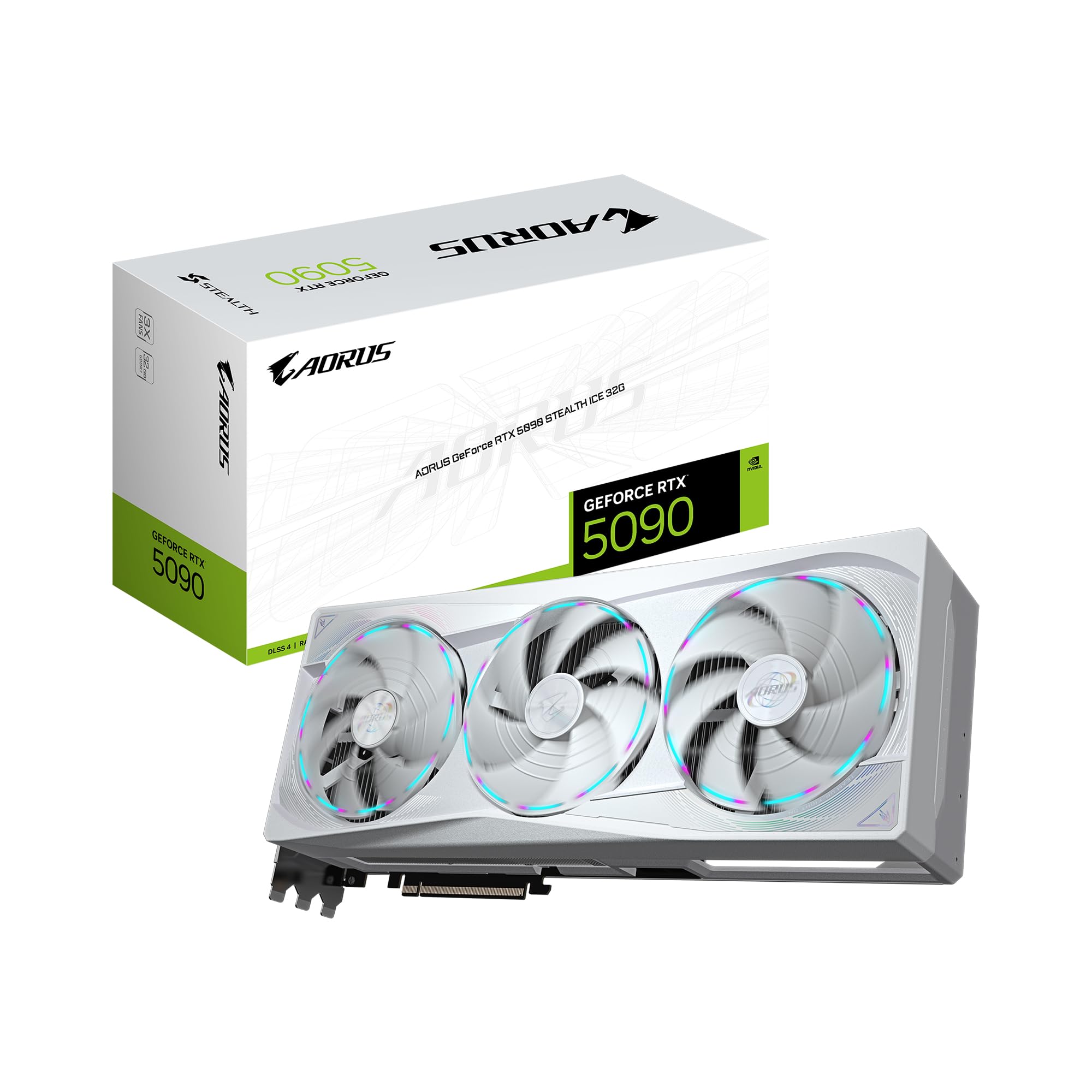
- The Parallel Consumer Approach: Linking multiple GIGABYTE AORUS GeForce RTX 5090 Stealth ICE 32G Graphics Cards via high-speed PCIe fabrics.
- The Unified Professional Approach: Using high-density cards like the PNY Technology VCNRTXPRO6000BQ-PB NVIDIA RTX PRO 6000 Blackwell Max-Q Workstation Graphics Card which packs 96GB per slot.
§GDDR7 speed vs. Blackwell capacity
The shift to the Blackwell architecture has introduced GDDR7 memory, providing a massive uplift in memory bandwidth. For inference, bandwidth is the primary bottleneck. A Llama-4 local inference hardware setup built on the ASUS TUF Gaming GeForce RTX 5080 16GB GDDR7 OC Edition Graphics Card can stream tokens significantly faster than older GDDR6X generations, but the 16GB VRAM limit is a painful constraint for 405B models.
DeepSeek-V3, being a Mixture-of-Experts (MoE) model, is particularly sensitive to bandwidth. Because only a fraction of the parameters are active per token, the faster you can swap those weights from VRAM to the compute cores, the lower your latency.
§Hardware Comparison: Quantization Performance
| GPU Model | VRAM | Memory Type | Target Model (4-bit) | Setup Complexity |
|---|---|---|---|---|
| RTX 5090 Stealth ICE | 32GB | GDDR7 | 8-card cluster required | High (Custom Loop/NVLink) |
| RTX 5080 TUF Gaming | 16GB | GDDR7 | 14-card cluster (Not recommended) | Extreme |
| RTX PRO 6000 Blackwell | 96GB | GDDR7 | 3-card cluster | Low (Plug & Play) |
| RTX 6000 Ada | 48GB | GDDR6 | 5-card cluster | Moderate |
§The multi-GPU latency tax
When you distribute a 4-bit Llama-4 405B across multiple consumer cards like the GIGABYTE AORUS GeForce RTX 5090 Stealth ICE 32G Graphics Card, you collide with the PCIe bus bottleneck. Unless you are running an enterprise-grade motherboard found in something like the NOVATECH Apex WS9965X AI Workstation & Gaming PC, the inter-GPU communication can kill your tokens-per-second (t/s) regardless of how fast GDDR7 is.
Engineers are finding that a single PNY Technology VCNRTXPRO6000BQ-PB NVIDIA RTX PRO 6000 Blackwell Max-Q Workstation Graphics Card often outperforms four aggregated ASUS TUF Gaming GeForce RTX 5080 16GB GDDR7 OC Edition Graphics Cards because it avoids the overhead of splitting the KV cache across physical slots.
§Pre-built workstation vs. DIY build
For many ML teams, the DIY route is a nightmare of driver conflicts and thermal throttling. The BoxGPT AI Workstation, RTX PRO 6000 Blackwell, 96GB VRAM is currently the gold standard for out-of-the-box local inference. It leverages the massive 96GB frame buffer of the Blackwell workstation chips, allowing for much larger context windows—critical for RAG (Retrieval-Augmented Generation) workflows using Llama-4.
- Why choose a pre-built like the BoxGPT:
- Validated thermal performance for 24/7 inference.
- Pre-installed Ollama and CUDA stacks.
- Sufficient PCIe lanes for dual or triple 96GB GPU configurations.
If you are purely focused on cost-efficiency and don't mind the footprint, the ASUS TUF Gaming GeForce RTX 5080 16GB GDDR7 OC Edition Graphics Card is a viable entry point for smaller 8B and 70B models, but it lacks the legs for the 405B "Main Event" without an absurdly expensive rackmount chassis.
§Navigating the VRAM hierarchy
If you're stuck between generations, don't sleep on the PNY NVIDIA RTX 6000 ADA. While it uses GDDR6, its 48GB of VRAM is significantly more "useful" for 4-bit Llama-4 than the 32GB on the newer 5090 if your goal is reducing the number of GPUs in the chain. However, if you are building fresh in 2026, the move to Blackwell is non-negotiable for the FP4 tensor core optimizations alone.
For those with enterprise budgets, the ASUS Dual AMD EPYC 9004 Series 4U GPU Server remains the ultimate destination, though it's overkill for single-developer local experimentation.
FAQ
How much VRAM is really needed for Llama-4 405B local inference?
To run Llama-4 405B at a usable 4-bit quantization level, you need at least 230GB of VRAM for the weights plus additional overhead for the KV cache. This typically means a minimum of three PNY Technology VCNRTXPRO6000BQ-PB NVIDIA RTX PRO 6000 Blackwell Max-Q Workstation Graphics Cards or a highly complex array of eight GIGABYTE AORUS GeForce RTX 5090 Stealth ICE 32G Graphics Cards.
Is GDDR7 worth the upgrade over GDDR6 for DeepSeek-V3?
Yes. DeepSeek-V3's MoE architecture relies on rapid weight loading into the compute units. The increased bandwidth of GDDR7 on cards like the ASUS TUF Gaming GeForce RTX 5080 16GB GDDR7 OC Edition Graphics Card significantly reduces "Time To First Token" compared to older Ada Lovelace equivalents.
Can I run these models on a standard desktop?
Only if the desktop has an enterprise-grade backbone like the NOVATECH Apex WS9965X AI Workstation & Gaming PC. Standard consumer motherboards usually lack the PCIe lane spacing and count to support the multiple high-end GPUs required for 405B-class models.
§Bottom line
If your objective is low-latency local inference of the world's most capable open-weights models, VRAM density is king. While the RTX 5090 is a gaming marvel, the professional Blackwell 96GB cards found in systems like the BoxGPT AI Workstation are the only sane way to run Llama-4 405B or DeepSeek-V3 without building a complex, heat-spewing farm of consumer GPUs. Choose the RTX 5080 for tuning 8B-70B models; invest in Blackwell workstation gear for the 400B+ giants.
Heads up: AI Hardware Hub may earn a commission when you buy through links on this page. We only recommend gear we'd run ourselves.