In 2026, the barrier between consumer hardware and enterprise-grade AI performance has effectively dissolved. The arrival of GDDR7 memory and sophisticated 1-bit and 2-bit quantization techniques means local LLM hardware optimization is no longer about just "buying more VRAM"—it's about maximizing throughput and managing the massive datasets that feed these hungry models. If you're building a local inference rig or an fine-tuning workstation today, the bottleneck isn't just the compute; it's the speed at which your data moves from your storage to your memory controllers.
Heads up: AI Hardware Hub may earn a commission when you buy through links on this page. We only recommend gear we'd run ourselves.
§The GDDR7 revolution: Why bandwidth is the new VRAM
For years, we obsessed over VRAM capacity. While capacity still matters for fitting larger models, the shift to the NVIDIA Blackwell architecture has introduced GDDR7 memory, which has fundamentally changed the game for local LLM hardware optimization. GDDR7 provides a massive leap in memory bandwidth—often exceeding 1.5 TB/s on high-end cards—which is the primary driver for "tokens per second" (TPS) in inference.
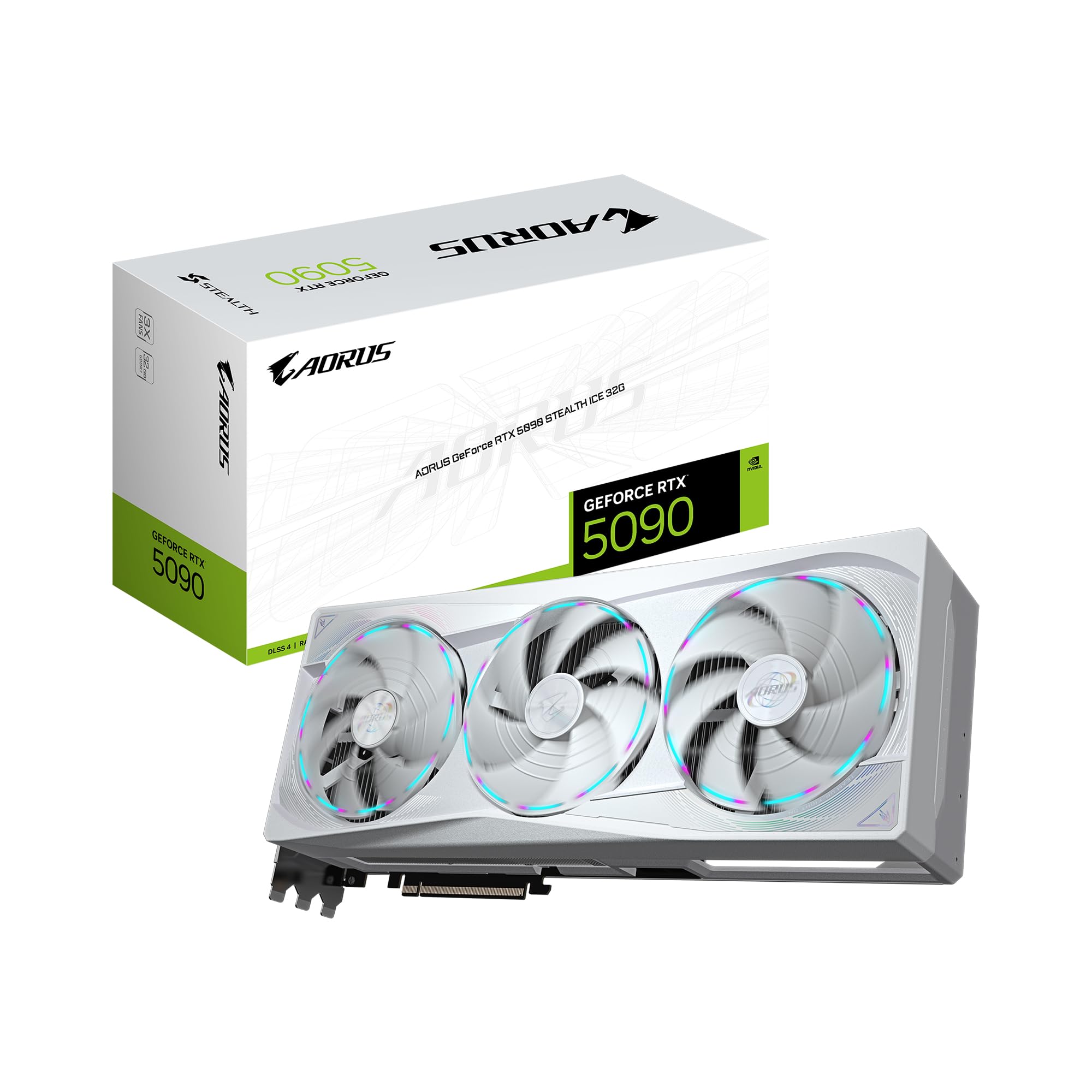
When you run a quantized model, the GPU isn't just performing math; it’s constantly moving weights from memory to the processing cores. On older GDDR6X cards, the "waiting time" for data movement was a significant drag. With a card like the GIGABYTE AORUS GeForce RTX 5090 Stealth ICE 32G Graphics Card, that 32GB of high-speed memory ensures that even 70B parameter models (heavily quantized) feel instantaneous.
§Quantization breakthroughs: Squeezing 400B models into 32GB
Quantization has evolved far beyond simple 4-bit (GPTQ/GGUF) methods. Modern creators are now utilizing K-quants and IQ-quants that allow massive models, like Llama-3-400B+, to run on consumer hardware at usable speeds.
The secret sauce for 2026 is the synergy between these low-bit algorithms and the Blackwell Tensor Cores. The ASUS ROG Astral NVIDIA GeForce RTX 5080 16GB GDDR7 White OC Edition might only have 16GB of VRAM, but because of its high clock speeds and GDDR7 efficiency, it can handle 8-bit quantization of 7B models or 2-bit quants of 30B models with zero perceived latency.
§NAS storage and the TBW endurance problem
If you are serious about local LLM hardware optimization, you can't ignore the storage layer. Creators frequently download, merge, and re-quantize multi-terabyte datasets. This creates a massive write-endurance (TBW) problem for standard consumer NVMe drives.
Enter Enterprise NAS storage. High-TBW (Total Bytes Written) drives designed for 24/7 operation are essential when your daily workflow involves:
- Moving 500GB training sets from cold storage to active cache.
- Running massive scraping operations for custom dataset curation.
- Storing multiple "save-points" of Lora adapters during training.
For those who want this pre-integrated, a system like the NOVATECH Apex WS9965X AI Workstation & Gaming PC offers the high-end Threadripper PRO backbone needed to manage massive PCIe lane counts, allowing for multiple high-speed storage arrays without bottlenecking the GPU.
§Comparing the top hardware tiers for local AI
Choosing a platform depends on your specific focus: are you just running a chatbot, or are you training a specialized medical LLM? Check our benchmarks page for detailed breakdowns, but here is the quick bird's-eye view:
| GPU / System | VRAM | Architecture | Best Use Case |
|---|---|---|---|
| RTX 5090 Stealth ICE | 32GB GDDR7 | Blackwell | Enterprise-grade local inference & Lora Finetuning |
| RTX 5080 Astral OC | 16GB GDDR7 | Blackwell | High-speed creative workflows & SFT |
| RTX 5070 Ti Prime | 16GB GDDR7 | Blackwell | SFF-ready hobbyist LLM & Coding Assistants |
| BoxGPT AI Workstation | 48GB | RTX PRO 5000 | Professional RAG & Server-grade local deployments |
§Optimized workflows: From raw data to inference
Setting up a modern AI pipeline requires more than just a GPU. It's a holistic approach to data movement.
- Dataset Acquisition: Gigabytes of raw text or images are stored on a high-end NAS.
- Preprocessing: Use a high-core count CPU (like the Threadripper in the NOVATECH Apex WS9965X) to clean and tokenize data.
- VRAM Loading: The cleaned data is moved into GDDR7 VRAM. This is where the 32GB on the GIGABYTE RTX 5090 pays off, allowing for larger batch sizes.
- Quantization: Once trained, the model is compressed using GGUF or EXL2 formats to make it sharable and efficient.
§Why the RTX PRO 5000 is the dark horse
While gamers focus on the 5090, professional ML engineers are increasingly eyeing the BoxGPT AI Workstation. Its inclusion of the RTX PRO 5000 Blackwell with 48GB of VRAM is a massive deal. That extra 16GB over the consumer flagship allows for much higher-fidelity quantization (e.g., 8-bit instead of 4-bit) on massive models, drastically reducing "hallucinations" caused by lossy compression.

§The Bottom Line: Local LLM hardware optimization
In 2026, local AI is no longer a "compromise." With the right hardware, you can achieve inference speeds that rival or beat cloud providers, without the privacy risks or subscription fees. If you're building a new rig, prioritize GDDR7 bandwidth for daily use and look toward the RTX PRO Blackwell cards if your datasets are pushing into the several-hundred-gigabyte territory.
FAQ
How much VRAM do I need for a 70B parameter model?
In 2026, using high-efficiency quantization (4-bit), you'll need at least 40GB of VRAM to run a 70B model with a comfortable context window. The BoxGPT AI Workstation with 48GB is the ideal choice. You can run it on a 32GB RTX 5090 using 2.5-bit or 3-bit quantization, though you'll see a slight hit in reasoning capabilities.
Is GDDR7 worth the upgrade over GDDR6X for AI?
Yes. AI workloads are heavily memory-bandwidth bound. GDDR7 provides a significant boost in the speed at which weights are processed, meaning you get more tokens per second even on models that fit comfortably within your VRAM. It's the single biggest hardware improvement for local LLM optimization this year.
Can I use a SFF (Small Form Factor) PC for AI?
Absolutely. With cards like the ASUS SFF-Ready Prime NVIDIA GeForce RTX 5070 Ti, you can build incredible developer boxes that fit on a desk. Just ensure your case has sufficient airflow, as Blackwell GPUs still pull significant power during heavy inference tasks.
Why is NAS storage important for AI creators?
Standard SSDs can wear out quickly due to the constant writing of large datasets. Enterprise NAS drives or high-TBW NVMe drives are designed to handle the petabytes of data movement required for modern AI model training and dataset curation without failing.
Heads up: AI Hardware Hub may earn a commission when you buy through links on this page. We only recommend gear we'd run ourselves.