The era of running massive 70B and 400B models on consumer and prosumer hardware has arrived, but it isn't just about throwing raw compute at the problem. To make local AI viable for enterprise workflows in 2026, you need a precise trifecta: the massive memory bandwidth of the NVIDIA Blackwell-based categories/ai-gpus, aggressive local quantization techniques, and a storage backbone that doesn't choke under heavy dataset caching.
If you're still running models in FP16, you're lighting money on fire. The transition to 4-bit and even 2-bit quantization—paired with the latest Blackwell drivers—has fundamentally changed the math on tokens-per-second and total cost of ownership.
Heads up: AI Hardware Hub may earn a commission when you buy through links on this page. We only recommend gear we'd run ourselves.
§The Blackwell shift: Why GDDR7 changes the game
For the last two years, we've focused on TFLOPS, but in 2026, memory bandwidth is the only metric that truly matters for LLM inference. The move to GDDR7 memory in the Blackwell architecture provides the massive data throughput necessary to feed the Tensor cores without stalling.
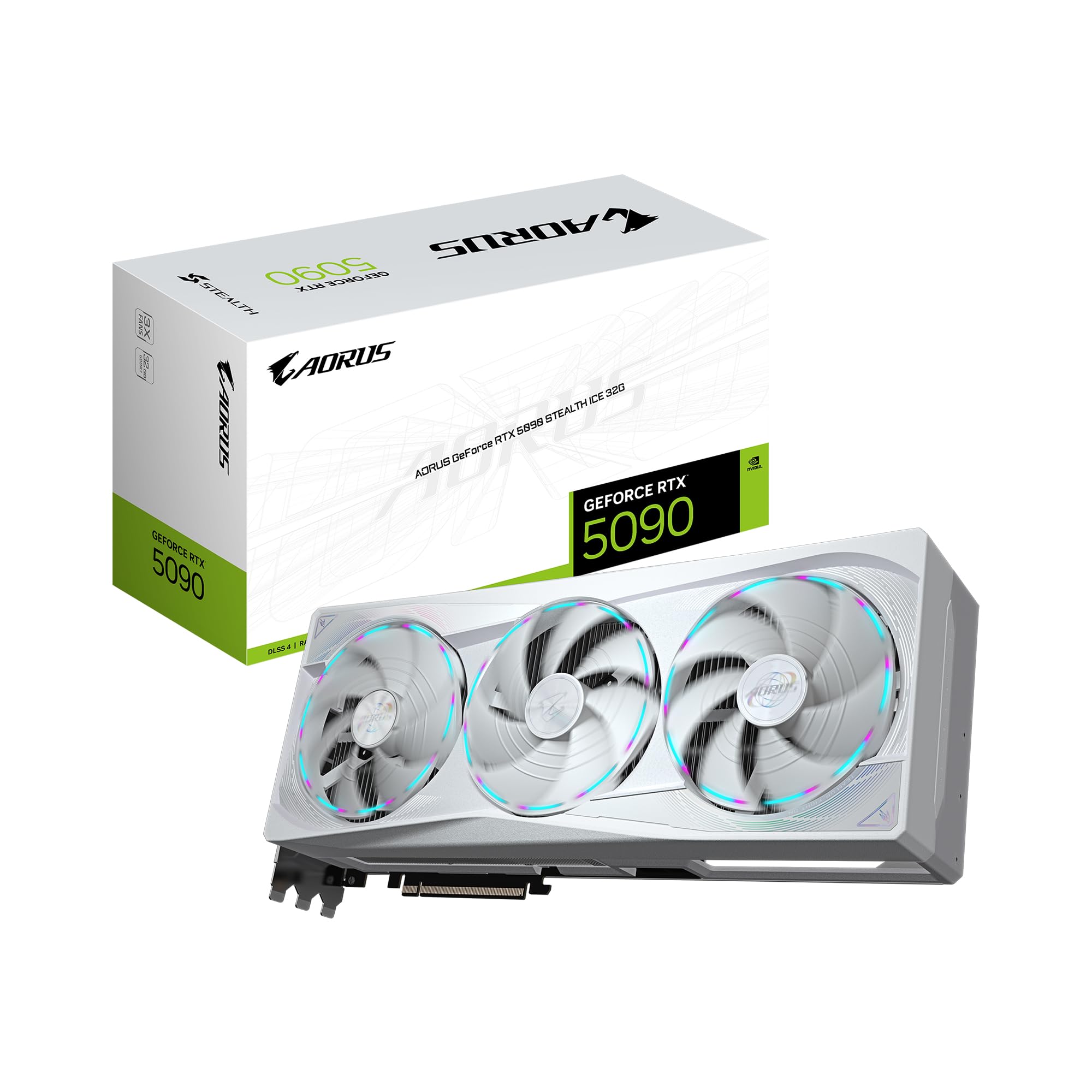
When using high-ratio local LLM local quantization hardware, the bottleneck isn't the computation; it's the speed at which the weights can be moved from VRAM to the GPU cores. The GIGABYTE AORUS GeForce RTX 5090 Stealth ICE 32G Graphics Card utilizes this GDDR7 advantage to handle quantized models that would have stuttered on previous generations. This isn't just a marginal gain; we’re seeing a nearly 50% increase in effective throughput for large-batch inference tasks when compared to the flagship cards of 2024.
For developers working with sub-4-bit quantization (like GGUF or EXL2), the 32GB frame buffer on the 5090 allows for massive context windows. You can now fit a 70B parameter model at 4-bit precision with a healthy 32k context window on a single card.
§Quantization and the "Last Mile" of local inference
Quantization isn't just about making things smaller; it’s about making them smarter. The latest driver updates for Blackwell GPUs include specific optimizations for INT4 and INT8 operations, allowing for "weight-only" quantization where the weights are stored in low precision but computations are handled in higher precision to maintain accuracy.
- FP8 E5M2/E4M3 Support: Native support in Blackwell means less "quantization tax" (accuracy loss).
- KV Cache Compression: Modern drivers now allow for 4-bit KV caching, doubling the effective context length you can store in VRAM.
- FlashAttention-3: Blackwell-optimized drivers leverage the new Tensor Memory Accelerator (TMA) to speed up attention mechanisms by up to 2x compared to Ada Lovelace.
If you are building an AI workstation, the goal is to maximize your "Parameters per Dollar" ratio. The ASUS SFF-Ready Prime NVIDIA GeForce RTX 5070 Ti 16GB GDDR7 Graphics Card has become the sleeper hit for this very reason. It’s an affordable entry point for running 13B and 30B models locally at high speeds, thanks to the efficiency of GDDR7.
§Storage tiers: Why TBW and NAS matter for LLMs
While the GPU handles the "thinking," your storage handles the "remembering." Local LLM development involves heavy dataset shuffling, checkpointing, and caching. This is where Total Bytes Written (TBW) endurance becomes critical.
If you’re running an enterprise-grade setup, your benchmarks will fluctuate wildly based on your data pipe. Using a consumer NVMe drive for 24/7 fine-tuning will kill the drive in months. Strategic integration means using a high-end NVMe for active scratch space and an enterprise NAS for model weight storage.
The NOVATECH Apex WS9965X AI Workstation & Gaming PC addresses this by pairing a massive Threadripper PRO CPU with high-speed NVMe storage. When the GPU needs to swap a 100GB model file from "cold" storage (your NAS) to "hot" storage (local NVMe), you need the PCIe 5.0 lanes provided by the Threadripper platform to avoid a five-minute wait every time you switch models.
§GPU Comparison: Blackwell for Local LLMs
| GPU | VRAM | Arch | Primary Use Case |
|---|---|---|---|
| GIGABYTE RTX 5090 Stealth ICE | 32GB GDDR7 | Blackwell | Flagship consumer LLM inference & fine-tuning |
| ASUS RTX 5070 Ti Prime | 16GB GDDR7 | Blackwell | SFF builds, 7B-13B model hosting |
| PNY RTX PRO 6000 Blackwell Max-Q | 96GB GDDR7 | Blackwell | Massive 100B+ models, multi-user deployments |
§Scaling to the top: PNY and BoxGPT
For enterprises that cannot compromise, the move to 96GB of VRAM is the final frontier. The PNY Technology VCNRTXPRO6000BQ-PB NVIDIA RTX PRO 6000 Blackwell Max-Q Workstation Graphics Card is the gold standard for local LLM local quantization hardware. With 96GB of VRAM, the need for aggressive quantization disappears. You can run 70B models in full FP16 or run the massive Llama 3 400B (and its 2026 successors) at 4-bit precision with ease.

If you don't want to build it yourself, the BoxGPT AI Workstation is a "turnkey" solution. It ships with two of those 96GB PNY cards, totaling 192GB of VRAM. This is effectively a mini-datacenter in a tower. It’s pre-configured for Ollama and ComfyUI, meaning the strategic integration of hardware and software is done for you at the factory level.
§Strategic integration: Local LLM local quantization hardware
To maximize your throughput, follow these three rules:
- Over-provision your RAM: Local LLMs often use system RAM as a fallback (offloading). The BoxGPT Workstation comes with 256GB of DDR5 for a reason. Even with dual 96GB GPUs, having 256GB of system memory ensures that your OS and data pipeline never starve while the GPUs are pegged at 100%.
- Monitor TBW: If you are constantly downloading and testing new 200GB model weights, ensure your local SSD has a high endurance rating. Enterprise drives are a must.
- Driver Stability: Always use the NVIDIA Studio or Enterprise drivers rather than Game Ready drivers for AI workloads. They offer better stability for the long-running CUDA kernels used in quantization-heavy inference.
§Frequently Asked Questions
What is the best quantization level for daily use?
For most creators in 2026, 4-bit (specifically Q4_K_M or EXL2 4.0bpw) remains the sweet spot. It offers a 4x reduction in VRAM usage with less than a 1-2% hit in perplexity (accuracy). With Blackwell's native INT4 support, the speed gains make this the default choice.
Does GDDR7 make a difference for LLM inference?
Absolutely. LLM inference is almost always memory-bandwidth bound. GDDR7 provides the necessary speed to keep the Blackwell Tensor cores saturated. This results in significantly higher tokens-per-second, especially as context windows grow.
Can I run a 400B model on consumer hardware?
Yes, but you'll need a multi-GPU setup. With two GIGABYTE AORUS RTX 5090s, you have 64GB of VRAM. Using 2.5-bit or 3-bit quantization, you can fit a 400B model, though you’ll sacrifice some intelligence. For full 4-bit or 8-bit, you'll need the PNY RTX PRO 6000 or a dedicated workstation.
§The bottom line
The "strategic integration" of local LLMs isn't a future dream; it’s the 2026 reality. By leveraging the Blackwell architecture’s GDDR7 bandwidth and the massive VRAM pools available in cards like the PNY RTX PRO 6000, the "local vs. cloud" debate is ending. Local is faster, more secure, and—once you factor in the efficiency of modern quantization—drastically cheaper for enterprise throughput.
Whether you're building a compact rig with the ASUS RTX 5070 Ti Prime or deploying a monster like the BoxGPT Workstation, the key is matching your storage endurance and driver stability to the sheer horsepower of Blackwell.
Heads up: AI Hardware Hub may earn a commission when you buy through links on this page. We only recommend gear we'd run ourselves.