Local LLM quantization has transformed from an experimental hobby into a critical workflow for AI creators. To succeed in 2026, your hardware must balance raw compute with massive memory bandwidth and high-endurance storage. If you isn't optimized, you're just burning clock cycles—and money.
Heads up: AI Hardware Hub may earn a commission when you buy through links on this page. We only recommend gear we'd run ourselves.
The landscape of local LLM quantization hardware requirements has shifted dramatically with the arrival of the NVIDIA Blackwell architecture. For creators working with 70B or even 400B parameter models, the bottleneck is no longer just "can I run it," but "how fast can I quantize it and how long will my hardware survive the process." Quantization—the process of compressing models from FP16 to 4-bit or 8-bit formats—is a write-intensive, compute-heavy task that punishes inferior hardware.
§Why Blackwell drivers change the game for quantization
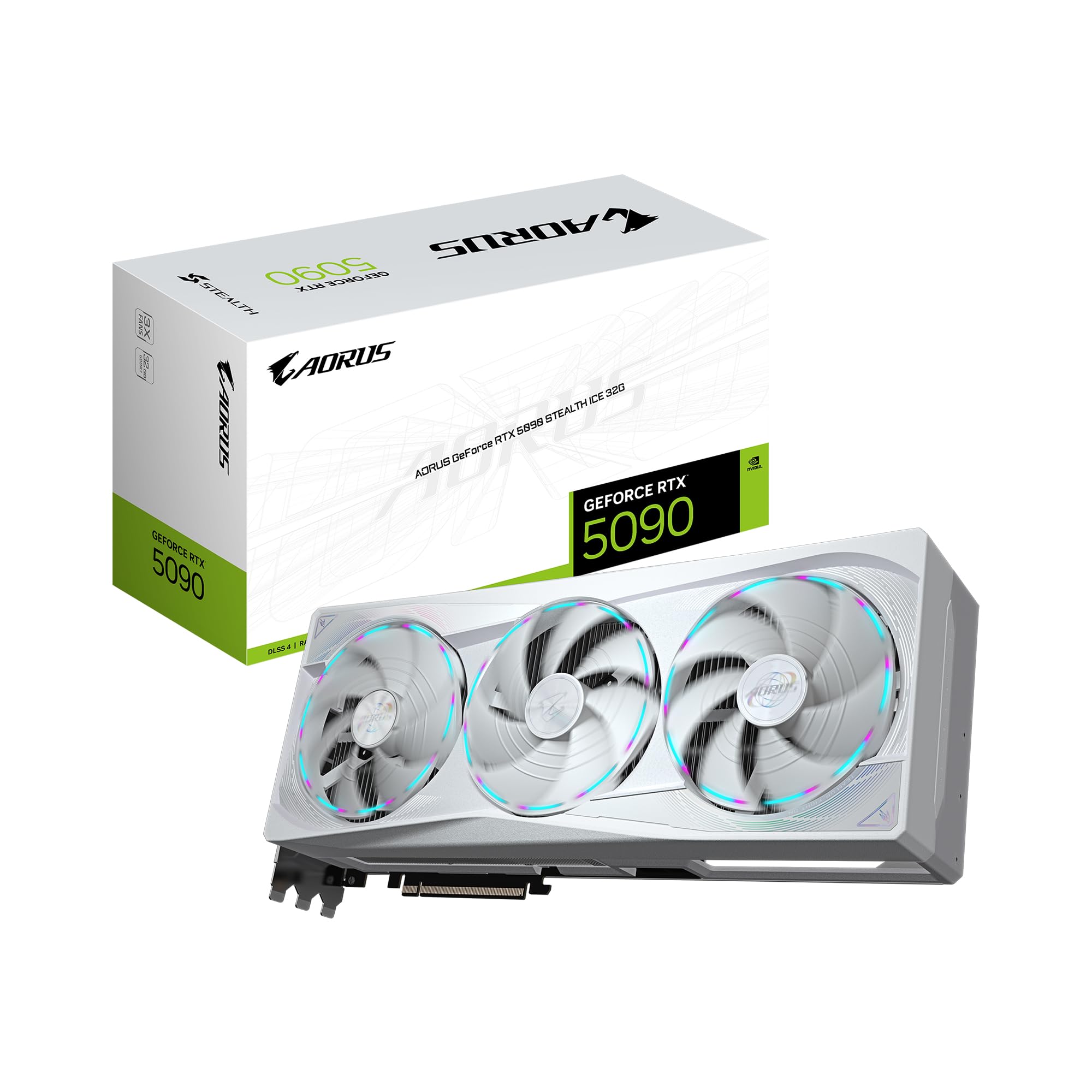
The shift to the Blackwell architecture isn't just about higher clock speeds; it's about the sophisticated driver optimizations that have unlocked new levels of throughput. In previous years, quantization was often a "set it and forget it" task that might take hours for massive models. With the latest drivers for cards like the GIGABYTE AORUS GeForce RTX 5090 Stealth ICE 32G Graphics Card, the efficiency of the Tensor cores has been fine-tuned specifically for FP4 and INT8 operations.
These optimizations allow for faster calibration phases during GGUF or EXL2 quantization. When you are crunching a model, the driver now better manages the GDDR7 memory bottleneck, ensuring that the 32GB of VRAM on the 5090 is utilized to its maximum potential without hitting thermal throttling ceilings too early.
§The endurance factor: Why TBW matters for AI creators
Quantizing models isn't just about your GPU. Most creators ignore their storage, but that’s a mistake. When you quantize a 140GB model, your system is performing massive, sustained reads and writes to your local disk or NAS storage. This is where Total Bytes Written (TBW) endurance becomes a critical metric.
If you’re running a professional outfit, you need a machine like the BoxGPT AI Workstation, RTX PRO 5000 Blackwell, 48GB VRAM, Ryzen 9700X, 64GB DDR5, 2TB NVMe. This workstation is designed to handle the constant data shuffling required for local model management.
- Sustained Writes: Quantizing a single 400B model through multiple bit-depths can result in terabytes of data being written in a single day.
- NAS vs. Local: While NAS storage is great for archiving, your active quantization workspace should ideally be a high-TBW NVMe drive to prevent the "I/O Wait" state from stalling your RTX GPU.
- Safety Margins: Enterprise-grade storage in AI workstations ensures that you won't experience bit rot or drive failure three months into a heavy project.
§VRAM requirements: The new "entry-level" is higher
Gone are the days when 8GB was enough for serious AI work. In 2026, local LLM quantization hardware requirements start at 16GB. At this level, you can comfortably quantize 7B and 14B models without heavy reliance on system RAM swapping.
For those building SFF (Small Form Factor) rigs, the ASUS SFF-Ready Prime NVIDIA GeForce RTX 5070 Ti 16GB GDDR7 Graphics Card is a popular entry point. However, if you're looking to host the model after you've compressed it, you'll find that 16GB fills up fast. This is why many are pivoting toward the ASUS ROG Astral NVIDIA GeForce RTX 5080 16GB GDDR7 White OC Edition, which offers higher memory bandwidth to speed up inference after the quantization is finished.
§Comparing Blackwell options for quantization workflows
| GPU Model | VRAM (GDDR7) | Target Model Size (Quantized) | Best For |
|---|---|---|---|
| RTX 5090 Stealth ICE | 32GB | 70B - 120B | Professional creators and researchers. |
| RTX 5080 Astral | 16GB | 14B - 32B | High-speed inference and light quantization. |
| RTX 5070 Ti Prime | 16GB | 7B - 14B | SFF builds and budget-conscious developers. |
| RTX PRO 5000 Blackwell | 48GB | 70B - 400B+ | Enterprise-grade local model development. |
§The role of the CPU and RAM in quantization
While the GPU does the heavy lifting, the CPU and system RAM act as the staging ground. If you are quantizing models using tools like AutoAWQ or GGUF-based compilers, your CPU needs to handle the orchestration and initial data loading.
The NOVATECH Apex WS9965X AI Workstation & Gaming PC represents the "overkill" solution that actually makes sense for professional teams. With an AMD Ryzen Threadripper PRO 9965WX and 128GB of RAM, this machine can hold an entire unquantized model in system memory. This eliminates the sluggishness of disk-to-GPU transfers and allows the RTX 5080 to do its work without waiting for the rest of the system. Check out our latest benchmarks to see how Threadripper configurations compare to consumer Ryzen chips in preprocessing LLM data.
§Quantization throughput: Real-world impact
Why does throughput matter? If you are a creator testing a new fine-tuned model, you might need to test it at 4-bit, 5-bit, 6-bit, and 8-bit to find the "perplexity sweet spot."
On a GIGABYTE AORUS GeForce RTX 5090 Stealth ICE 32G Graphics Card, the massive increase in memory bandwidth provided by GDDR7 means that the time spent per "quantization pass" is cut by nearly 40% compared to previous generation 3090/4090 builds. This rapid iteration speed is the difference between shipping an AI-powered product in a week or a month.
To see a full list of high-end options, browse our /categories/ai-gpus and /categories/ai-workstations sections.
FAQ
What is the minimum VRAM for local LLM quantization?
While you can technically quantize small models with 8GB, 16GB is the practical minimum in 2026. For 70B models, 32GB or 48GB (like on the BoxGPT AI Workstation) is highly recommended to avoid segmenting the process and losing performance.
Does SSD endurance matter for AI workflows?
Yes. Quantization and fine-tuning involve massive data movement. Standard consumer drives may wear out their TBW (Total Bytes Written) rating within a year under heavy AI development use. Look for enterprise-grade NVMe drives or workstations with high-endurance storage.
Can I use multiple GPUs for faster quantization?
Yes, tools like AutoGPTQ and BitsAndBytes allow for multi-GPU distribution. Using two ASUS ROG Astral NVIDIA GeForce RTX 5080 cards can often provide a more cost-effective way to get 32GB of VRAM compared to a single workstation card, though a single RTX 5090 is generally more power-efficient.
§Bottom line
Local LLM quantization hardware requirements have evolved. Efficiency is now a function of driver optimization and storage endurance. If you're serious about local AI, stop looking at gaming benchmarks and start looking at VRAM bandwidth and TBW ratings. The GIGABYTE RTX 5090 remains the king of consumer-accessible quantization, but for a stable, long-term studio setup, an enterprise-tier machine like the BoxGPT AI Workstation is the smarter investment.
Heads up: AI Hardware Hub may earn a commission when you buy through links on this page. We only recommend gear we'd run ourselves.