In early 2026, the bottleneck for local LLM inference has shifted from raw compute power to the delicate interplay between GDDR7 memory speeds and the storage endurance required for massive model versioning. If you are building a system today, the hardware you choose for quantization and multi-GPU coordination will determine whether your models respond instantly or crawl through a swap-file nightmare. This guide breaks down how the latest Blackwell silicon and high-TBW storage impact your real-world time-to-output.
Heads up: AI Hardware Hub may earn a commission when you buy through links on this page. We only recommend gear we'd run ourselves.
§The GDDR7 Revolution: Why bandwidth is the new king
For years, we were stuck in the GDDR6X era, where memory bandwidth often throttled the potential of high-end silicon. With the arrival of the NVIDIA Blackwell architecture, GDDR7 has changed the math for local LLM quantization hardware requirements. GDDR7 doesn't just bump the clock speed; it uses PAM3 signaling to move significantly more bits per cycle.
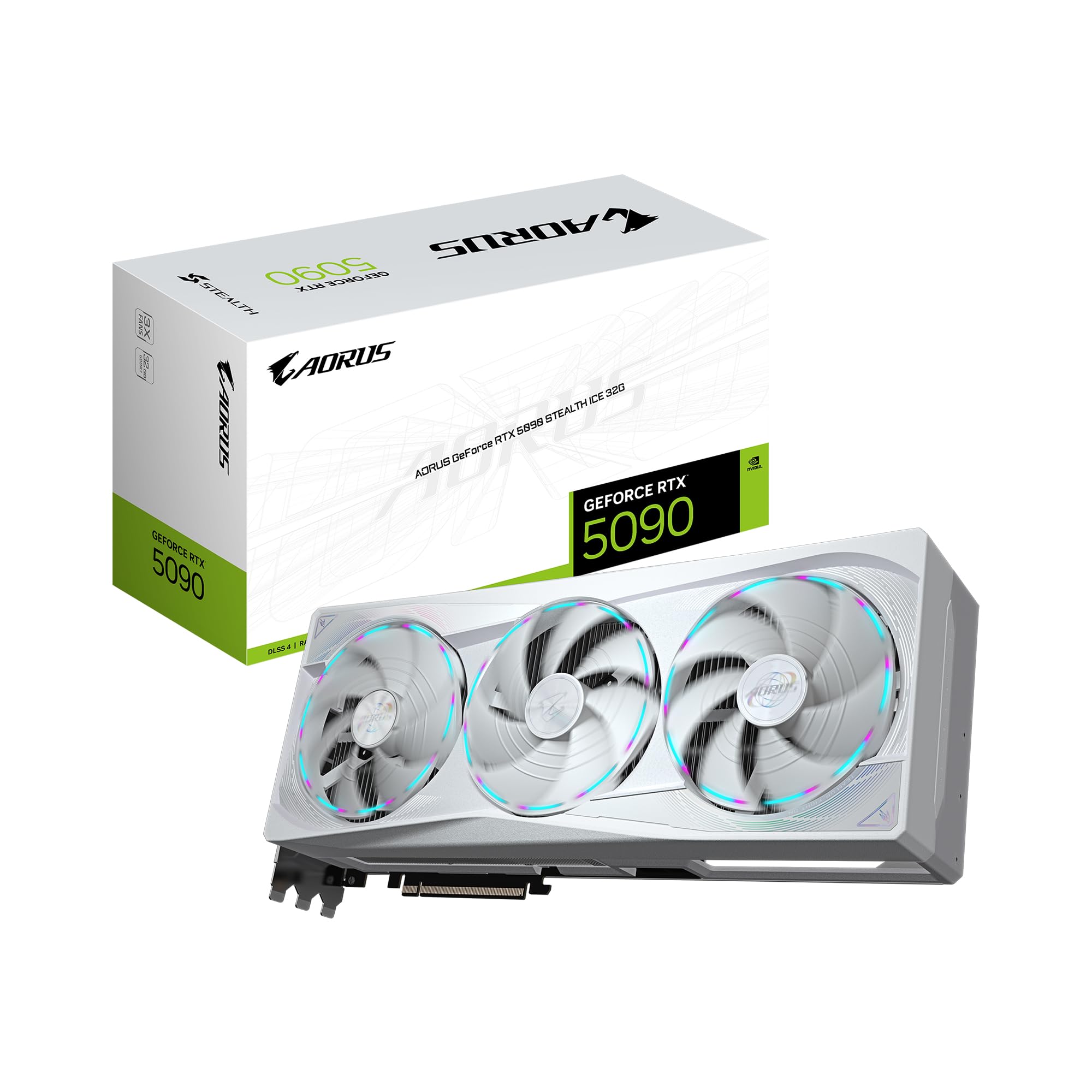
When you're running a quantized 70B parameter model, the GPU isn't "thinking" in the traditional sense—it’s moving data. Every token generated requires the weights of the entire model to be read from VRAM. On a card like the GIGABYTE AORUS GeForce RTX 5090 Stealth ICE 32G Graphics Card, the move to GDDR7 allows for a massive throughput increase, reducing the "time to first token" (TTFT) and maintaining high tokens-per-second even as context windows expand.
§32GB vs. 96GB: Choosing your VRAM ceiling
The most common question we get at the benchmarks desk is: "Do I really need a pro card?" The answer depends entirely on your quantization strategy.
A 32GB card, like the one found in the Adamant Custom 12-Core Liquid Cooled AI Workstation, is perfectly suited for 4-bit or 5-bit GGUF/EXL2 quants of 70B models. However, if you are fine-tuning models or need to run 120B+ parameter models without heavy degradation, you run into the VRAM wall.
Enter the PNY Technology VCNRTXPRO6000BQ-PB NVIDIA RTX PRO 6000 Blackwell Max-Q. With 96GB of VRAM, this card allows you to keep an entire uncompressed FP16 model in memory, or run multiple 70B agents simultaneously. The efficiency gains in 2026 aren't just about speed; they are about coordination.
GPU Specification Comparison
| Feature | RTX 5070 Ti (ASUS) | RTX 5090 (GIGABYTE) | RTX PRO 6000 Blackwell (PNY) |
|---|---|---|---|
| VRAM Capacity | 16GB GDDR7 | 32GB GDDR7 | 96GB GDDR7 |
| Architecture | Blackwell | Blackwell | Blackwell |
| Ideal Use Case | 7B-14B Edge Inference | 70B Quantized Inference | Large Model Fine-tuning |
| Target User | Hobbyist / SFF | AI Creator | ML Engineer / Enterprise |
§The storage trap: TBW and quantization checkpoints
ML engineers often overlook their SSDs, but quantization is a write-heavy process. Every time you run an AWQ or GGUF conversion script, you are reading tens of gigabytes and writing them back to disk in a new format.
If you're using a standard consumer drive, you'll hit your Total Bytes Written (TBW) limit faster than you think. Proper ai-workstations like the BoxGPT AI Workstation, RTX PRO 6000 Blackwell prioritize NVMe drives with high endurance ratings.
- Dataset Versioning: Use a high-capacity NAS for your raw blobs, but keep your active checkpoints on a Gen5 NVMe.
- Swap Files: Even with 256GB of DDR5, local LLMs sometimes spill over. Ensure your swap partition is on your fastest physical drive.
- I/O Latency: Blackwell's driver optimizations (like GDS - GPUDirect Storage) allow the GPU to pull weights directly from NVMe, bypassing the CPU to shave milliseconds off load times.
§Multi-GPU logic and driver coordination
In 2026, we’ve moved past simple SLI-style setups. Modern multi-GPU arrays use peer-to-peer (P2P) memory access to treat two cards as one contiguous block of VRAM.
The ASUS SFF-Ready Prime NVIDIA GeForce RTX 5070 Ti 16GB GDDR7 is a popular choice for dual-GPU builds in compact cases. By linking two of these, you get 32GB of VRAM across a 2.5-slot footprint. However, the driver overhead for coordinating these two "smaller" pools of GDDR7 memory is higher than using a single massive 32GB RTX 5090.
NVIDIA’s latest drivers have significantly improved "pipeline parallelism," where one GPU processes the first half of the neural network layers and the second GPU handles the rest. This is vital for creators running local LLMs who want to avoid the "single-GPU bottleneck" during long-form content generation.
§Why NAS storage matters for the 2026 creator
Building a local model library is addictive. Between Llama 4 variants and fine-tuned Mistral checkpoints, you’ll likely exceed 10TB of "essential" data within months.
Your storage strategy should look like this:
- Work Tier: Gen5 NVMe for active model weights (e.g., the 8TB NVMe in the Adamant Custom Workstation).
- Archive Tier: A multi-bay NAS with RAID 6 for dataset versioning.
- Cache Tier: High-TBW SATA SSDs for temporary quantization scratch space to preserve your expensive NVMe's lifespan.
FAQ
What is the minimum VRAM for 70B models in 2026?
Technically, you can fit a 70B model into 24GB or 32GB using 4-bit quantization. However, for a productive workflow with a decent context window (32k+ tokens), 32GB (like the RTX 5090) is the baseline.
Does GDDR7 make a difference for inference?
Yes. Inference speed is largely "memory bound." Since the GPU spends most of its time waiting for weights to load from memory into the cores, the increased bandwidth of GDDR7 directly results in more tokens per second compared to older GDDR6X setups.
Can I mix a 5090 and a Pro 6000 Blackwell in one machine?
While possible, it’s not recommended for beginner-to-intermediate users. Mismatched VRAM capacities and architectures can cause issues with load balancing in frameworks like Ollama or vLLM. It's usually better to stick to a matched pair of RTX PRO 6000 Blackwell cards if you need 192GB+ of VRAM.
§Verdict: The optimal setup
For most AI creators, the 32GB VRAM threshold provided by the GIGABYTE AORUS GeForce RTX 5090 represents the "sweet spot" of performance vs. price. It offers enough GDDR7 bandwidth to make local inference feel like a cloud-hosted API.
However, if your bread and butter is training or running unquantized state-of-the-art models, the BoxGPT AI Workstation is the clear winner. It removes the friction of memory management, allowing you to focus on the prompt, not the hardware limits. Don't cut corners on your storage—high-TBW drives are the unsung heroes of the local LLM revolution.
Heads up: AI Hardware Hub may earn a commission when you buy through links on this page. We only recommend gear we'd run ourselves.