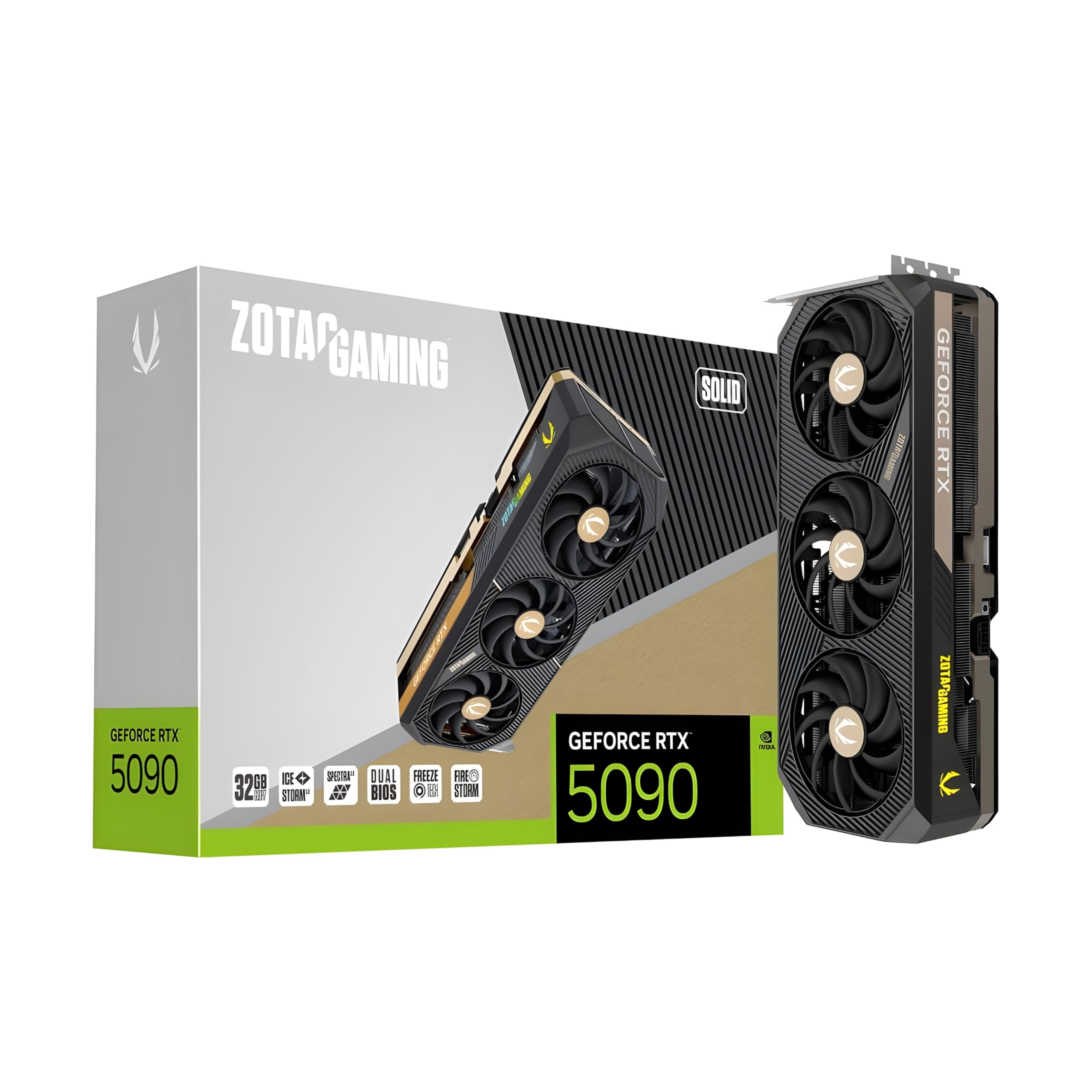
Selecting the right hardware for professional creative and technical work has never been more critical than in 2026. The choice between the RTX 5090 vs RTX 5080 isn't just about frame rates anymore; it’s a decision based on whether you need 32GB of VRAM to keep massive LLMs locally or if 16GB is sufficient for your real-time 3D rendering pipeline. For those moving into heavy generative AI or Unreal Engine 5.4 production, the massive gap in memory capacity and memory bandwidth between these two Blackwell-based titans will define your daily productivity.
TL;DR
- The Powerhouse: ZOTAC Gaming GeForce RTX 5090 Solid 32GB is the definitive choice for LLM fine-tuning, Flux.1 training, and 8K video production.
- The Efficient Professional: ASUS ROG Astral RTX 5080 16GB offers incredible per-core performance for motion graphics and 3D modeling at less than half the price.
- The Verdict: If your work involves "out-of-memory" errors on 24GB cards, the 32GB RTX 5090 is your only viable upgrade. Otherwise, the RTX 5080's GDDR7 speed is a significant leap over the previous generation.
§VRAM: The 32GB vs 16GB Divide
In 2026, VRAM is the primary currency of AI. The ZOTAC Gaming GeForce RTX 5090 Solid 32GB introduces a massive 32GB pool of GDDR7 memory. This isn't just "nice to have"; it is the threshold for running large models like Llama 3 70B with high context windows or training SDXL LoRAs without aggressive quantization.
The ASUS ROG Astral RTX 5080 16GB stays at 16GB. While the move to GDDR7 provides a huge boost in memory bandwidth compared to the old 4080, the capacity remains a bottleneck. For 3D artists using Blender Cycles, 16GB handles most complex scenes, but once you start layering high-resolution UDIM textures and complex geometry, you'll feel the pinch.
| Feature | ZOTAC RTX 5090 Solid | ASUS ROG Astral RTX 5080 |
|---|---|---|
| VRAM Capacity | 32GB GDDR7 | 16GB GDDR7 |
| Memory Bus | 512-bit | 256-bit |
| Best For | LLM Training, 8K VFX | 3D Design, 4K Editing |
| Form Factor | High-Slot Solid Design | 3.8-Slot, 4-Fan Cooler |
| MSRP (USD) | $4,199 | $1,848.99 |
§Why the RTX 5090 dominates AI workflows
The RTX 5090 is essentially a "prosumer" workstation card. By doubling the memory of the 5080, NVIDIA has created a card that can actually compete with much more expensive enterprise hardware. We see this integrated into high-end builds like the NOVATECH Apex WS9985X, which pairs the 5090 with a 64-core Threadripper.
For AI creators, the 5090's 512-bit memory bus is the secret sauce. This architecture allows for lightning-fast data throughput, which is essential when the GPU is constantly swapping weights in and out during inference. If you are running ComfyUI workflows with multi-model setups (e.g., combining Flux.1 with ControlNets and IP-Adapters), the RTX 5090 32GB provides the overhead to keep everything on-device, preventing the massive slowdown of system RAM fallbacks.
§Performance in 3D Rendering and Creative Suites
The ASUS ROG Astral RTX 5080 16GB is no slouch. In DaVinci Resolve or Adobe Premiere, the 5080’s dual AV1 encoders make short work of 4K and 6K exports. For 3D modeling where single-frame render speed is secondary to viewport stability, the OC-enabled 5080 is a beast.
However, for professional VFX studios, the RTX 5090's raw compute power scales better. In workstations like the Adamant Custom 16-Core AI Workstation, the 5090 allows users to preview complex particle simulations in nearly real-time. The ZOTAC Solid model specifically caters to these long-duration renders with its IceStorm 3.0 cooling system, ensuring the card doesn't throttle during a 12-hour render queue.
§Comparing Workstation Integration
When choosing between these GPUs, consider the platform they will live in.
- The 5090 Ecosystem: Typically requires 1200W+ PSUs. You'll find it in enterprise builds like the Cloud Ninjas Iron Bull or the Adamant Custom Liquid Cooled Workstation, which are optimized for maximum air/liquid flow and massive power delivery.
- The 5080 Ecosystem: More flexible. The NOVATECH Apex WS9965X proves that you can still get workstation-class CPU power (Threadripper PRO) while saving on the GPU if your specific software doesn't benefit from the 5090's extra VRAM.
§Who should buy what?
| Persona | Recommended GPU | Recommended Workstation |
|---|---|---|
| ML Engineer / Local LLMs | ZOTAC RTX 5090 32GB | NOVATECH Apex WS9985X |
| 3D Generalist / Artist | ASUS ROG Astral RTX 5080 | NOVATECH Apex WS9965X |
| VFX / Unreal 5 / Stable Diffusion | ZOTAC RTX 5090 32GB | Adamant Custom 16-Core AI |
§FAQ
Does the RTX 5090 require a new power supply?
Most likely, yes. With its massive performance tier, the 5090 generally requires a dedicated PCIe 5.0 (12VHPWR/12V-2x6) cable and at least a 1000W-1200W PSU. High-end workstations like the Cloud Ninjas Iron Bull ship with 1600W PSUs to handle the spikes and multi-GPU potential.
Is 16GB on the RTX 5080 enough for video editing in 2026?
For 4K and even 6K workflows in DaVinci Resolve or After Effects, 16GB is healthy. However, if you are doing heavy 3D-compositing within your video software or using Neat Video NR on long clips, the 32GB on the ZOTAC RTX 5090 provides a much wider safety margin against "GPU Memory Full" crashes.
How much faster is GDDR7 compared to GDDR6X?
GDDR7 offers significantly higher bandwidth and efficiency, allowing for faster data transfer between the GPU core and the memory. This results in smoother real-time previews in 3D viewports and reduced latency in AI inference, making the ASUS ROG Astral RTX 5080 feel more responsive than its predecessor even at the same VRAM capacity.
§Bottom line
The ZOTAC RTX 5090 is a specialized tool for those pushing the limits of AI and VFX, where 32GB of VRAM is non-negotiable. For everyone else, the ASUS ROG Astral RTX 5080 delivers leading-edge Blackwell architecture and GDDR7 speeds that handle professional 3D and 4K creative work with ease. █